If you’re stuck on pomodoro vs time blocking, here’s the short answer: neither one wins for every person or every task. In most real-world cases, Pomodoro works better when you need to start, stay urgent, or manage wandering attention, while time blocking works better when you need to plan your whole day, protect deep work, and stop reactive task-switching. That’s the real pomodoro vs time blocking tradeoff.
Sound familiar? You sit down with good intentions, answer one message, check one tab, and suddenly your “study session” turns into 47 minutes of low-grade chaos. And if attention regulation is part of the problem, this gets even trickier — which is why questions like does Pomodoro help ADHD keep coming up. Research on attention and time management, including guidance from the American Psychological Association on ADHD, helps explain why short work sprints help some people focus while structured schedules help others feel less overwhelmed.
So here’s what you’ll get in this article. I’ll show you a fast, side-by-side pomodoro vs time blocking comparison table, the pros and cons of each method, when each one fails, and how to choose based on your task type, interruption level, and executive function load. You’ll also see the same workload mapped three ways: Pomodoro, time blocking, and a hybrid system.
We’ll also get specific. You’ll see what tends to work best for students, deep work, ADHD-style attention struggles, and messy days that never go according to plan — plus where a simpler framework like the 3 3 3 productivity rule can beat both. Personally, I think most people don’t need a “best” method. They need the right method for the hour in front of them.
I’m a software engineer, not a neuroscientist, but I’ve spent years building learning and focus tools at FreeBrain and comparing what actually helps people follow through. By the end, pomodoro vs time blocking should feel a lot less confusing — and a lot more usable.
📑 Table of Contents
- Quick Answer: Pomodoro vs Time Blocking
- Pomodoro vs Time Blocking at a Glance: Definitions, Table, and 7 Key Differences
- What the Evidence Suggests About Pomodoro, Time Blocking, and Focus
- Real-World Application: Pomodoro vs Time Blocking for Students, ADHD, Deep Work, and Remote Work
- How to Combine Pomodoro and Time Blocking: A Step-by-Step Hybrid System
- Common Mistakes to Avoid, Quick Reference, and the Bottom Line on Pomodoro vs Time Blocking
- Frequently Asked Questions
- Conclusion
Quick Answer: Pomodoro vs Time Blocking
So here’s the short version. In pomodoro vs time blocking, there isn’t one universal winner: Pomodoro usually works better for starting hard tasks, reducing procrastination, and managing attention, while time blocking works better for planning a full day and protecting deep work. For more on productivity and focus, see our productivity and focus guide.
The real choice in pomodoro vs time blocking depends on three things: task type, interruption level, and executive function load. Writing a report in a quiet library is different from juggling Slack, email, and meetings in a remote job. And yes, that difference matters more than most people think.
If you want the fastest rule, use Pomodoro when starting feels hard and use time blocking when your day needs structure. For mixed workloads, a hybrid often wins: calendar blocks as containers, then 25- to 50-minute focus sprints inside them. If attention regulation is part of the picture, you may also want to read does Pomodoro help ADHD and compare it with simpler planning systems like the 3 3 3 productivity rule.
One trust note. Direct head-to-head randomized trials on pomodoro vs time blocking are limited, so the best evidence comes from broader research on attention, planning, breaks, and task switching, including findings summarized by the American Psychological Association on attention and research indexed in PubMed Central on self-regulation and cognitive performance.
Quick health note: if you’re dealing with ADHD, anxiety, burnout, or sleep-related problems, these methods may help with structure, but they aren’t treatment. For treatment-related concerns, consult a qualified healthcare or mental health professional.
Best choice by goal
- Best for starting hard tasks: Pomodoro.
- Best for structuring a whole day: time blocking.
- Best for mixed workloads: hybrid system.
So, when to use pomodoro vs time blocking? Personally, I’d pick Pomodoro for low-motivation study sessions, time blocking for protecting a 3-hour writing window, and hybrid scheduling when both focus and coordination matter.
Who should use each method
For pomodoro vs time blocking for studying, students who are cramming or mentally resisting the work often do better with short, timed sprints. Knowledge workers with meetings usually need calendar structure first. People with unpredictable days often need flexible blocks plus timer-based work bursts.
Next, I’ll break down pomodoro vs time blocking at a glance with definitions, a comparison table, and seven key differences.
Pomodoro vs Time Blocking at a Glance: Definitions, Table, and 7 Key Differences
If the quick answer felt too short, here’s the practical version. The real pomodoro vs time blocking question isn’t which one is “better” in general, but what problem each method solves.

A lot of readers arrive from “pomodoro vs time blocking reddit” threads. And honestly, forum advice can be useful, but it’s still anecdotal. This section gives you a cleaner framework, plus a few evidence-based reasons these systems work differently.
What each method actually does
The Pomodoro Technique is interval-based. You work for a fixed period, traditionally 25 minutes, then take a 5-minute break, with a longer break after 4 rounds. Variations like 50/10 also show up a lot, especially for adults doing heavier knowledge work.
Time blocking is schedule-based. You assign tasks, projects, or categories to specific calendar slots, often 30, 60, or 90 minutes at a time. So the time blocking method answers, “When will this happen?” while Pomodoro answers, “How will I pace attention once I start?”
That distinction matters. In pomodoro vs time blocking, Pomodoro manages attention inside work sessions; time blocking manages where work goes in the day. One is a timer system. The other is a calendar system.
And no, Pomodoro is not the same as time blocking. If you’re wondering whether it helps with distractibility or executive function, I’ve broken that down in more detail here: does Pomodoro help ADHD. If you want an even simpler planning frame than full calendar blocking, the 3 3 3 productivity rule is often easier to stick with.
Research helps explain why both can work. Task switching leaves “attention residue,” a concept associated with Sophie Leroy’s work, meaning part of your mind stays stuck on the previous task. And people also fall into the planning fallacy, underestimating how long work takes, a bias described in classic research by Kahneman and Tversky and summarized in the Wikipedia overview of the planning fallacy.
📋 Quick Reference
Pomodoro: best when starting is hard, distractions are frequent, or you need urgency.
Time blocking: best when your day is crowded, priorities compete, or deep work needs protected space.
Simple rule: Pomodoro controls pace. Time blocking controls allocation.
Side-by-side comparison table
| Factor | Pomodoro | Time Blocking |
|---|---|---|
| Structure | Fixed work/break intervals | Tasks assigned to calendar blocks |
| Session length | Usually 25/5 or 50/10 | Usually 30-120 minutes; often a 60-minute block or 90-minute deep-work block |
| Planning style | Timer-first | Calendar-first |
| Flexibility | Easier to restart after interruptions | Better for structured days, worse when meetings explode |
| Cognitive load | Lowers startup friction | Lowers planning ambiguity |
| Best for | Studying, admin, reading, getting started | Deep work, meetings, project planning, batching |
| Weak points | Can break flow on hard creative work | Requires better estimation and schedule control |
The 7 biggest differences that matter in real life
Here’s the sharper pomodoro vs time blocking breakdown most articles blur together.
- 1. Session length and pacing: Pomodoro usually means 25/5 or 50/10. Time blocks are often 60 to 120 minutes.
- 2. Planning style: Pomodoro starts with a timer. Calendar blocking starts with your schedule.
- 3. Interruptions: Pomodoro resets more easily. A broken time block can wreck your whole afternoon.
- 4. Deep work fit: Long, uninterrupted blocks usually win for writing, coding, and design-heavy work.
- 5. Mental load: Time blocking needs more upfront estimation. Pomodoro asks less planning from you at the start.
- 6. Best task types: Pomodoro often fits studying, email, and review. Time blocking fits strategy, meetings, and project chunks.
- 7. Ease of starting: For beginners, Pomodoro often feels less intimidating and more “sticky.”
Now this is where it gets interesting. In pomodoro vs time blocking, neither method is universally superior because they reduce different kinds of friction. Pomodoro reduces the pain of starting. Time blocking reduces the chaos of not knowing what belongs where.
Evidence points the same way. Research discussed by the American Psychological Association on multitasking and task switching shows switching carries performance costs, which is one reason protected blocks can help. But if your day is messy, a rigid 90-minute block may fail faster than a simple 25-minute sprint.
So when people ask, “What is the difference between pomodoro and time blocking?” the short answer is this: one manages attention, the other manages time allocation. Which brings us to the next question — what does the actual evidence suggest about focus, productivity, and when each method works best?
What the Evidence Suggests About Pomodoro, Time Blocking, and Focus
Now that the definitions are clear, the real question is simpler: what does the evidence actually say about pomodoro vs time blocking? Short answer: there isn’t strong research proving one universally beats the other, but several findings on attention, breaks, planning, and task switching support parts of both methods.
That matters because people often ask whether one system is “scientifically best.” Well, actually, pomodoro vs time blocking is less about a winner and more about matching structure to your task, energy, and environment. And if you’re also thinking about attention regulation, this guide on does Pomodoro help ADHD covers that angle in more detail, while the 3 3 3 productivity rule shows a simpler planning alternative when full scheduling feels like too much.
Why Pomodoro helps some people start faster
Pomodoro works best when starting is the real problem. A short work sprint lowers the psychological cost of beginning because “just 25 minutes” feels safer than “work all afternoon.”
So, is pomodoro method effective? Research on goal setting and implementation intentions suggests that concrete, bounded commitments are easier to start than vague ones. A timer also creates urgency, which can reduce avoidance on unpleasant tasks.
The classic answer to “why is pomodoro 25 minutes” is partly historical: Francesco Cirillo used a tomato-shaped kitchen timer and settled on 25-minute sessions. But there’s also practical logic. Twenty-five minutes is short enough to feel doable and long enough to make visible progress.
And here’s the kicker — visible rounds create feedback. You finish one session, mark it off, and your brain gets a small sense of completion. That’s one reason people asking “how effective is pomodoro technique” often report better follow-through, especially on reading, revision, and tasks they’ve been delaying.
There isn’t one magic interval, though. What is the best pomodoro interval? Usually, it depends on task friction and stamina:
- 15/3 for email, admin, and low-friction tasks
- 25/5 for beginners and general studying
- 30/5 for moderate-focus work with fewer restarts
- 50/10 for coding, writing, and reading-heavy work
- 90/15 for experienced deep-focus sessions when interruptions are controlled
If you’re wondering whether pomodoro for deep work always helps, not necessarily. For some people, frequent breaks interrupt immersion, which is exactly why why Pomodoro fails sometimes is often about using the wrong interval for the wrong task.
Why time blocking helps some people plan better
Time blocking solves a different problem. Instead of helping you start one task, it helps you decide what your day is for before other people decide for you.
Research on the planning fallacy, including work by Daniel Kahneman and Amos Tversky, shows that people routinely underestimate how long tasks take. A calendar block externalizes priorities and forces tradeoffs into view. If you block 90 minutes for writing, that time can’t also be for meetings, errands, and inbox cleanup.
This is where pomodoro vs time blocking gets interesting. Pomodoro reduces resistance inside a task, while time blocking reduces ambiguity before the task begins. For many people, the time blocking method cuts decision fatigue because the day has already been pre-decided.
And planning ahead can reduce context switching too. If you batch similar work into blocks and align them with your energy patterns, you’re less likely to bounce between shallow and deep tasks. Speaking of which — your chronotype and focus timing can affect whether an early deep-work block feels easy or impossible.
Limits, caveats, and what the research does not prove
Here’s the honest part: evidence does not show that pomodoro vs time blocking has a single universal winner. Individual differences matter a lot — attention span, workload, task type, stress, sleep, and interruption level all change the result.
And no timer can fully compensate for chronic sleep debt. The CDC’s sleep guidance notes that adults generally need at least 7 hours of sleep for health and functioning; if you’re consistently below that, focus methods may feel broken because your brain is under-recovered, not because the system is bad. See CDC sleep recommendations for the basics.
One more caveat. If you’re dealing with ADHD, anxiety, burnout, or a sleep disorder, these methods are educational tools, not treatment. Research suggests they may help with structure, but for diagnosis or care, talk with a qualified professional.
So when people compare pomodoro vs time blocking, the better question is usually: which method fits this task, this day, and this brain state? Which brings us to the practical part — how pomodoro vs time blocking works for students, deep work, ADHD, and remote work in real life.
Real-World Application: Pomodoro vs Time Blocking for Students, ADHD, Deep Work, and Remote Work
The evidence gives us a direction. But in practice, pomodoro vs time blocking usually comes down to something simpler: does the method match the shape of your day?
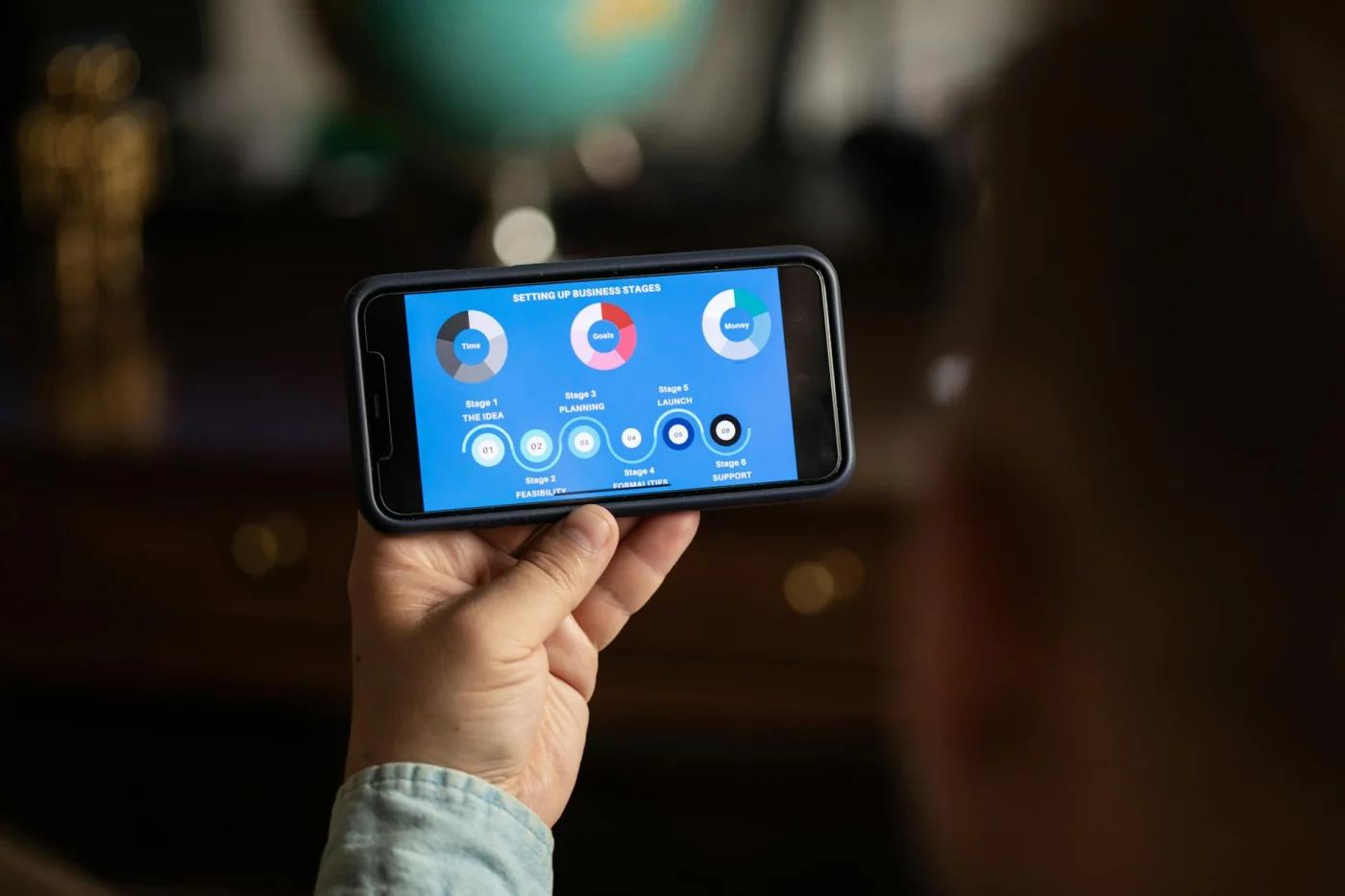
After building study and planning tools for FreeBrain, I keep seeing the same pattern. People fail less when they stop copying the most popular system and start matching their workload, energy, and interruptions to the right structure.
Best for students and college workloads
For students, the best answer is usually both. Time blocking reserves the big rocks first: classes, commute, review windows, office hours, and exam prep sessions.
Then you use Pomodoro inside those study blocks. That’s why pomodoro vs time blocking for studying is often the wrong framing for college workloads — the calendar holds the plan, and the timer helps you actually begin.
Personally, I think this is the part most people get wrong. They block “study for biology” from 7:00 to 9:00, then spend 40 minutes rereading notes. Retrieval practice works better than passive review, as research in cognitive psychology has shown for years, so your block should contain active recall, problem sets, flashcards, and self-testing, not just exposure. If you want examples, these active recall study tools fit especially well inside 25- to 40-minute rounds.
- Use time blocking for weekly planning and exam countdowns.
- Use Pomodoro for initiation, review sessions, and problem practice.
- Increase session length when the task needs sustained reasoning.
Mini case study. Same workload: 2 hours studying, 90 minutes writing, 45 minutes admin, 30 minutes email. For a college student, I’d block 2 hours for studying and 90 minutes for writing on the calendar, then split the study block into four 25/5 rounds for recall and practice questions. That makes time blocking vs pomodoro for college students less of an either-or choice and more of a layering strategy.
Best for ADHD and executive function challenges
If overwhelm is the main problem, shorter starts often help. A visible 10- or 15-minute start line can reduce friction because your brain no longer has to commit to “all afternoon.”
But wait. Rigid timers can also become irritating, especially if you’re finally engaged and the alarm cuts in at the worst moment. So in pomodoro vs time blocking for adhd, external structure matters more than perfect intervals.
Three things matter: clear starts, low-friction task setup, and forgiving plans. A simple block like “10:00–11:00 math, first 15 minutes only” often works better than an elaborate schedule you ignore by noon. And if attention regulation is a recurring struggle, this guide on how to work with ADHD effectively may help you test practical supports.
Does Pomodoro help ADHD? Sometimes, yes. Evidence and real-world reports suggest shorter intervals can reduce avoidance, but the “best” structure is highly individual.
Best for deep work and remote work
Deep work usually needs longer uninterrupted blocks. If a coding or writing task takes 15 to 20 minutes just to load into working memory, a 25-minute timer may interrupt right as real focus begins.
Now this is where it gets interesting. In pomodoro vs time blocking for deep work, Pomodoro can hurt performance when task complexity is high, context is dense, and switching costs are steep. For those tasks, 50/10 blocks or even 90-minute focus windows are often better.
Remote work flips the problem. In pomodoro vs time blocking for remote work, rigid calendars can collapse on days with six meetings, Slack pings every 12 minutes, and urgent requests that hijack the afternoon. On those days, use theme blocks like “morning meetings, afternoon creation,” then fit Pomodoro bursts between interruptions.
Using the same workload again: a remote worker with 2 hours of studying, 90 minutes of writing, 45 minutes of admin, and 30 minutes of email should probably block the writing first, batch admin and email together, and use short Pomodoro bursts only in the gaps. Which brings us to the next section: how to combine both methods into one hybrid system that survives real life.
How to Combine Pomodoro and Time Blocking: A Step-by-Step Hybrid System
So if the last section helped you see where each method fits, this is the copy-it-today version. The real answer to pomodoro vs time blocking isn’t choosing one side; it’s building a system where blocks decide what gets done and timers decide how you stay engaged.
How to combine Pomodoro and time blocking
- Step 1: Convert today’s workload into minutes, not vague task labels.
- Step 2: Put fixed commitments on your calendar first.
- Step 3: Create 2-3 priority blocks for your best work.
- Step 4: Choose the right focus interval inside each block.
- Step 5: Add 15-30 minute buffer blocks for spillover.
- Step 6: Review what failed: estimate, friction, or interruptions.
Step 1: Build the day around blocks, not wishful thinking
Start with reality. In the pomodoro vs time blocking debate, most plans fail before work even begins because people schedule task names instead of time costs.
Write your workload like this: biology review 60 minutes, essay draft 90, email 30, admin 30, meeting prep 20. That gives you 230 minutes of actual work, which is far easier to place into a usable daily planning system.
Next, schedule fixed commitments first. Classes, meetings, school pickup, commute, lunch with your team — those go on the calendar before any focus work. That’s the backbone of the time blocking method.
And leave space. If your day gets interrupted a lot, keep 15-20% unscheduled. Personally, I think this is the part most people get wrong, especially remote workers who assume every hour will behave perfectly. It won’t.
If distractions are heavy, reduce friction outside the schedule too. A simple device cutoff or digital detox for students routine can make your blocks hold up much better.
- Fixed commitments first
- Priority work second
- Buffers third
- Small tasks last
Step 2: Put Pomodoros inside the right blocks
Now add the timer layer. This is where pomodoro vs time blocking stops being an either-or question and becomes a hybrid productivity system.
Use 25/5 for low-friction tasks or attention-fragile work: flashcards, inbox cleanup, admin, short readings. Use 50/10 for medium-depth tasks like coding, textbook reading, or problem sets. And for writing, research, or complex design work, longer 90/15 stretches can work well when interruptions are low and context loading is expensive.
What is the best pomodoro interval? Well, actually, there isn’t one universal answer. Research on attention and task switching, including work summarized by researchers such as Gloria Mark at the University of California, Irvine, suggests interruptions carry a real cognitive cost, so your interval should match how expensive it is to get back into the task.
Three things matter: task depth, interruption risk, and startup resistance. If a task is hard to begin, use a shorter timer. If it takes 20 minutes just to “get back in,” use a longer one.
Step 3: Compare the same workload in 3 formats
Here’s a direct pomodoro vs time blocking sample schedule using the same 230-minute workload. This side-by-side view is what most articles skip.
Full Pomodoro schedule: 9:00 biology review (25/5), 9:30 biology review (25/5), 10:00 meeting prep (20) plus short break, 10:30 email (25/5), 11:00 admin (25/5), 1:00 essay draft (25/5), 1:30 essay draft (25/5), 2:00 essay draft (25/5). Good for momentum. Weaker for big-picture planning.
Full time-blocked schedule: 9:00-10:00 biology review, 10:00-10:30 email, 10:30-11:00 admin, 1:00-2:30 essay draft, 2:30-2:50 meeting prep, 3:00-3:30 buffer. Cleaner calendar. But wait. It can hide fatigue and make long blocks feel vague.
Hybrid schedule: 9:00-10:00 study block with two 25/5 rounds for biology, 10:00-10:30 communication block for email, 10:30-11:00 admin block with one 25/5 round, 1:00-2:30 deep-work block with 50/10 plus 30 more minutes for essay drafting, 2:30-2:50 meeting prep, 3:00-3:30 buffer. For most people comparing pomodoro vs time blocking, this is the sweet spot.
End each day with a 3-minute review. Did the plan fail because your estimate was wrong, the task was too hard to start, or interruptions were too high? That question matters more than whether pomodoro vs time blocking is “better” in theory.
Which brings us to the next section: the mistakes that quietly wreck both systems, plus a quick reference to help you choose the right version of pomodoro vs time blocking on any given day.
Common Mistakes to Avoid, Quick Reference, and the Bottom Line on Pomodoro vs Time Blocking
If you want a hybrid system to work, you need to know where it breaks. That’s really the heart of pomodoro vs time blocking: each method helps in one context and backfires in another.

Common mistakes and what to avoid
With pomodoro vs time blocking, the biggest mistakes are usually mechanical. People use 25 minutes for every task, take “breaks” on social media, stop deep focus just because the timer rings, and then judge success by how many rounds they finished instead of what they actually shipped.
Fixes are simple:
- Match session length to the task: 15 minutes for admin, 45-90 for harder work.
- Use real breaks: stand up, walk, breathe, or hydrate.
- If you’re in flow, extend the round instead of cutting it off.
- Track output, not just timer streaks.
Time blocking fails differently. People overpack the calendar, leave no buffers, ignore energy patterns, and treat blocks like rigid promises instead of planning tools. That’s a fast path to frustration — and sometimes burnout. If that sounds familiar, read more on why Pomodoro fails sometimes, because the same “tool overuse” problem shows up in both systems.
And the misconception questions? Is the Pomodoro method obsolete? No. It’s just overused as a one-size-fits-all answer. Is Pomodoro time blocking? Also no. But Pomodoro can sit inside a larger time block. And what is the 3 3 3 rule and time blocking? It’s a simpler planning layer: three big tasks, three small tasks, three maintenance tasks, then place them into your day.
Quick Reference: choose in under a minute
📋 Quick Reference
Use Pomodoro if starting is the problem. Use time blocking if planning is the problem. Use a hybrid for pomodoro vs time blocking if both starting and planning keep falling apart.
Bottom line
So, best productivity method pomodoro or time blocking? There’s no universal winner. The real answer in pomodoro vs time blocking is task-method fit: use Pomodoro for resistance, time blocking for structure, and a hybrid when your day needs both.
Test one method for 3 days. Track completion rate and stress level, then switch or hybridize based on results. And if you want more practical systems, FreeBrain’s productivity and study-skill resources are a good next stop before we get into the FAQ and final takeaways.
Frequently Asked Questions
What is the difference between Pomodoro and time blocking?
The short answer in pomodoro vs time blocking is this: Pomodoro is an interval method built around timed focus sessions and breaks, while time blocking is a scheduling method that assigns work to specific parts of your calendar. If you’re asking what is the difference between pomodoro and time blocking, think of it this way: Pomodoro manages your pace during work, and time blocking manages where that work lives in your day. One helps you stay focused minute to minute; the other helps you protect time before distractions take over.
Is Pomodoro time blocking?
No. In pomodoro vs time blocking, the answer to is pomodoro time blocking is that Pomodoro by itself is a timer-based focus method, not a calendar-based planning system. But you can combine them really well by scheduling a 90-minute study block, for example, and then running three Pomodoro rounds inside it. That gives you both structure and momentum.
Is Pomodoro better than time blocking for studying?
For pomodoro vs time blocking for studying, it depends on the problem you’re trying to solve. Pomodoro is often better when you need help starting, staying urgent, or getting through boring review sessions, while time blocking is better for planning your week, protecting revision time, and making sure important subjects actually happen. For most students, the best pomodoro vs time blocking setup is a hybrid: block your study sessions first, then use timed intervals inside them.
How do you combine Pomodoro and time blocking?
If you want to know how to combine pomodoro and time blocking, start simple. In pomodoro vs time blocking, the most practical setup is:
- Block major tasks first on your calendar, like math practice from 4:00 to 5:30.
- Use 25/5 or 50/10 intervals inside that block depending on the task.
- Add buffer time between blocks so one interruption doesn’t wreck the rest of your day.
Personally, I think this is the part most people get wrong: they plan every minute with no slack. A small buffer makes your system much more durable.
Why is Pomodoro 25 minutes?
If you’re wondering why is pomodoro 25 minutes, the 25-minute default comes from the original method popularized by Francesco Cirillo, who designed it as a short, approachable sprint that still produces visible progress. In the broader pomodoro vs time blocking discussion, that matters because Pomodoro was built to reduce resistance to starting, not to perfectly map your whole day. And yes, 25 minutes is a default, not a law, so you can adjust it if your work needs longer concentration. For background, you can read more about the method’s origins at Wikipedia’s overview of the Pomodoro Technique.
What is the best Pomodoro interval?
There isn’t one universal answer to what is the best pomodoro interval. In pomodoro vs time blocking, 25/5 often works best for beginners, procrastination-heavy tasks, or attention-fragile work, while 50/10 tends to fit reading, coding, and writing better because it reduces the number of forced stops. A good rule is this: choose the shortest interval that still lets you make meaningful progress without feeling constantly interrupted.
Is the Pomodoro method obsolete?
No, and that’s a common misunderstanding. If you’re asking is the pomodoro method obsolete, the better answer in pomodoro vs time blocking is that Pomodoro still works well for task initiation, procrastination, and short focus sessions, but it becomes less useful when rigid timers break deep work or when people treat it like a universal rule. So here’s the deal: the method isn’t outdated, it’s just often misapplied. If you want a more flexible planning system around it, you can pair it with FreeBrain’s scheduling tools and study planning resources on FreeBrain.
What is the 3 3 3 rule and how does it relate to time blocking?
The what is the 3 3 3 rule and time blocking question comes up a lot because the two methods solve different problems. The 3-3-3 rule is a simple planning framework that limits your day to a few meaningful priorities, and in pomodoro vs time blocking, it works best as a filter before you schedule anything. In other words, it helps you decide what deserves calendar space, but it doesn’t replace time blocking itself. That’s useful if you tend to overplan and then feel behind by noon.
Conclusion
So here’s the practical answer to pomodoro vs time blocking: use Pomodoro when you struggle to start, lose focus quickly, or need a clear finish line for each work burst. Use time blocking when your days get crowded, your priorities keep slipping, or you need to protect deep work before meetings and messages take over. And if you want the most reliable setup, combine them: block your day at the calendar level, then run 25- to 50-minute focus sprints inside those blocks. One more thing most people miss? Review your plan at the end of the day and adjust tomorrow’s blocks based on what actually happened, not what looked nice on paper.
Personally, I think this is good news. You don’t need the “perfect” system — you need one you’ll actually keep using. If pomodoro vs time blocking has felt confusing, OK wait, let me simplify it: pick one method this week, test it for five days, and notice your energy, output, and stress. That’s enough to learn a lot. And yes, messy days will still happen. But with a simple structure, they stop wrecking your whole week.
If you want to keep improving your focus system, explore more practical guides on FreeBrain.net. A good next step is reading How to Focus Better While Studying or Spaced Repetition Guide to build a study workflow that actually sticks. The real winner in pomodoro vs time blocking isn’t a method. It’s the one that helps you sit down, do the work, and come back tomorrow ready to do it again.