
If you’re wondering how to work with ADHD at work, the short answer is this: stop relying on willpower alone. Adults with ADHD usually do better when they externalize structure, lower the friction to start, protect attention, and build follow-through systems that make work easier to begin and finish. If you want to know how to be productive without burning out, that’s the core idea this article will keep coming back to.
Here’s how to work with ADHD at work, in 7 practical moves:
1. Make starting tiny and obvious.
2. Turn priorities into visible next actions.
3. Use time containers, not vague intentions.
4. Cut task switching before it cuts your focus.
5. Build external accountability and follow-through.
6. Adapt meetings, email, and remote work on purpose.
7. Ask for workplace supports when you need them.
Ever open your laptop, answer one Slack message, check email, jump into a meeting, and then realize two hours disappeared? That pattern is common with ADHD. Plainly put, executive dysfunction means the brain has trouble starting, organizing, switching, and finishing tasks; task paralysis is when you know what matters but still can’t begin; and time blindness is that slippery feeling that you have “plenty of time” right up until a deadline is suddenly on fire.
And this isn’t just a personality quirk. The National Institute of Mental Health overview of ADHD describes how inattention, impulsivity, and executive-function challenges can affect daily functioning well into adulthood. Which brings us to the real question: how to build a workday that fits your brain instead of fighting it?
In the rest of this guide, I’ll show you how to handle ADHD task paralysis at work, choose between Pomodoro and time blocking, finish what you start, manage meetings without losing the thread, and set up remote-work systems that actually stick. I’ll also point you to practical ideas around motivation and focus basics and the role of dopamine and motivation, because starting and sustaining effort with ADHD often has more to do with salience and reward than laziness.
I’m a software engineer, not a clinician, and this article is about workplace productivity, not diagnosis or treatment. But after building learning and focus tools for FreeBrain — and yes, spending a very nerdy amount of time comparing what helps people actually follow through — I’ve found that the best ADHD systems are usually the simplest ones you can use on a chaotic Tuesday.
📑 Table of Contents
- What are the best ADHD productivity strategies at work? A quick answer on how to be productive with ADHD at work
- Why work feels harder with ADHD: executive dysfunction, task initiation, and ADHD starting tasks and not finishing
- How to start and focus with ADHD at work: a 7-step system using time blocking, Pomodoro, and attention protection
- How to finish tasks with ADHD at work: follow-through systems, body doubling, and ADHD productivity tools for work
- Common ADHD productivity mistakes at work: what to avoid, workplace accommodations, and role-specific fixes
- Quick Reference: sample ADHD work routine, real-world application, and how to work with ADHD long term
- Frequently Asked Questions
- Conclusion
What are the best ADHD productivity strategies at work? A quick answer on how to be productive with ADHD at work
Now that we’ve framed the problem, here’s the short answer. If you want to learn how to be productive with ADHD at work, the biggest shift is this: reduce friction, add supports, and stop relying on raw willpower. For more on productivity and focus, see our productivity and focus guide.
That’s really how to approach ADHD productivity at work. For many adults, the issue isn’t laziness. It’s executive dysfunction, task paralysis, and time blindness showing up as inbox avoidance, late starts, missed handoffs, and half-finished projects. If you’ve read our pieces on motivation and focus basics or dopamine and motivation, you already know novelty, urgency, and visible reward can strongly affect follow-through.
This article is about workplace productivity for adults, not diagnosis or treatment. Foundational guidance from the National Institute of Mental Health on ADHD and the CDC’s overview of ADHD in adults and children, alongside the American Psychiatric Association, makes one thing clear: ADHD can impair daily functioning, but it varies a lot by role, stress, sleep, and co-occurring conditions.
The 7-step quick answer list
- Make starting tiny: shrink “write report” to “open doc and draft 3 bullets.”
- Use external structure: time-block your calendar, add reminders, and pre-book focus sprints.
- Protect attention: mute nonessential notifications and batch email checks into 2-3 windows.
- Define done: decide what “finished” means before you start, especially for vague tasks.
- Use accountability: send a deadline to a coworker or do a 15-minute body-double session.
- Externalize memory: keep one visible task list, not five half-trusted mental notes.
- Shape the job around your brain: schedule deep work for your best hours and meetings for lower-energy blocks.
Who these strategies help most
These ideas help knowledge workers, remote professionals, managers, creatives, students with jobs, and adults with formal ADHD or strong ADHD traits. Wondering how to focus at work with ADHD when your day is meeting-heavy or chaotic? Start with task initiation, transition control, and clearer finish lines.
But wait: burnout, anxiety, poor sleep, overload, and depression can look similar. Personally, I think this is the part most people miss — sometimes the right question isn’t just how to work better, but what’s draining your capacity in the first place.
Educational disclaimer and professional guidance
This section is educational, not medical advice. If you need help with diagnosis, treatment, medication, therapy, coaching, mental health concerns, or ADHD workplace accommodations, consult a qualified healthcare professional or licensed clinician.
Next, we’ll get more specific about why work can feel harder in the first place — especially when executive dysfunction turns simple tasks into stubborn starting problems.
Why work feels harder with ADHD: executive dysfunction, task initiation, and ADHD starting tasks and not finishing
Those strategies help, but they make more sense once you understand why work can feel oddly heavy with ADHD. If you’ve ever wondered how to do something simple and still felt stuck, the issue often isn’t effort — it’s the control system behind effort.

Executive dysfunction in plain English
Executive dysfunction means your brain can know what matters and still struggle to start, sequence, switch, or stop. You might know you need to send one email, open it, stare for 20 minutes, and feel your stress rise the whole time.
That’s not laziness. And it’s not a character flaw. Evidence from the National Institute of Mental Health on ADHD describes ADHD as involving persistent patterns of inattention, impulsivity, and problems with executive functioning that affect daily life, including work.
So what does this look like on the job? Three things commonly happen:
- You know what to do but can’t begin.
- You begin, then get pulled off course by pings, tabs, or side quests.
- You do 80% of the work and stall near the finish line.
Personally, I think this is the part most people get wrong. They ask how to “be more disciplined,” when the better question is how to reduce friction in the exact point where control breaks down. If you want a deeper primer on why salience and effort feel inconsistent, FreeBrain’s guide to motivation and focus basics is a useful starting point.
Time blindness adds another layer. You may assume a report needs 30 minutes when it really needs 75, lose track of time in a meeting that runs long, or forget that switching from analysis work to a client call takes 10 minutes of mental reset. And then your whole afternoon collapses.
Why starting, switching, and finishing are separate problems
Here’s the key distinction: task initiation, task switching, and task completion are different workplace problems. Which means they need different fixes. That matters a lot if you’re dealing with ADHD starting tasks and not finishing, or full-on ADHD task paralysis at work.
Someone can start fast because novelty gives them momentum, but never finish because the boring middle has no pull. Someone else can finish beautifully once engaged, yet spend half the morning trying how to begin. Same diagnosis, different bottleneck.
OK wait, let me back up. Think of it this way:
- Task initiation: getting over the starting threshold
- Task switching: moving between tasks without losing the thread
- Task completion: closing loops, reviewing, submitting, and stopping
Switching is especially costly because of attention residue — the leftover mental drag from the previous task. If Slack interrupts deep work, then email pulls you away, then a meeting fragments the next hour, part of your attention stays behind each time. FreeBrain’s article on attention residue explained breaks down why this feels so draining in real workdays.
Research reviews on adult ADHD in PubMed’s overview of executive function and adult ADHD describe deficits in inhibition, working memory, planning, and self-monitoring. In plain English, your brain may have trouble holding the plan steady long enough to act on it. That’s why “just focus” is useless advice.
Why urgency hijacks attention
Why can you ignore a report for three days and then do it in 90 intense minutes before the deadline? Because urgency, novelty, visible consequences, and reward anticipation often create stronger traction than abstract importance. That doesn’t mean ADHD is “just low dopamine,” which is way too simplistic, but reward processing does seem to matter.
Speaking of which — if you want the deeper mechanism, FreeBrain’s piece on dopamine and motivation explains why anticipation can change focus so quickly. The short version is that interesting, urgent, or emotionally loaded tasks feel more actionable than vague, delayed-payoff work.
And here’s the kicker — burnout and chronic stress can mimic parts of this pattern. If you’re exhausted, overloaded, sleeping poorly, or emotionally fried, your focus can drop even without ADHD. So before you decide how to fix your workflow, make sure you’re not mislabeling every concentration problem as ADHD alone.
Next, I’ll show you how to turn these separate problems into a practical 7-step system for starting, protecting focus, and actually finishing work.
How to start and focus with ADHD at work: a 7-step system using time blocking, Pomodoro, and attention protection
If the last section explained why starting feels weirdly hard, this section is the fix. Here’s how to turn ADHD task paralysis at work into a repeatable launch sequence you can use even on messy days.
Thing is, ADHD often scrambles motivation, salience, and timing, which is why boring-but-important work can feel physically hard to begin. If you want the deeper why, FreeBrain’s pieces on motivation and focus basics and dopamine and motivation explain why novelty and urgency pull harder than long-term importance.
How to start work when your brain won’t engage
- Step 1: Capture the task in one line.
- Step 2: Write the next visible action.
- Step 3: Shrink the launch step to 2 minutes or less.
- Step 4: Choose Pomodoro, time block, or a focus sprint.
- Step 5: Remove visual and digital distractions before you begin.
- Step 6: Use a short transition ritual to switch cleanly.
- Step 7: Log the next restart point before you stop.
Step 1-3: Make starting tiny to beat ADHD task paralysis at work
This is the part most people get wrong. They write “finish proposal” or “do inbox” and then wonder why their brain refuses to move.
For ADHD, vague tasks are friction. A better system for how to start tasks with ADHD at work is: capture the task, name the next visible action, then make that action laughably small.
- Email: not “answer clients,” but “open inbox and reply to one flagged message.”
- Writing: not “draft report,” but “open proposal doc and write title only.”
- Coding: not “build feature,” but “open IDE and run the app.”
- Design: not “make homepage mockup,” but “place hero text box on canvas.”
- Admin: not “submit expenses,” but “download last month’s receipt folder.”
Why does this help? Research on implementation intentions, including work by Peter Gollwitzer, suggests that specifying the exact next action lowers the mental load of getting started. And once you begin, momentum often does the rest.
So, how to beat ADHD task paralysis at work? Don’t ask your brain to “do the project.” Ask it to do one visible move. Then another.
Step 4: Choose Pomodoro, time blocking, or a focus sprint
Now choose the container. Pomodoro vs time blocking for ADHD isn’t about which one is best overall. It’s about matching the method to your current task, energy, and calendar.
Here’s the quick comparison:
- Pomodoro: Best when resistance is high or stamina is low. Try 25/5 for admin, email, or forms. It fails when 25 minutes is too short for deep analysis or when breaks derail you.
- Time blocking: Best for calendar-heavy work and realistic planning. Example: block 90 minutes for analysis plus a 15-minute buffer. It fails when you overpack the day or ignore transition time.
- Focus sprint: Best for deep work when momentum is already there. Think 45-90 minutes, one task, no switching. It fails when you’re already mentally scattered.
Personally, I think most people need all three. If you’re asking how to focus at work with ADHD, use Pomodoro to start, time blocking for structure, and focus sprints once you’re locked in.
Step 5-7: Protect attention and leave yourself a restart trail
Once you’ve started, your real job is protecting attention. Even brief interruptions can leave “attention residue,” where part of your mind stays stuck on the last task; this summary on attention residue explained covers why switching costs more than people think.
Before each block, reduce visual and digital interruptions:
- Use one-tab work when possible.
- Batch notifications instead of checking them live.
- Put your phone out of reach, not face-down beside you.
- Set Slack or Teams status to focused work.
- Use browser blockers for known distraction sites.
- Clear your desk so only the current task is visible.
Then use a transition ritual. OK wait, let me back up: transitions matter because ADHD brains don’t always switch cleanly. A 60-second reset works well—note your current state, stand up, take one slow breath, then reopen only the next task.
And here’s the kicker — Step 7 is what saves tomorrow. Before you stop, write the next visible action in plain words: “Open spreadsheet and check rows 40-65,” not “continue analysis.” That’s how to make restarting easier instead of re-deciding everything from scratch.
So that’s how to build a simple system: make starting tiny, match the task to the right focus format, and always leave a restart trail. Next, we’ll cover how to finish tasks with ADHD at work, including follow-through systems, body doubling, and tools that help you close the loop.
How to finish tasks with ADHD at work: follow-through systems, body doubling, and ADHD productivity tools for work
If the last section was about getting started, this part is about what happens after the first burst of focus fades. Knowing how to finish tasks with ADHD at work matters just as much as knowing how to begin, because unfinished tasks pile up fast and create constant mental drag.

Thing is, ADHD follow-through often breaks at the handoff points: after a meeting, near the final polish step, or when a task needs one more boring action. If you want better accountability and follow-through, you need external systems, not better intentions.
Define done before you begin
This is the part most people get wrong. Vague finish lines create endless open loops, and ADHD brains are especially vulnerable to that because “almost done” feels close enough to stop.
So here’s how to fix it: define done before you start. Not in your head. On the task itself.
For example, a report isn’t done when the draft exists. It’s done when it’s drafted, proofread, sent to the right person, and logged in your tracker. A meeting isn’t done when you attend it; it’s done when notes are captured, next actions are assigned, and deadlines are on the calendar.
If you’re wondering how to finish tasks with ADHD at work, make the final action visible from the start. For analysis work, “done” might mean data checked, chart exported, summary written, and stakeholder emailed. For client work, “done” could mean deliverable sent, CRM updated, invoice flagged, and follow-up date scheduled.
And yes, this sounds simple. But a 2011 review in Neuropsychology Review found that ADHD is strongly linked with executive function problems involving planning, working memory, and self-monitoring, which helps explain why unfinished tasks linger without clear external structure.
A practical daily loop helps even more:
- Use one inbox for loose tasks, ideas, and requests
- Do a 5-minute midday review to rescue drifting work
- Do a 10-minute shutdown review before you log off
- Place the next action on your calendar, not just a task list
That last part matters. If the next step isn’t attached to a time, location, or trigger, it often becomes another one of your unfinished tasks.
Use body doubling, accountability, and meetings strategically
Body doubling for ADHD work can reduce drift because social presence changes behavior, even when the other person isn’t helping directly. Research on social facilitation has shown for decades that the presence of others can improve performance on structured tasks, and many ADHD adults report that it lowers avoidance and task abandonment.
How to use it at work? In an office, sit near someone during admin or follow-up blocks. Remote? Open a coworking video room, or run a silent 25-minute work sprint with a colleague. Hybrid? Schedule finish sessions for the last 30 minutes of project blocks, when motivation usually drops.
Meetings need structure too, or they become attention traps. Before any meeting, prep one page with:
- purpose
- desired outcome
- top 3 questions
- documents already open
- note template ready
- follow-up owner and due date
Well, actually, the follow-up habit is the real win. End every meeting by asking: Who owns the next step, and by when? That single question cuts a huge amount of invisible follow-through failure.
Choose ADHD-friendly tools that externalize memory
The best ADHD productivity tools for work do one job well: they hold information outside your head. You do not need a giant app stack. You need a simple system you’ll actually keep using.
For most people, five categories are enough: task manager, calendar, timer, notes, and blocker. A visual reminder tool can help too, but only if it’s visible on the devices you already use.
When comparing ADHD productivity tools for work, use four filters:
- Low friction capture
- Visible reminders
- Cross-device sync
- Fast review in under 2 minutes
If an app takes too many taps, hides tasks in nested menus, or duplicates what another tool already does, skip it. Personally, I think this is why many “best ADHD productivity apps for work” lists are unhelpful: they recommend too much, and too many tools create more places for tasks to disappear.
So, how to build a usable setup? One inbox. One calendar. One notes space. One timer. That’s enough for most knowledge work, meetings-heavy roles, and remote jobs.
If you want a faster setup, explore FreeBrain’s templates and accountability resources to build your capture loop, meeting prep page, and shutdown review. Which brings us to the next section: the common ADHD productivity mistakes at work that quietly undo otherwise solid systems.
Common ADHD productivity mistakes at work: what to avoid, workplace accommodations, and role-specific fixes
The last section covered systems that help you finish. This one is about what quietly breaks those systems, how to avoid the common traps, and how to ask for support when your environment keeps getting in the way.
What to avoid if you’re trying to work with ADHD better
A lot of ADHD productivity advice fails because it assumes motivation is stable. It usually isn’t. If you’re still figuring out how to stay motivated at work, start by removing friction instead of waiting to feel ready.
Here are the mistakes I see most often:
- Relying on motivation alone to start boring or ambiguous tasks
- Making plans so detailed that planning becomes the work
- Using too many apps, boards, tags, and color rules
- Multitasking instead of single-tasking for focus
- Skipping buffers between meetings, messages, and deep work
- Treating all tasks as equally urgent
- Ending work without a restart note for tomorrow
Why does this backfire? Because ADHD often makes salience, not intelligence, the bottleneck. Research summarized by the National Institute of Mental Health describes ADHD as involving differences in attention regulation, inhibition, and executive functioning, which helps explain why giant to-do lists and perfect systems can collapse under real work pressure.
And here’s the kicker — the “organized” system can become the distraction. A color-coded planner with six priority levels looks smart, but if it takes 12 minutes to update every time your day changes, it’s too expensive to maintain. Personally, I think this is the part most people get wrong.
Multitasking is another trap. A 2009 review in the journal PNAS found that heavy media multitaskers performed worse on tests of task-switching and filtering irrelevant information. If you want to know how to work better with ADHD, protect attention during transitions and lower the number of open loops.
Try this filter for your daily routine: what must be done today, what moves a real project forward, and what can wait? Three things matter: visible priorities, fewer switches, and a clean shutdown. Before you log off, leave a one-line restart note: “Open proposal, revise section 2, send by 11:00.” That’s often how to save tomorrow morning from paralysis.
How to request ADHD workplace accommodations professionally
If your environment is the problem, personal discipline won’t fully fix it. That’s where ADHD workplace accommodations can help. The most practical public resource here is the Job Accommodation Network, which gives role-based examples for attention, scheduling, noise, and communication barriers.
Useful accommodations often include written instructions after meetings, agendas in advance, noise reduction, flexible scheduling, task batching, extra transition time, a quieter workspace, and a predictable check-in cadence. Not every job can offer every option, of course. Accommodations vary by employer, role, and local law.
Here’s a simple script for how to request support without oversharing medical details:
- “I work best when priorities and next steps are documented in writing.”
- “A challenge for me is switching quickly between meetings and focused tasks without losing accuracy.”
- “Would it be possible to try agendas in advance, written action items, and a 15-minute buffer after recurring meetings?”
- “I think this would improve turnaround time and reduce rework. Could we test it for four weeks and review?”
That format works because it stays performance-focused. You describe the barrier, request a specific support, connect it to results, and propose a trial. If you’re unsure how to phrase it, HR or a manager usually responds better to “this helps me produce more consistent work” than to a long personal explanation.
Role-specific fixes: office, remote, meetings-heavy, shift, and creative work
The right fix depends on your environment. So how to make work easier with ADHD? Change the setup first, then the routine.
- Office: use headphones, visual blockers, and agenda-first meetings; ask for written follow-ups and a quieter seat if possible.
- Remote work with ADHD: use a startup ritual, camera-on body doubling, and room zoning so your brain can tell “work mode” from “home mode.”
- Meetings-heavy roles: use a note template with decisions, owners, and deadlines; add 10-minute recovery buffers after dense meetings.
- Shift-based work: use a pre-shift checklist, visible timers, and handoff notes so context doesn’t disappear during transitions.
- Creative work: capture ideas fast, draft badly on purpose, and stage deadlines into concept, rough draft, and final review.
Remote workers often need stronger boundaries than office workers. Meetings-heavy jobs need better capture systems. And creative roles usually need looser generation followed by tighter finishing rules. That’s how to match the system to the job instead of forcing one routine onto every kind of work.
Next, I’ll pull these ideas together into a quick reference: a sample ADHD work routine, real-world application, and how to keep this sustainable long term.
Quick Reference: sample ADHD work routine, real-world application, and how to work with ADHD long term
The last section covered what tends to derail ADHD productivity at work. So now let’s make it concrete: here’s how to turn those ideas into a workday you can actually repeat.
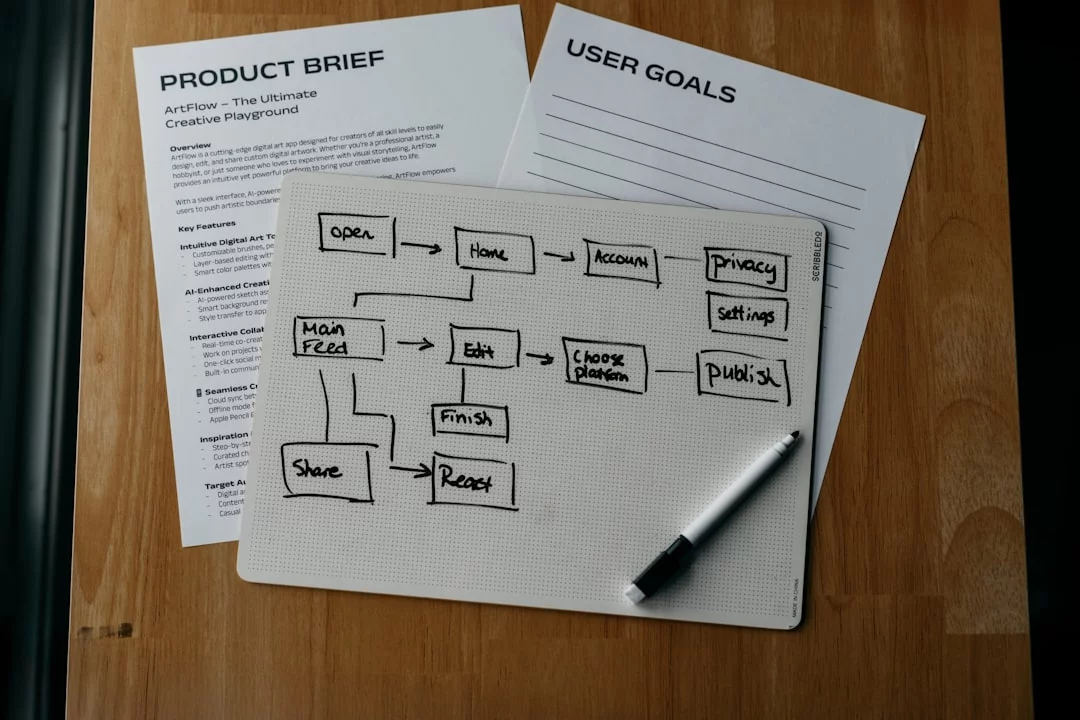
If you’re still figuring out how to make motivation less fragile, FreeBrain’s guide to motivation at work strategies can help fill in that piece. But the short version is this: the best answer for ADHD isn’t a perfect system. It’s a system that still works when your energy drops.
Sample workday structure for adults with ADHD
A solid sample ADHD work routine for adults should reduce decisions, protect attention, and make restarting easy after interruptions. That’s the core of how to build an ADHD-friendly workday structure.
Here’s a realistic daily routine you can adapt for office or remote days:
- 10-minute startup ritual: open one task list, choose your top 1-3 priorities, clear obvious distractions, and define the first visible action.
- First focus block: 45-90 minutes on one meaningful task before email or chat.
- 15-minute admin sweep: batch messages, approvals, scheduling, and quick replies.
- Lunch reset: step away, move your body, then rewrite your next task in plain language.
- Second focus block: another 45-90 minutes, ideally on the same project family or a clearly scoped task.
- Meeting block: stack meetings later when possible, with 5-10 minute buffers.
- 10-minute shutdown: capture loose ends, set tomorrow’s first task, and close your workspace.
Remote days usually need stronger environmental cues. That means a sharper startup ritual, stricter notification control, and a physical lunch reset so your brain can tell “focus time” from “home time.”
Office days usually need more interruption buffers. Personally, I think this is where most people get stuck: they plan for ideal concentration, then lose 30 minutes every time a coworker taps them on the shoulder. Build in restart notes like “next step: draft intro paragraph” before you switch.
Research supports this kind of structure. A review in Neuroscience & Biobehavioral Reviews describes ADHD as involving differences in executive control, time management, and task persistence, which is exactly why external cues and chunked work blocks help. So if you’re wondering how to focus at work with ADHD, start by making the next action obvious and the work interval finite.
📋 Quick Reference
Screenshot version:
- Start with a 10-minute setup, not “just begin somehow.”
- Work in 45-90 minute focus blocks with one target only.
- Batch admin into one 15-minute sweep instead of checking all day.
- Use lunch as a reset, not a scroll-and-drift period.
- Stack meetings together when possible.
- End with a 10-minute shutdown and tomorrow’s first step written out.
- On low-energy days, shrink the block length but keep the structure.
From Experience: what actually sticks in real workdays
After building learning and productivity systems for FreeBrain, I’ve noticed the same pattern again and again. Simple beats clever. Visible beats hidden. Repeatable beats perfect.
Well, actually, let me be more specific. Users tend to do better when they have fewer active priorities, one clear next action, and a short planning surface they can see without opening five apps. That matters because how to stay on track with ADHD often has less to do with effort and more to do with friction.
Three things usually work better than people expect:
- One daily priority list with 1-3 meaningful tasks
- A written “restart line” before every break or meeting
- External follow-through, like deadlines, check-ins, or shared progress
And here’s the kicker — motivation for ADHD adults is often state-dependent. If your system only works on high-energy mornings, it’s not really a system. It’s a good day.
That’s why how to work with ADHD long term means designing for off days too. Shorter blocks, fewer priorities, and more visible cues usually outperform complex color-coded planning setups that look impressive but collapse by Wednesday.
Conclusion and next steps
So, how to be productive with ADHD at work? Externalize structure, reduce friction, protect attention, and build follow-through systems you can repeat under real conditions.
Start small. Pick one startup strategy today, one attention strategy tomorrow, and one follow-through strategy this week. For example: a 10-minute startup ritual, one 60-minute focus block before email, and a 10-minute shutdown with tomorrow’s first task already written.
If your focus problems come with heavy exhaustion, irritability, or a sense that even basic work feels impossible, burnout may be overlapping with ADHD. In that case, it’s worth reading FreeBrain’s guide on recover from burnout, and if symptoms are severe or persistent, consult a qualified healthcare professional.
The best system isn’t the one that looks smartest on paper. It’s the one you can still use on a messy Tuesday. Which brings us to the final section: the most common questions, plus the clearest next steps.
Frequently Asked Questions
How do adults with ADHD stay productive at work?
For many people, how do adults with ADHD stay productive at work comes down to using more external structure, not more willpower. Start with smaller launch steps, keep only 1-3 active priorities visible, and use a follow-through system like a daily checklist, calendar blocks, or a simple “waiting / doing / done” board so you always know how to move the next task forward. Productivity usually improves when work is concrete and scheduled — “draft intro from 10:00 to 10:25” works better than leaving “work on report” abstract.
How can I focus at work with ADHD?
If you’re asking how to focus at work with ADHD, the first fix is usually protecting attention rather than forcing concentration. Reduce distractions, single-task, use 15-45 minute focus blocks, and create a short transition ritual before each block — for example: close tabs, silence notifications, write the next action, then start a timer. And yes, this sounds simple, but it works because attention is easier to keep when your environment stops stealing it every two minutes.
Why do people with ADHD start tasks and not finish them?
Why do people with ADHD start tasks and not finish them? Because starting and finishing use different executive functions. You might know how to begin when something feels new or urgent, but finishing often breaks down when the finish line is vague, interruptions pile up, or there’s no follow-up system telling you what “done” actually means. A practical fix is to define completion in advance: submitted, emailed, reviewed, or filed.
How do you start tasks with ADHD at work?
For anyone wondering how do you start tasks with ADHD at work, use a 2-minute launch step and write the next visible action before the work block starts. That means opening the document, pulling the file, drafting the first sentence, or listing the first three clicks — not just telling yourself to “get started.” If you want a simple system for how to break work into smaller actions, using a pre-planned task list or a study/work planner can remove a lot of setup friction before focus time begins.
Is time blocking good for ADHD at work?
Yes — for many adults, is time blocking good for ADHD at work has a practical answer: it often helps a lot, especially on meeting-heavy days or when transitions keep knocking you off track. The key is knowing how to make it realistic: use shorter blocks, add 5-15 minute buffers, and assign one clear outcome to each block instead of packing too much into it. Rigid schedules usually fail; flexible structure tends to hold up better.
Does body doubling help ADHD at work?
Does body doubling help ADHD at work? It can, especially for boring admin, task initiation, and finishing work you keep avoiding. The reason is pretty straightforward: social presence adds urgency, accountability, and a stronger cue for how to stay with one task until it’s done. If you want to understand the broader evidence on adult ADHD, the National Institute of Mental Health overview of ADHD is a solid starting point.
What workplace accommodations help ADHD productivity?
If you’re asking what workplace accommodations help ADHD productivity, the most useful ones usually reduce friction around attention, memory, and transitions. Examples include written instructions, reduced noise, flexible scheduling, agenda-first meetings, and protected focus time; the best way to ask is to explain the specific barrier and exactly how to remove it so your job performance improves. For U.S. readers, the Job Accommodation Network ADHD page has practical accommodation examples.
What productivity tools help ADHD adults at work?
When people ask what productivity tools help ADHD adults at work, I usually recommend a very small stack: a calendar, one task capture system, a timer, notes, a distraction blocker, and a few visual reminders. That’s enough to support planning, focus, and follow-through without creating extra maintenance work about the system itself. The trick is knowing how to keep tools simple, because too many apps create friction, context switching, and the very overhead you were trying to reduce.
Conclusion
If you remember four things, make them these: shrink your next task until it feels almost too easy to start, protect focus with time blocks and short work sprints, use external systems like checklists and body doubling so your brain doesn’t have to hold everything at once, and build a clear finishing routine so tasks don’t stall at 90%. That’s really the core of how to work with ADHD at work. Not “try harder.” Try smaller starts, tighter cues, fewer distractions, and better follow-through.
And if this has felt frustrating, you’re not broken and you’re definitely not lazy. ADHD can make modern work feel harder than it looks from the outside. But wait — that doesn’t mean you can’t do excellent work. It means you need a setup that matches how your brain actually works. Personally, I think this is the part most people miss: learning how to work with ADHD at work is less about fixing yourself and more about designing your day on purpose. Start with one change this week, test it, keep what helps, and drop what doesn’t.
Want help turning this into a system you’ll actually use? Explore more on FreeBrain.net, including Spaced Repetition: The Evidence-Based Way to Remember More and Study Method Picker: Find the Best Learning Strategy for You. If you’re still figuring out how to make your workflow stick, those next steps can help you build better focus, memory, and consistency. Pick one strategy, set it up today, and show yourself how to move forward.