
Traditional calendar advice breaks the second your week stops being predictable. If you’ve tried time blocking for ADHD and ended up with a beautiful plan that collapsed by Tuesday, you’re not bad at productivity — you were probably using a rigid system for a messy reality. This guide is about time blocking for ADHD when your shifts, classes, meetings, caregiving, or energy levels keep moving.
Sound familiar? You map out your week on Sunday, then a shift changes, a meeting gets added, your kid gets sick, or your brain just isn’t doing deep work at 3 p.m. And here’s the kicker — research from the National Institute of Mental Health on ADHD highlights patterns with attention, planning, and follow-through, which helps explain why fixed schedules can feel great in theory and useless in practice.
So here’s the deal. You don’t need a stricter planner. You need a flexible system: fixed commitments first, priority tiers instead of overpacked to-do lists, movable work blocks, buffer blocks for chaos, backup blocks for spillover, and a simple daily re-blocking rule. If you want a bigger weekly planning layer before you start blocking days, my weekly study schedule guide and undated weekly planner template make that part much easier.
I’m a software engineer, not a clinician, and I built FreeBrain after running into these problems in real study and work life myself. Well, actually, that’s why this article won’t sell you a productivity fantasy. It’ll show you how to make time blocking for ADHD work when your schedule changes every week — including practical setups for shift workers, students, parents, freelancers, and anyone trying to plan an unpredictable day without starting over from scratch.
📑 Table of Contents
- Why rigid plans keep failing
- The flexible blocking system
- Build and re-block your week
- Real-world examples that actually work
- Mistakes to avoid + quick reference
- Frequently Asked Questions
- How do you time block when your schedule changes daily?
- How do you make a time blocking schedule without overplanning?
- How do buffer blocks work in time blocking?
- Is time blocking good for ADHD?
- How do shift workers use time blocking?
- How do you use Google Calendar for time blocking?
- What is the difference between time blocking and time boxing?
- What is the 3 3 3 rule of productivity, and can it work with time blocking?
- Conclusion
Why rigid plans keep failing
If the intro felt uncomfortably familiar, here’s why. Your perfect-looking calendar works right up until one shift change, canceled class, sick kid, urgent client message, or low-energy day blows it up.
That’s the core frustration with time blocking for ADHD when the plan is built like a wall instead of a shock absorber. Personally, I think this is the part most people get wrong: the failure usually isn’t laziness or weak discipline. It’s forcing a variable routine into a rigid schedule with no recovery path.
While building FreeBrain, I kept running into the same issue myself: deep work mattered, but support requests, product fixes, and changing demands didn’t care about my neatly labeled hours. So here’s the deal. Adaptive planning worked better than fixed hourly plans, especially alongside tools like our undated weekly planner template and this weekly study schedule guide.
The real problem isn’t discipline
Most people don’t underplan. They overplan. They squeeze 10 to 12 hours of tasks into maybe 8 usable hours, leave no buffer for an unpredictable work schedule, then blame themselves when one interruption triggers a full-day collapse.
But wait. That’s not a character flaw. It’s a design flaw.
Rigid planning assumes your day will obey the calendar. Adaptive planning assumes change will happen and builds in fallback options, buffer blocks, and re-planning rules. If you’ve ever wondered whether task aversion vs laziness is the real issue, this distinction matters a lot.
- Rigid plans assign every hour in advance
- Adaptive plans protect priorities, not perfect timestamps
- Overplanning creates shame faster than progress
Who this flexible system helps most
This works best for people whose week changes even when their priorities don’t. Think students with shifting class timetables, shift workers juggling rotating schedules, freelancers with client deadlines, parents handling caregiving surprises, and professionals stuck in meeting-heavy jobs.
Need to know how to time block with a changing schedule? Start with categories and movable blocks, not a fixed Monday-through-Friday script. And if your hours rotate week to week, our rotating shift habit system shows what that can look like in real life.
A quick note on ADHD and support
ADHD can affect planning, task initiation, working memory, and time awareness. Research and clinical guidance from the National Institute of Mental Health on ADHD and CDC guidance on ADHD symptoms and support both point to the value of external structure and reducing cognitive load for daily functioning.
Is time blocking good for ADHD? It can be a useful support tool, yes, but it isn’t treatment. This article is educational, not medical advice, and if you’re dealing with ADHD, anxiety, burnout, or severe executive dysfunction, talk with a qualified clinician for individualized support.
Which brings us to the better alternative: a flexible blocking system that expects disruption and still helps you make progress.
The flexible blocking system
If rigid plans keep breaking, the fix usually isn’t “try harder.” It’s building time blocking for ADHD as a flexible weekly map instead of a minute-by-minute script.
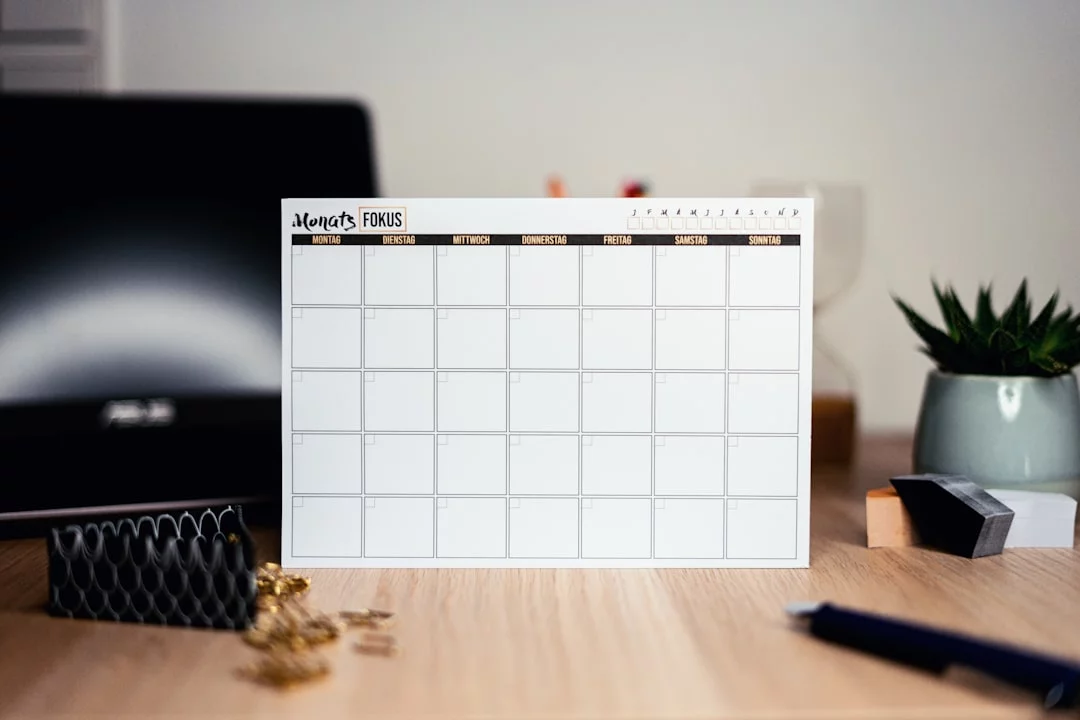
So here’s the deal. Most advice stays too vague. You don’t need prettier colored rectangles; you need categories that survive change, which is why I like starting with a weekly study schedule guide and a simple undated weekly planner template.
What goes in first
Build the week in this order: fixed commitments first, then movable work, then protected recovery space. That’s the core of flexible time blocking for unpredictable schedule problems.
Fixed commitments are the things you don’t realistically negotiate:
- Work shifts, classes, appointments, and recurring meetings
- School pickup, caregiving windows, and commute time
- Sleep anchors, meals, and medication timing if that affects focus
What doesn’t go here? “Answer email,” “study chemistry,” or “clean kitchen.” Those are movable tasks. And yes, sleep and transitions count before work tasks do. Research on ADHD from the National Institute of Mental Health’s ADHD overview highlights impairment in planning and time management, so reducing hidden friction matters.
The three priority tiers
Next, sort everything else into priority tiers: must do, should do, could do. Personally, I think this is the part most people get wrong.
Keep must-dos brutally small: 1-3 per day. If everything is urgent, nothing is. Move tasks between tiers as the week changes instead of pretending every item deserves equal weight.
Block types that survive change
Now this is where it gets interesting. Use four block types: focus blocks, admin/reactive blocks, buffer blocks, and backup blocks.
- Focus blocks: 30-90 minutes for meaningful work
- Admin/reactive blocks: email, messages, errands, approvals
- Buffer blocks: overflow space for delays and interruptions
- Backup blocks: catch-up slots later in the week
If you have 40 waking non-work hours, don’t pre-fill all 40. Leave about 20-30% open for transitions, interruptions, and recovery. One bad Tuesday shouldn’t wreck Friday too. That’s especially true for shift workers using a rotating shift habit system.
Time blocking vs time boxing
Quick distinction: blocking assigns a job to a time slot, while boxing sets a hard limit. Example: block 2:00-3:00 for report writing, then time box the first draft to 25 minutes.
Why combine them? Because time boxing helps curb perfectionism and task sprawl, both common with ADHD-style planning struggles. The general planning logic also lines up with evidence-based approaches to time management and self-monitoring discussed by the American Psychological Association’s ADHD resources.
📋 Quick Reference
Use five parts: fixed commitments, priority tiers, focus blocks, admin/reactive blocks, and buffer/backup blocks. Start with what cannot move, cap daily must-dos at 1-3, and leave 20-30% of open time unscheduled. Which brings us to the next step: how to build the week, then re-block it when real life happens.
Build and re-block your week
So here’s where the flexible system becomes usable. This weekly study schedule guide and our undated weekly planner template help you sketch the week fast, but the real win with time blocking for ADHD is rebuilding it without drama when life moves.
A 7-step setup you can copy
How to build your week
- Step 1: Add fixed commitments first: sleep anchors, commute, classes, shifts, appointments, pickups, and recurring meetings.
- Step 2: Add 1-3 must-do outcomes per day. Write “submit lab report,” not “school stuff.”
- Step 3: Place focus blocks where your energy is best. Start with a 45-minute focus block if longer sessions usually collapse.
- Step 4: Add one 20-minute admin block daily for email, messages, errands, and small tasks.
- Step 5: Protect a 30-minute buffer every day and a 90-minute backup block later in the week, like Friday afternoon.
- Step 6: Re-block daily in 5 minutes. Move must-dos first, shrink should-dos, defer could-dos.
- Step 7: End the day by marking leftovers: move, shorten, delegate, or delete.
That’s how to make a time blocking schedule that survives real life. And if your work changes daily, like freelancing or shifts, the same structure still works; you just swap the fixed layer first, which is why variable schedules need backup slots more than perfect plans.
The 5-minute reset rule
Most people don’t fail at planning. They fail at daily re-planning. Research on ADHD from the National Institute of Mental Health’s ADHD overview highlights executive function problems, which is exactly why a tiny reset rule beats a heroic rewrite.
- At 10 a.m.: move must-dos to the next open block, shrink should-dos, and drop low-value could-dos.
- At 4 p.m.: stop pretending the original plan still exists. Protect tomorrow by rescheduling only what truly matters.
- If a block gets interrupted twice, convert it into a shorter sprint or move it to your next backup slot.
Personally, I think this is the part most people skip. For time blocking for ADHD, that recovery loop matters more than the original schedule. If 45 minutes feels too big, use shorter sprints inside the block; time blocking vs Pomodoro is really about using both together when needed.
A simple Google Calendar workflow
Use four colors max in Google Calendar time blocking: fixed, focus, admin, buffer. That’s it. Too many colors create visual noise, and research on attention and planning from the American Psychological Association’s ADHD resources lines up with what I’ve seen building planning tools: simpler systems get reused.
Duplicate a light weekly template, then drag blocks instead of rebuilding from scratch. If you’re wondering how to use Google Calendar for time blocking on an unpredictable day, this is the answer: template the structure, not the exact week. Next, I’ll show real-world examples that actually work.
Real-world examples that actually work
Now let’s make this real. Time blocking for ADHD works better when the blocks match your actual week, not your fantasy one.
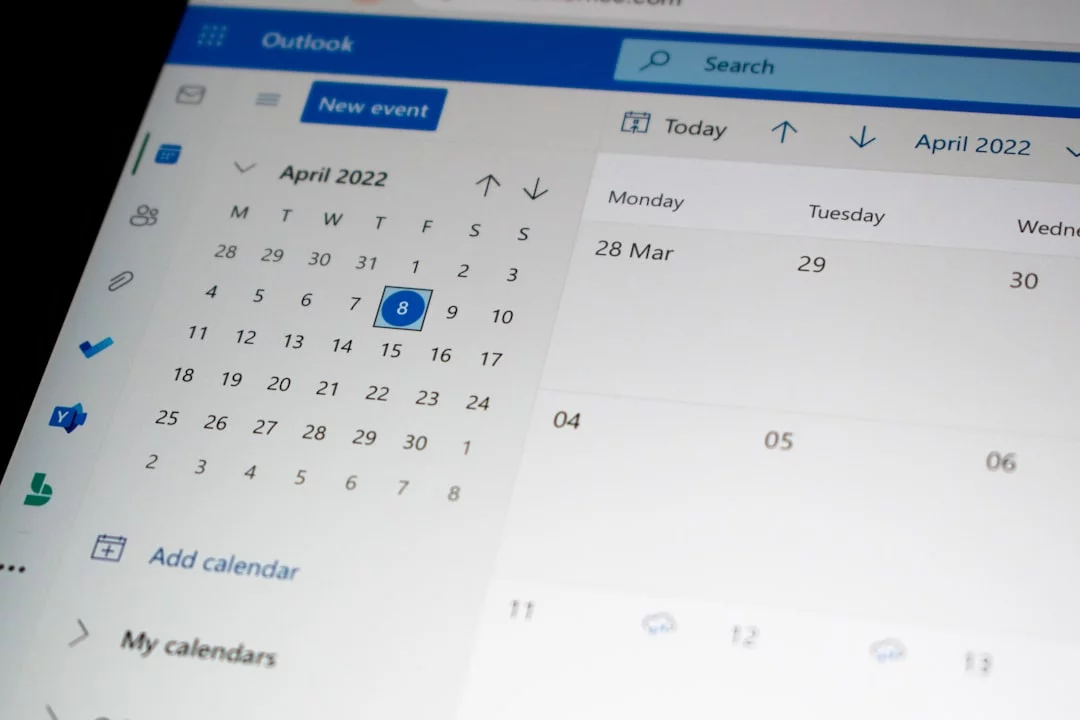
Shift worker example
Say you work Mon-Wed 6 a.m.-2 p.m., Thu-Fri 2 p.m.-10 p.m., and Saturday off. Early-shift days might be: 3:45-5:00 a.m. wake and commute, 3:00-4:00 p.m. recovery, 4:30-5:00 p.m. chores, 7:30-8:00 p.m. next-day prep. On late-shift days, the anchor flips: 8:00-9:00 a.m. admin, 10:00-11:00 a.m. workout, 11:30 a.m.-12:15 p.m. meal prep.
And the off-day? That’s where backup blocks live: 10:00-11:30 a.m. errands, 2:00-3:00 p.m. life admin. For time blocking for shift workers, sleep and recovery matter more than squeezing in one more task. If your week rotates, build it first in an undated weekly planner template and then adapt with this rotating shift habit system.
Student and part-time job example
A busy class schedule changes the game. If you’ve got class 9:00-10:15, another at 1:00, a job from 5:00-9:00, and 35 minutes of commute each way, don’t pretend the 45-minute class gap is deep-study time.
- 10:30-11:00 a.m.: review notes
- 11:00-11:20 a.m.: email, forms, admin
- 9:30-10:30 p.m.: backup study block before deadlines
This is the version of time blocking for students with busy schedule that people actually keep. If you want a model week, start with our weekly study schedule guide.
Freelancer, parent, or interrupted workday
Well, actually, this group usually needs shorter blocks. Try 25-45 minutes for focus work, then keep one 90-minute backup block later for spillover, childcare changes, or client surprises.
Example: 8:30-9:00 a.m. inbox, 9:00-9:40 a.m. proposal draft, 1:30-2:00 p.m. edits during nap time, 8:00-9:30 p.m. backup block. Fewer promises per day work better.
Meeting-heavy job and ADHD-friendly tweaks
If meetings eat 10:00 a.m.-3:00 p.m., protect 8:30-9:30 a.m. for meaningful work and 4:30-5:00 p.m. for cleanup. That one pre-meeting block often matters more than five tiny fragments.
From experience building FreeBrain, the most reliable plans had a visible recovery block and fewer daily commitments. And if starting is hard? Use visual cues, a tiny task starter, or Pomodoro inside the block; APA guidance on ADHD supports external structure, and our ADHD deep work block shows how to set that up. Which brings us to the mistakes that quietly break good plans.
Mistakes to avoid + quick reference
The examples help, but this is where time blocking for ADHD usually falls apart. And no, it’s rarely because you “lack discipline.”
Common mistakes that break the system
- Overfilling the day: If every hour is booked, one delay wrecks everything. Leave white space.
- Treating every task as urgent: Pick 1-3 musts, not 12 “top priorities.”
- Skipping buffer blocks in time blocking: Buffers fail when treated as optional. If you use today’s buffer, replace it by moving a low-priority task, not by deleting recovery space.
- Making blocks too long: For ADHD brains, 25-60 minutes often works better than 2-3 hour marathons.
- Ignoring energy patterns: Don’t put hard thinking into your lowest-energy window and then blame yourself.
- Rebuilding the whole calendar after one disruption: A reactive workday needs schedule flexibility, not a full reset.
Quick sidebar: inconsistent schedules aren’t a character flaw. Task aversion isn’t the same as laziness, and if that hits hard, read this on task aversion vs laziness.
Quick reference you can save
📋 Quick Reference
Weekly formula: fixed commitments first, then 1-3 musts per day, 1-2 focus blocks, 1 admin block, 1 buffer block, 1 weekly backup block, and a 5-minute reset at the end of each day.
Use this as a daily time blocking template: keep it simple, screenshot it, or copy it into your notes. It works as a time blocking template for busy schedule weeks because it assumes interruptions will happen.
Copy the planner, adapt it, and move on. Personally, I think chasing a perfect system is what keeps most people stuck.
When to adjust and when to keep it simple
Review your plan once a week, not every time a day gets messy. Ask three questions: What got moved repeatedly? Where did interruptions cluster? Which blocks were too ambitious?
Then change one variable at a time. That’s how time blocking for ADHD becomes flexible planning instead of constant self-repair. Next, let’s wrap this up with the key FAQs and the simplest way to start.
Frequently Asked Questions
How do you time block when your schedule changes daily?
If you’re wondering how do you time block when your schedule changes daily, start by placing your fixed commitments first: work hours, classes, appointments, meals, and sleep. Then add only 1-3 movable priorities for the day, not a packed plan, so your schedule can bend without breaking. And when something changes, don’t rebuild the whole day — do a quick 5-minute reset, move the remaining blocks forward, and keep going.

How do you make a time blocking schedule without overplanning?
The best answer to how to make a time blocking schedule is to leave breathing room on purpose. Try keeping 20-30% of your available time open for buffers, interruptions, and transitions, and cap your daily must-dos at 1-3 outcomes instead of a huge task list. Personally, I think this is where most people go wrong: they plan for an ideal brain, not a real day.
How do buffer blocks work in time blocking?
If you’re asking how do buffer blocks work in time blocking, think of them as shock absorbers for your schedule. They catch spillover from tasks that ran long, unexpected interruptions, and the mental reset time between activities — which matters a lot in time blocking for ADHD. But wait, here’s the part people skip: buffer blocks only work if you protect them like real appointments instead of treating them as optional leftover time.
Is time blocking good for ADHD?
Is time blocking good for ADHD? For some people, yes — research and clinical guidance suggest external structure can reduce decision fatigue, make priorities more visible, and help with task initiation. But time blocking for ADHD isn’t a treatment by itself, and it won’t work the same way for everyone; if you need personalized support for attention, executive function, or daily impairment, consult a qualified mental health professional or healthcare provider. For a general overview of ADHD, the National Institute of Mental Health is a solid starting point.
How do shift workers use time blocking?
If you want to know how do shift workers use time blocking, anchor the non-negotiables first: sleep, commute, meals, and recovery. After that, place movable work like errands, study, or admin into the gaps created by your current shift, not an imaginary standard routine. And here’s the kicker — adding backup blocks on off-days helps one rough shift stop wrecking the rest of your week.
How do you use Google Calendar for time blocking?
The simplest answer to how do you use Google Calendar for time blocking is to build a light weekly template, not a perfect one. Use 4 simple colors — fixed, focus, admin, and buffer — then duplicate that template each week and drag blocks around as needed instead of starting from zero. If you’re building a system for time blocking for ADHD, this lower-friction approach usually works better than constant manual planning.
What is the difference between time blocking and time boxing?
What is the difference between time blocking and time boxing? Time blocking means assigning a task or category of work to a specific part of your day, while time boxing adds a firm stop time or limit to that block. So if you tend to overwork, over-research, or get stuck polishing details, time boxing can help contain perfectionism and task sprawl inside your schedule.
What is the 3 3 3 rule of productivity, and can it work with time blocking?
If you’re curious about what is the 3 3 3 rule and time blocking, the common version is simple: spend 3 hours on important work, complete 3 shorter tasks, and handle 3 maintenance tasks like email, errands, or admin. Yes, it can fit inside time blocking if you treat it as a guide rather than a rigid quota — especially on unpredictable days. For example, you might place one deep-work block, one short-task block, and one life-admin block, then adjust based on energy and reality; if you want help designing that kind of study-friendly schedule, see FreeBrain’s productivity and study skills articles.
Conclusion
If your calendar changes every week, the fix isn’t to plan harder. It’s to plan differently. The big takeaways are simple: use flexible blocks instead of hour-by-hour scripts, sort tasks by priority and energy before you place them, rebuild your week in short re-blocking sessions, and keep buffer space so one disruption doesn’t wreck your whole day. That’s the core of time blocking for ADHD when life refuses to stay neat. And honestly, this is the part most people get wrong: your system should bend fast, not break slowly.
You do not need a perfect routine to feel in control. You need a repeatable way to reset. Some weeks will still be messy. But wait — messy doesn’t mean failed. If you can pause, reassign the next block, and protect the few tasks that matter most, you’re making real progress. Personally, I think that shift matters more than any color-coded planner ever will. A flexible schedule can still be a reliable one.
Want to keep improving your planning system? Read How to Time Block for a broader framework, and check out ADHD Study Tips for more strategies that work with your brain instead of against it. Start with one weekly reset, one backup block, and one must-do task for tomorrow. Then build from there.