If you’re wondering how to stop phone addiction for students, the short answer is this: reduce triggers, add friction, replace scrolling with something easier to start, protect your study blocks, and fix bedtime phone use first. You do not need to quit your phone or go offline. You need a system that makes distraction harder and focus easier — especially once you understand how attention affects learning.
You know the pattern. You pick up your phone for “30 seconds” to check one message, then somehow 20 minutes vanish into reels, group chats, email, and one random search you don’t even remember starting. And if that sounds less like laziness and more like avoidance, attention drag, or stress, you’re not imagining it — a lot of students confuse bad habits with deeper friction around starting tasks, which is why it helps to understand executive dysfunction vs procrastination.
So here’s the deal. This guide will show you how to stop phone addiction for students with a fast self-audit, a practical 7-step plan, iPhone and Android settings that actually matter, and a simple 7-day reset you can start tonight. We’ll also cover how to break phone addiction at night, what to do if boredom or stress is driving the habit, and how this changes for teens, adults, and readers asking whether ADHD might be part of the picture.
Personally, I think most advice fails because it’s too dramatic. “Delete everything and use a flip phone” sounds bold, but it doesn’t help when you still need your device for class, maps, messages, and school logistics. Research on problematic smartphone use summarized in a PubMed Central review of smartphone use and behavioral patterns points to something more useful: cues, rewards, habit loops, and self-control all matter, which means your environment matters too.
I’m a software engineer and self-taught learner, not a neuroscientist — and yes, I’ve spent an unreasonable amount of time testing behavior-change setups while building FreeBrain. That’s the angle here: not guilt, not hype, just a realistic plan for how to stop phone addiction for students without losing the useful parts of being connected.
📑 How To Stop Phone Addiction For Students: Contents
- Start here: what’s really going on
- Audit your screen time in 10 minutes
- Why your brain keeps checking
- The 7-step reset that actually works
- Mistakes that keep you stuck
- Quick reference and next steps
- Frequently Asked Questions
- How do I stop being addicted to my phone?
- How can I break phone addiction if I keep relapsing?
- How do I break phone addiction at night?
- Is it possible to break phone addiction for good?
- What does phone addiction feel like?
- Do I have ADHD or am I just addicted to my phone?
- Can 3 days without a phone reset your brain?
- What are the best apps to break phone addiction?
- Conclusion
Start here: what’s really going on
If the intro sounded uncomfortably familiar, good. That means we can get practical fast. For more on learning and study skills, see our learning and study skills guide.
Here’s the direct answer to how to stop phone addiction for students: reduce cues, add friction, replace the habit, protect study blocks, and fix bedtime scrolling. The goal isn’t to never use your phone again. It’s to use it on purpose so it stops wrecking your focus, learning, and sleep.
The fast answer
The best way to stop phone addiction is usually not “try harder.” It’s to change your environment so checking becomes less automatic. For most students, that works faster than relying on willpower alone because attention gets pulled by cues, not just choices.
- Mute non-essential notifications.
- Move distracting apps off your home screen.
- Keep your phone out of reach during study blocks.
- Use blockers or app limits for your worst triggers.
- Replace scroll breaks with a specific alternative.
- Set a hard bedtime phone cutoff.
- Track what actually happens for 7 days.
As a software engineer and self-taught learner building FreeBrain tools, I’ve tested blockers, notification changes, and study systems personally. And honestly, the biggest wins usually came from boring setup changes, not motivation speeches.
Why this feels harder than it should
Phones bundle too many rewards into one object. You’ve got novelty, social feedback, entertainment, escape, and zero-effort access in your pocket. That’s why “I’ll just check for 30 seconds” turns into 20 minutes of messages, reels, or doomscrolling before you even open your notes.
Students get hit especially hard because the same device holds class updates, lecture slides, group chats, calendars, and distractions. So the tool for school is also the escape from school. And that constant switching matters because fragmented attention makes learning weaker, which is why understanding how attention affects learning is so useful here.
Well, actually, “phone addiction” is a messy umbrella term, not a precise diagnosis. It can overlap with compulsive phone checking, procrastination, boredom, loneliness, stress coping, sleep disruption, and sometimes attention-regulation issues that look more like executive dysfunction vs procrastination than simple laziness. Research on habit loops and reward-driven checking behavior points in this direction, and the broader psychology is summarized well by the American Psychological Association’s overview of behavioral addiction.
So no, this isn’t about moral failure. It’s about a dopamine loop, easy escape, and a device designed to make checking frictionless. Speaking of which — bedtime scrolling is often the hidden multiplier, especially when alerts, bright light, and emotional content keep your brain switched on; our guide to blue light and sleep explains that piece in plain English, and the sleep side is also covered by the CDC’s sleep hygiene guidance.
What this guide will help you do
Here’s what you’ll get next: a 10-minute screen-time audit, iPhone and Android setup walkthroughs, and a simple 7-day reset challenge. Want a longer rebuild? We’ll also show you how to turn that into a 30-day system without making your phone the enemy.
And yes, this article is written for students first, but adults, teens, and parents will find tailored advice later too. Quick note: this is educational, not medical advice. If your phone use seems tied to ADHD, anxiety, depression, or major sleep problems, talk with a qualified professional.
Next, we’ll figure out where your time is actually going. Because most people don’t need better intentions first. They need better data.
Audit your screen time in 10 minutes
Before you try fixes, check the pattern. If you’re wondering how to stop phone addiction for students, the first useful move is a fast audit so you can tell the difference between normal use, study distractions, and a real phone dependency pattern.
And yes, this matters for learning. Even short interruptions can leave “attention residue,” which makes restarting harder and weakens encoding of what you just studied, as we explain in how attention affects learning.
📋 Quick Reference
Red flags to check fast: 4-6+ hours of daily use, 100+ pickups, repeated app spikes during study blocks, and frequent use after 10 p.m. These aren’t diagnostic cutoffs. They’re clues about where your focus, sleep, and self-control are getting drained.
5 signs your phone is hurting focus
Score yourself quickly. One point for each sign that happens often this week.
- You check your phone without meaning to.
- You lose study time to “just one minute” scrolling.
- You do bedtime scrolling and push sleep later.
- You feel anxious when your phone isn’t nearby.
- You use your phone to avoid small tasks, like opening notes or starting one email.
If you opened Instagram during a 25-minute study block, or checked messages every time a task got boring, that’s not random. It may be avoidance, habit, or cue-driven checking. Sometimes that overlaps with task initiation problems, which is why it helps to understand executive dysfunction vs procrastination before you label yourself.
How to check iPhone Screen Time
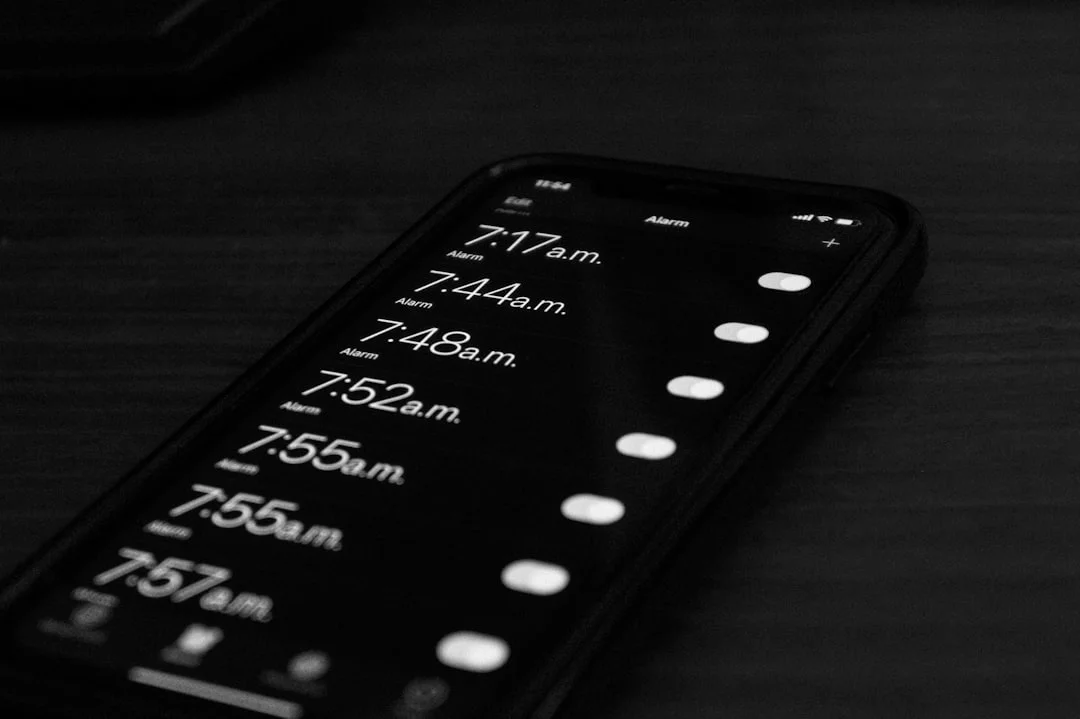
On iPhone, go to Settings > Screen Time > See All Activity. Look at your daily average, top 3 apps, pickups, notifications, and your first pickup after waking.
Take one screenshot today. Then compare again after 7 days. If your numbers jump during class breaks, study blocks, or late at night, that’s the pattern you’ll want to change.
How to check Android Digital Wellbeing
On Android, open Settings > Digital Wellbeing & parental controls. Menu names vary a bit by manufacturer, but the dashboard usually shows total screen time, unlock count, notifications, app timers, and bedtime mode if your phone supports it.
Your screen time tracker is most useful when you stop looking at totals alone. Ask: which app owns the most minutes, and when do the spikes happen?
What your numbers usually mean
High pickups usually mean cue-driven behavior. High notifications often mean notification overload. One dominant app points to a phone habit loop target, while repeated use after 10 p.m. raises sleep concerns tied to stimulation and blue light and sleep.
Research on media multitasking and attention suggests frequent switching can hurt sustained focus, and sleep experts at the CDC sleep hygiene guidance recommend limiting screens before bed. If you want a broader overview of compulsive use patterns, the Wikipedia summary of problematic smartphone use is a decent starting point.
The goal isn’t perfect numbers. It’s finding your biggest trigger category: boredom, stress, notifications, or nighttime drift. Which brings us to the real question: why does your brain keep reaching for the phone in the first place?
Why your brain keeps checking
Once you’ve audited your screen time, the next question is obvious: why does checking happen so fast, even when you know it’s hurting your focus? If you’re trying to figure out how to stop phone addiction for students, you need the mechanism first, because random willpower fixes usually fail.
The habit loop in real life
Here’s the habit loop in plain English: cue, craving, response, reward. A red notification badge is the cue. The urge to peek is the craving. Unlocking your phone is the response. And the reward might be a funny message, a like, a new post, or just relief from not knowing.
Now this is where it gets interesting. One buzz during studying can turn into 15 minutes of context switching: you check one message, open Instagram, scan three stories, reply to a meme, then forget where you left off in your notes. That leftover mental drag is part of why how attention affects learning matters so much for memory and deep work.
Dopamine is involved here, but not in the cartoon version. It’s less “pleasure chemical” and more part of reward learning, motivation, and prediction signals, which is why unpredictable rewards get so sticky; motivation systems in the brain help explain why your phone can feel impossible to ignore. Variable rewards matter because feeds, likes, and random messages don’t arrive on a fixed schedule, and research on reinforcement learning has long shown that unpredictable rewards can strongly shape behavior; even the overview of operant conditioning and variable reinforcement captures the core idea clearly.
Why boredom and stress make it worse
What does phone addiction feel like for students? Often not dramatic. More like low-grade magnetic pulling: “I’ll just check for a second” whenever work gets hard, boring, uncertain, or emotionally uncomfortable.
And that’s why boredom, procrastination, loneliness, and exam stress make the loop worse. Your phone becomes an escape hatch when the assignment feels vague or when you’re stuck choosing between effort and instant relief. Sometimes that’s a habit problem; sometimes it overlaps with attention regulation or task avoidance, which is why the difference between executive dysfunction vs procrastination matters.
Stress also pushes you toward defaults. When you’re tired or anxious, self-control drops and stress scrolling becomes more likely, especially at night when notification overload and fatigue stack together; the NIH overview of stress effects on the body and brain is a useful primer. Doomscrolling can feel productive for a minute. It usually isn’t.
- Uncertainty makes checking feel like relief.
- Boredom makes novelty feel rewarding.
- Stress makes automatic habits easier to repeat.
From experience: what changed fastest
From building behavior tools at FreeBrain, I’ve noticed three changes tend to work faster than vague goals. Removing badges cut cue exposure. Grayscale made impulse opens less rewarding. And adding friction — logging out, moving apps off the home screen, or using blockers — helped most when students also had a replacement routine.
Personally, I think this is the part most people get wrong. If you only fight the response, you’re still leaving the cue and craving untouched. So for how to stop phone addiction for students, the best reset changes both the trigger and what you do next — which brings us to the 7-step plan.
The 7-step reset that actually works
Now that you know why your brain keeps checking, here’s the practical fix. If you’re wondering how to stop phone addiction for students, the answer isn’t willpower alone; it’s changing cues, friction, and routines so your default behavior gets less automatic.
Phone habits fragment focus fast, which is why understanding how attention affects learning matters. And yes, sometimes the problem isn’t “addiction” so much as stress, avoidance, or attention regulation — more like executive dysfunction vs procrastination than laziness.
Steps 1-3: cut cues and add friction
Step 1: Remove triggers. Turn off non-essential notifications, clear your lock screen, and move TikTok, Instagram, YouTube, and games off page one. On iPhone, use Focus mode and Scheduled Summary; on Android, use Do Not Disturb and hide apps in the drawer. Example: if you open your phone to check Canvas and end up doomscrolling for 20 minutes, keep only study tools visible. Measurable action: reduce notifications to under 10 per day.
Step 2: Add friction. Log out of distracting apps, turn off autoplay, enable grayscale mode, and set 15-30 minute app limits. Blockers can help, but only if you also change your environment. Example: a student writing a lab report logs out of YouTube and adds a website blocker during the 2-hour session. Measurable action: make every distracting app require at least 2 extra taps.
Step 3: Replace the urge. Don’t leave a vacuum. When you feel the pull, stand up, write the next task, drink water, or walk for 2 minutes. Personally, I think this is the part most people skip. Measurable action: use the same replacement move at least 5 times today.
Steps 4-5: protect study time and sleep
Step 4: Build a pre-study ritual. Silence the phone, place it out of reach, open only study tools, start a 25-minute timer, and define the first tiny task. If you’re trying to study for finals in a week, this matters even more. Measurable action: complete 3 phone-free study blocks today.
Step 5: Fix bedtime use. Late-night scrolling is sticky because you’re tired and chasing easy reward. Set a 30-minute phone-free wind-down, charge your phone across the room, and use a backup alarm clock. Evidence reviewed by the CDC’s sleep hygiene guidance supports keeping screens out of the sleep routine, and our guide on blue light and sleep explains why bedtime phone use can drag into the next day. Measurable action: zero phone use in the last 30 minutes before bed.
Steps 6-7: personalize and run the 7-day challenge
Step 6: Adjust for your situation. ADHD, stress, boredom, and family rules change the trigger pattern. A teen may need shared charging rules; an adult student may need work-app boundaries. Measurable action: identify your top 2 trigger times and match each with one fix.
Step 7: Run a 7-day reset. Track only three numbers: daily screen time, pickups, and bedtime use. Then follow this outline:
How to run the 7-day reset
- Day 1: Audit your screen-time screenshot.
- Day 2: Turn off non-essential notifications.
- Day 3: Clean your home screen.
- Day 4: Start a pre-study phone ritual.
- Day 5: Set up your bedtime charging station.
- Day 6: Practice replacement habits.
- Day 7: Compare screenshots and adjust.
If you want to know how to break phone addiction for good, start there. But wait — some “helpful” tactics backfire, which brings us to the mistakes that keep you stuck.
Mistakes that keep you stuck
If the 7-step reset felt clear, good. But how to stop phone addiction for students usually breaks down at the same few points, and most of them have nothing to do with “being lazy.”
This is the part most people get wrong. They try harder instead of changing the conditions that keep the habit alive.
Mistake 1: relying on willpower
Willpower helps for a day or two. Environment helps every day. If TikTok, Instagram, or YouTube Shorts are still on your home screen, your brain keeps getting cue-triggered before you’ve even made a real choice.
Research on behavior change consistently shows that friction matters. So if you’re wondering about the best way to stop phone addiction, start by changing defaults first: remove the app from the home screen, log out, turn off badges, and keep the phone out of reach during study blocks. For students dealing with avoidance, executive dysfunction vs procrastination is a useful distinction.
Mistake 2: trying a total detox
A full digital detox sounds clean. For students, it’s often unrealistic. You still need your phone for class updates, maps, banking, group chats, and two-factor logins.
And here’s the kicker — extreme restriction often leads to rebound use. A better approach is intentional use, not fantasy abstinence.
- Keep essential tools
- Delete or hide high-trigger apps
- Set fixed check-in windows
Mistake 3: ignoring the real trigger
Why are you picking up the phone? Boredom, stress, loneliness, procrastination, and sleep-deprived brain fog can all look the same from the outside. But the replacement has to match the trigger, or it won’t stick.
Personally, I think this is where “productive procrastination” fools people most. Swapping TikTok for email, news, or note-taking apps can still be compulsive avoidance.
And what about “do I have ADHD or am I just addicted to my phone”? This article can’t diagnose ADHD. If attention problems are persistent across settings, or you’re also dealing with insomnia, anxiety, depression, or severe distress, consult a qualified clinician or mental health professional. Educationally, habit change helps; clinically significant symptoms need proper evaluation.
Next, I’ll condense all of this into a quick reference and clear next steps you can actually use this week.
Quick reference and next steps
If the last section felt uncomfortably familiar, that’s normal. The fix for how to stop phone addiction for students usually isn’t more willpower; it’s changing what your phone makes easy.
📋 Quick Reference
Biggest trigger: boredom + task avoidance
Change today: turn off non-human notifications
Replacement habit: 2-minute paper to-do brain dump
Study rule: phone out of reach during the first 25 minutes
Bedtime rule: charge it outside the bed zone; see blue light and sleep
Track this week: pickups per day or minutes after 10 p.m.
What to remember this week
Five things matter most. Reduce cues, add friction, use if-then plans, protect sleep, and keep only what clearly lowers pickups. That’s the best way to stop phone addiction for most students.
- Small environment changes beat motivation spikes.
- Research suggests implementation intentions like “If I sit to study, my phone goes in my bag” work better than vague goals.
- Sleep protection matters because late-night scrolling makes next-day self-control worse.
- A phone-free routine should start with study blocks and bedtime, not all-day abstinence.
- Progress means fewer automatic checks, faster study starts, and less scrolling at night.
When to get extra help
But wait. If your phone use comes with severe distress, major sleep disruption, anxiety, depression, compulsive behavior, or possible attention problems, get professional help. If you suspect ADHD, ask a qualified clinician about an ADHD assessment rather than guessing from habit loops alone.
This article is educational, not medical advice. Next, I’ll answer the common questions about whether it’s possible to break phone addiction and what realistic recovery actually looks like.
Frequently Asked Questions
How do I stop being addicted to my phone?
If you’re asking how do i stop being addicted to my phone, start with your biggest trigger: notifications, boredom, stress, or bedtime scrolling. Then use a simple system for 7 days: remove cues by turning off nonessential notifications, add friction by moving distracting apps off your home screen, replace the habit with something small like a 2-minute walk or notebook check, and track one or two metrics such as pickups per day or screen time. For students, this is usually the fastest path when learning how to stop phone addiction for students without relying on willpower alone.
How can I break phone addiction if I keep relapsing?
If you’re wondering how can i break phone addiction when you keep relapsing, the issue usually isn’t laziness. It’s that your environment still makes checking too easy. Reduce triggers further by logging out of social apps, using app limits, and putting your phone in another room during study blocks, then add a replacement action for the exact moment you usually slip, like standing up, drinking water, or opening your task list instead.
How do I break phone addiction at night?
The best answer to how to break phone addiction at night is to change the setup before you’re tired. Create a charging spot away from your bed, turn on Do Not Disturb, and replace scrolling with a short wind-down routine like stretching, reading two pages, or writing tomorrow’s top 3 tasks. And if sleep problems keep going, or you suspect insomnia or anxiety is part of the pattern, consult a qualified professional for personalized help.
Is it possible to break phone addiction for good?
Yes, and if you’re asking is it possible to break phone addiction, the better goal is usually controlled, intentional phone use, not never touching your phone again. Long-term success comes from systems and defaults: fewer notifications, a cleaner home screen, fixed phone-free study blocks, and clear rules for when your phone is allowed. That’s a more realistic version of how to stop phone addiction for students, especially when school, messaging, and daily logistics all happen on the same device.
What does phone addiction feel like?
What does phone addiction feel like? Usually, it feels like checking without deciding, losing 20 or 30 minutes by accident, and reaching for your phone the second work gets uncomfortable. Many students also notice bedtime scrolling, anxiety when the phone isn’t nearby, or a weird inability to stay with one task unless the device is out of sight.
Do I have ADHD or am I just addicted to my phone?
If you’re asking do i have adhd or am i just addicted to my phone, phone habits can absolutely mimic attention problems, but this article can’t diagnose ADHD. A useful clue is whether your focus issues show up across settings, not just around your phone, and whether they’ve been persistent over time; if so, seek an evaluation from a qualified clinician. For a medical overview of ADHD symptoms and diagnosis, see the National Institute of Mental Health ADHD page.
Can 3 days without a phone reset your brain?
Can 3 days without phone reset brain function? It might lower reactivity, make your urges more obvious, and give you a useful break from constant stimulation, but it usually doesn’t fix the underlying habit by itself. A better approach is a structured reset: change your environment, block your worst distractions, and build replacement routines for study time, boredom, and bedtime. If you want a practical next step, pair that reset with FreeBrain’s study tools and planning systems so the empty space gets filled with something useful instead of more scrolling.
What are the best apps to break phone addiction?
The best apps to break phone addiction are the ones that add friction at the exact moment you usually slip, such as app blockers, timers, grayscale modes, or built-in focus settings like Apple’s Screen Time and Android’s Digital Wellbeing. But wait, apps alone rarely solve it. They work best when paired with home-screen cleanup, notification reduction, and replacement habits, and the Digital Wellbeing tools on Android are a solid place to start if you want a built-in option.
Conclusion
If you want the short version of how to stop phone addiction for students, here it is: measure your actual screen time first, remove the biggest triggers instead of relying on willpower, make your phone harder to reach during study blocks, and replace mindless checking with a specific fallback action like a 2-minute walk, water break, or paper to-do list. And yes, the 7-step reset matters most when you do it in order. Audit, reduce cues, add friction, protect focus windows, and track what improves.
But wait. If you’ve been checking your phone every few minutes for months, you’re not going to “fix” it in one perfect day. That’s normal. Your brain learned a fast reward loop, and now you’re teaching it something better. Personally, I think this is the part most students need to hear: progress counts even when it looks small. One fewer distraction per study session. One cleaner desk. One hour with notifications off. That’s how the habit starts to loosen.
Which brings us to your next step: don’t stop at reading. Use what you learned today and keep building a study setup that works in real life. If you want more help, explore FreeBrain’s guides on how to focus on studying and dopamine detox for students. If you’re serious about learning how to stop phone addiction for students without going offline, start with one 10-minute audit today, make one friction change tonight, and protect your next study block like it matters—because it does.