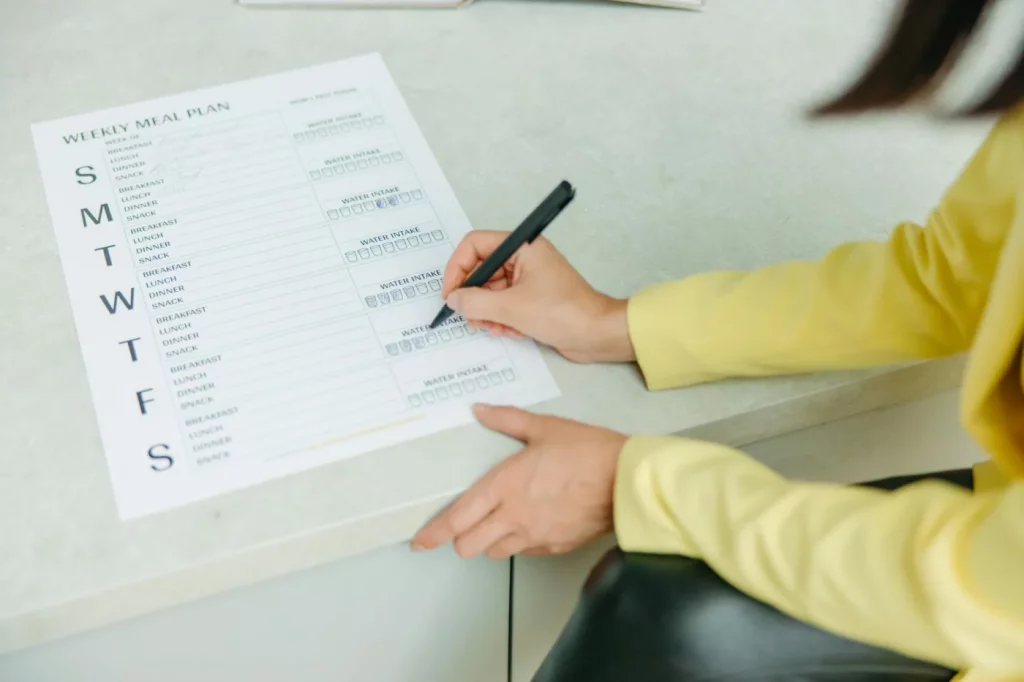
If you’re searching for how to get your week under control without spending an hour “planning,” this is it. In one 30-minute weekly review, you’ll learn how to clear mental clutter, choose 3–5 priorities, and time-block the first steps using a simple timer and a clean template from our Focus & Productivity Tools.
Thing is, most weeks don’t fall apart because you’re lazy. They fall apart because your brain is juggling too many open loops, and every switch costs you. Research on attention and task switching shows there’s a real performance penalty when you bounce between tasks (the APA calls this “multitasking” a myth) — see research from the American Psychological Association on multitasking and attention.
So here’s the deal: this article teaches how to run a science-informed, minute-by-minute weekly review that doubles as a 30 minute productivity reset. You’ll build a measurable weekly scorecard, pick the best productivity habits you can do in 30 minutes, and get audience-specific variants (students, remote workers, ADHD, managers) plus companion routines like a 30 minute morning routine for productivity and a 30 minute end of day shutdown routine.
And in the next 30 minutes, you’ll do three concrete things:
- Capture & clear: dump every loose task, worry, and “I should…” into one list.
- Decide: choose 3–5 priorities and define the next visible action for each.
- Schedule: drop those first actions into a 30 minute time blocking template (and protect them).
Quick sidebar: I’m a software engineer, not a neuroscientist — but after building FreeBrain tools and watching what sticks for real users, consistency beats complexity. Track this for 14 days with the Habit Streak Tracker, and you’ll feel the difference fast.
📑 Table of Contents
- Weekly review (30 minutes): definition + why it works (how to reduce overload)
- How to do a 30-minute weekly review (minute-by-minute step-by-step)
- The 30-minute weekly review template + weekly scorecard (copy/paste + example)
- From experience: 30-minute companion routines (morning, midday reset, shutdown)
- Common mistakes to avoid + if/then troubleshooting (missed days, overwhelm, interruptions)
- 14-day plan + productivity rules mapped (3-3-3, 8-8-8, 90/10, 3-hour rule)
- Frequently Asked Questions
- Conclusion
Weekly review (30 minutes): definition + why it works (how to reduce overload)
The intro gave you the big idea: stop carrying your whole life in your head. Now we’ll zoom in on the weekly review—one of the simplest 30 minute productivity habits I’ve seen actually stick when people learn how to keep it small. For more on productivity and focus, see our productivity and focus guide.
Set a timer, open a single doc, and keep it visual. If you want a clean setup fast, I’d start with Focus & Productivity Tools and a basic weekly template you can reuse.
And yes, consistency matters more than perfection. Track it for 14 days using the Habit Streak Tracker, because the second weekly review is where the “mental clutter” starts to drop.
What a weekly review is (and isn’t)
Definition in one sentence: a weekly review is a 30-minute loop-closure + planning ritual that turns scattered commitments into a one-page plan you can execute.
So here’s the deal. A weekly review is a tight sequence: capture → review → choose → schedule. If you’re wondering how to do it without spiraling, the trick is to treat it like triage, not therapy.
- Is: collecting loose tasks, checking what’s real, picking priorities, and placing a few focus blocks on your calendar.
- Isn’t: reorganizing your entire system, rewriting your goals, or cleaning every inbox you’ve ever owned.
Three boundaries keep this from becoming a “life audit.” First, a time cap: stop at 30 minutes even if it feels unfinished. Second, an output cap: one page only, visible at a glance. Third, a decision cap: you’re choosing the next week’s moves, not solving your whole quarter.
Personally, I think this is the part most people get wrong. They try how to fix their whole productivity system in one sitting, then avoid the review forever.
Why it works: working memory + attention residue (the science, in plain English)
Your working memory is limited. When you keep tasks “open” in your head, you burn attention just to maintain them, which raises working memory load and makes everything feel heavier than it is.
Externalizing helps because it reduces mental juggling. A solid overview of working memory limits and what it’s for is summarized in the NCBI Bookshelf overview of working memory—worth skimming if you want the plain-language model behind the method.
Now this is where it gets interesting. Task switching has a measurable cost: each switch forces your brain to re-orient, and that “re-orientation time” adds up fast. Rubinstein, Meyer, and Evans (2001) quantified switch costs in controlled experiments; you can read the abstract via Rubinstein et al. (2001) on task switching and executive control.
Which brings us to attention residue. When you bounce between unfinished items, part of your attention stays stuck on the previous task, even after you “move on.” A weekly review reduces that residue by batching decisions (choose once) and batching scheduling (place blocks once).
And then there’s the Zeigarnik effect: unfinished tasks tend to stay mentally active. That’s why “I’ll remember later” feels stressful. When you write a concrete next action, your brain stops rehearsing the worry loop—and motivation often rises because the path is clearer (dopamine likes clear targets, not fog).
What you get at the end: a 1-page plan you can execute
The output isn’t a masterpiece. It’s a one-page execution plan that answers: “What am I doing, and when am I doing it?” If you’re learning how to reduce overload, this single page is the payoff.
- 3–5 MITs (Most Important Tasks): the week’s highest-leverage outcomes.
- Next-action list: short, specific verbs (email, draft, outline, book, submit).
- Calendar reality check: deadlines, appointments, travel, exams—what’s fixed.
- 2–4 protected focus blocks: pre-scheduled deep work windows.
Micro-example: “If Tuesday 2–4pm is blocked for Project X, then email/Slack stays closed.” That one rule prevents task switching cost from eating the entire block.
Before vs after: A student starts the week with 27 vague items (“study chem,” “finish lab,” “apply internship”) and keeps context-switching, so each night feels like failure. After a weekly review, they have 4 MITs, 9 next actions (e.g., “do 20 practice problems on acids/bases”), and two 90-minute study blocks—so progress is visible by Wednesday. A remote worker starts with nonstop pings and 12 half-started tickets; after the review, they protect three 2-hour focus blocks, batch messages twice a day, and ship one deliverable by Thursday instead of “staying busy.”
OK wait, let me back up: you don’t need “better discipline.” You need a repeatable 30-minute decision ritual. Next, I’ll show you exactly how to run the 30-minute weekly review minute-by-minute, so you never wonder what to do when the timer starts.
How to do a 30-minute weekly review (minute-by-minute step-by-step)
The last section explained why a weekly review cuts overload. Now you need the exact how to—a timer-based routine you can run even when you’re tired.
Keep this simple: one timer, one list, one calendar. If you want a ready-made setup, start with Focus & Productivity Tools, then track consistency for 14 days in the Habit Streak Tracker.
How to run the 30-minute weekly review
- Step 1 (0–3 min): Reset your state and lock your environment.
- Step 2 (3–10 min): Capture everything into one list, without rabbit holes.
- Step 3 (10–18 min): Review commitments and deadlines, then add real constraints.
- Step 4 (18–30 min): Choose MITs, time-block first steps, and write if/then plans.
0–3 min: reset + set the timer (downshift fast)
Set a 30-minute timer. That’s the whole point of this how to: you’re buying clarity with a hard stop.
Do a 30–90 second physiological downshift if you’re keyed up. A quick option is the Box Breathing Timer—it’s basically a 30 minute productivity reset compressed into one minute, and it makes distraction management easier fast.
Then apply the environment rule:
- One screen only (calendar + capture list).
- Phone out of reach (not face down; out of reach).
- Notifications off for 30 minutes.
Worth it? Yes. If you don’t control inputs, you can’t control the review.
3–10 min: capture & clear (inbox sweep without rabbit holes)
Now you’re doing how to planning the right way: capture first, decide later. Sweep every “open loop” into one list, in this order: notes app, email flags, Slack/Teams pings, paper scraps, and anything you keep mentally repeating.
Use a decision rule: only do true 2-minute closes; everything else becomes a next action. If you’re unsure what counts, use The 2-minute rule explained as your line in the sand.
Examples of captured next actions (keep them visible and small):
- “Email prof about extension (5 min)”
- “Draft outline for report (20 min)”
- “Book dentist appointment (3 min)”
But wait—no organizing yet. This is a sweep, not a sorting party.
10–18 min: review commitments (calendar + deadlines reality check)
Open your calendar and do a two-pass scan. First, scan last week for loose ends (missed calls, meetings with promised follow-ups, tasks you postponed). Then scan the next 7–10 days for hard deadlines: exams, deliverables, bills, travel, and meetings that require prep.
Add constraints you usually forget: commute time, childcare handoffs, standing meetings, and recovery time after big blocks. Personally, I think this is the part most people get wrong—your plan isn’t failing, your constraints were invisible.
Concrete rule for how to make time blocking actually work: if it’s due this week, it must have a scheduled first step. Not “work on it.” A first step you can start in under 60 seconds.
18–30 min: choose MITs + time-block + if/then plans (ship the plan)
Pick 3–5 MITs max (Most Important Tasks). If you choose more, you’re not choosing—you’re hoping.
Convert each MIT into (1) a visible next action and (2) a first time block on your calendar. If you want printable blocks, use the templates in Time Blocking for Deep Focus and keep the first block embarrassingly doable (15–45 minutes).
Now this is where it gets interesting: write 2–3 implementation intentions. An implementation intention is an if/then plan that links a situation to a specific action; the APA describes it as a self-regulation strategy in its APA Dictionary of Psychology entry on implementation intentions. And evidence from Peter Gollwitzer’s classic work suggests if/then planning can increase goal follow-through by automating the cue-to-action link (Gollwitzer’s 1999 paper indexed on PubMed).
Use these three if/then patterns:
- If I miss Monday’s Block A, then I move it to Wednesday 9:00–10:00.
- If I feel resistance at start time, then I do 5 minutes of the smallest next action.
- If meetings explode my afternoon, then I protect one 30-minute admin block at 4:30.
And here’s your stop rule for perfectionism: when the timer ends, you ship the plan. No polishing. No “one more tweak.” This how to works because it’s repeatable, not because it’s perfect.
Next up, I’ll give you the 30-minute weekly review template and a simple weekly scorecard you can copy/paste, including a filled-out example.
The 30-minute weekly review template + weekly scorecard (copy/paste + example)
You’ve got the minute-by-minute flow. Now you need a weekly review template you can reuse without thinking. And yes, the point is to make it obvious how to decide what matters before Monday hits.
Keep this in one place, always. Use a timer and a single planning home base from Focus & Productivity Tools, then track whether you actually did the review for 14 days with the Habit Streak Tracker. Consistency beats “perfect planning.”
Optional reset: if you’re coming in hot, do 60–90 seconds on the Box Breathing Timer before you start writing. It sounds small. It changes the whole review.
📋 Quick Reference
Weekly review template: Wins (3), Open loops, Commitments, MITs (3–5), Next actions (≤10), Time blocks (2–4), If/then plans (2–3), Parking lot.
Weekly scorecard (5 metrics): MIT completion %, deep work blocks #, overdue tasks #, distraction count #, stress rating 1–10 + 2 prompts.
Protocol: 2-week baseline (no review) vs 2-week test (weekly review) → compare averages.
Privacy: don’t store sensitive personal/health info in shared docs or work accounts.
One-page template fields (the minimum that works)
So here’s the deal: the best weekly review template is boring. It’s short, repeatable, and forces tradeoffs. This is how to keep your “priority list” from turning into a guilt list.
Copy/paste this structure into a Notion page, a Google Doc, or a paper notebook. Choose one. Stick to it for four weeks (well, actually… even two weeks is enough to feel the difference).
- Wins (3 bullets): what moved forward, shipped, or improved.
- Open loops (capture): anything nagging you (tasks, messages, decisions). Don’t solve here.
- Commitments (calendar/deadlines): hard dates, meetings, exams, submissions, bills.
- MITs (3–5): Most Important Tasks for the week, written as outcomes (“submit lab report,” not “work on report”).
- Next actions (max 10): physical, doable steps tied to MITs (“draft intro paragraph,” “email client for data”).
- Time blocks (2–4): named blocks you’ll protect (deep work, study sprint, admin batch).
- If/then plans (2–3): “If X happens, then I do Y” (implementation intentions).
- Parking lot: ideas, “nice-to-dos,” and shiny new plans that would hijack your week.
If you want the longer philosophy behind this, the Getting Things Done (GTD) guide is the cleanest reference I’ve found. But keep your version lightweight. The goal is how to decide, not how to build a second job called “planning.”
Privacy note: avoid storing sensitive personal, legal, or health info in shared tools or employer-managed accounts. Write “health appointment” instead of details, and keep private notes offline if needed.
Filled example: student + knowledge worker (realistic, not perfect)
Examples matter because “template” can still feel abstract. OK wait, let me back up: you don’t need a prettier document. You need to see how to translate obligations into time blocks and next actions.
Student example (week of midterms):
- Wins: finished problem set 4; did two active recall sessions; went to office hours once.
- Open loops: lab partner hasn’t replied; need citations for history essay; internship form.
- Commitments: Chem quiz Tue 10am; essay due Thu 11:59pm; lab Fri 2pm.
- MITs: score 80%+ on chem quiz; submit essay; finish lab prep.
- Next actions (≤10): make 20-question quiz from notes; do 2x 25-minute recall blocks; outline essay (3 headings); write intro; find 3 sources; draft lab hypothesis.
- Time blocks (2): Mon 6:30–7:45pm chem active recall; Wed 4:00–5:30pm essay drafting.
- If/then (1): If I miss the evening block, then I do a 30-minute recall session at 8:00am next day.
- Parking lot: “start learning Python,” “reorganize Notion,” “extra reading for fun.”
Knowledge worker example (remote, deliverable-driven):
- Wins: shipped v1 deck; closed 6 support tickets; clarified scope with stakeholder.
- Open loops: two emails needing replies; budget approval; teammate blocked on access.
- Commitments: client review Wed 2pm; team sync daily 10am; report due Fri 5pm.
- MITs: finalize report; prep for client review; unblock teammate.
- Next actions (≤10): draft report section 1; pull metrics; make review agenda; send access request; batch admin (email/invoices) 30 minutes.
- Time blocks (3): Tue 9:00–10:30 deep work on report; Thu 1:00–1:30 admin batch; Fri 3:30–4:30 final edits.
- If/then (2): If meetings eat the morning, then I protect 4:00–5:00pm for deep work. If I’m stuck, then I write the “ugly first paragraph” for 10 minutes.
- What gets cut: “nice-to-do” dashboard redesign moved to backlog.
Notice the pattern? Fewer tasks, clearer blocks, and a place for distractions to go. That’s how to keep your week from being run by whoever pings you first.
Weekly scorecard: 5 metrics + 2-minute reflection prompts
If you don’t measure, your weekly review becomes vibes. And here’s the kicker — measurement fights Parkinson’s law by forcing you to define “done” and notice when work expands to fill time.
- MIT completion rate (%): 0–100. Count completed MITs / planned MITs.
- Deep work blocks completed (#): 0–10. Only count blocks you protected end-to-end.
- Overdue tasks (#): 0–20+. Anything past its real deadline (not “someday”).
- Distraction count (#): 0–50. Tally context switches you didn’t choose (scrolling, random tabs, reactive checking).
- Stress rating (1–10): your honest weekly average.
2-minute reflection prompts: “What created the most drag?” and “What one change would make next week easier?” Keep answers to 1–2 lines. Short is the point.
2-week baseline vs 2-week test: for two weeks, don’t do the weekly review—just track the five metrics. Then do two weeks with the weekly review and compare averages (MIT %, deep work #, overdue #, distractions #, stress). That simple A/B setup is how to tell if the routine is actually helping, not just feeling productive.
Next up, I’ll show the companion routines I’ve seen make this stick—morning, midday reset, and shutdown—so the weekly plan survives contact with real life.
From experience: 30-minute companion routines (morning, midday reset, shutdown)
Your weekly review and scorecard are the “map.” These 30-minute companion routines are how to turn that map into daily execution without needing a perfect schedule.
If you want one place to run this with a timer, a simple plan, and a quick log, start with Focus & Productivity Tools. I built these routines to be boring on purpose—because boring is repeatable.
Use the morning routine when your attention is freshest. Use the midday reset when your day gets chopped up by meetings or distractions. Use the shutdown when stress creeps in and you can’t mentally “clock out.” So the question isn’t which is best. It’s how to pick the right one for the moment.
Morning (30): plan your day in 30 minutes + start a deep work sprint
This is how to plan your day in 30 minutes without turning it into a second job. You’re not designing the perfect day. You’re choosing a single direction, then starting before your brain can negotiate.
Minute-by-minute:
- 0–5 min: Pick your Top 1–2 tasks. Write the first physical action for each (example: “Open repo, run tests” or “Outline 5 bullets for section 2”).
- 5–25 min: Start a deep work sprint on Task #1. If you prefer a structured timer, use Pomodoro technique focus sessions as a 25/5 option.
- 25–30 min: Quick log: what you did, what’s next, and the exact restart point (example: “Next: write function X, then commit”).
If you’re a student, do one extra move before minute 5: convert your MIT (Most Important Topic) into 3–5 active recall questions. Well, actually… make them slightly annoying questions (“Explain why X fails under Y condition”), because desirable difficulty tends to improve retention (see Bjork & Bjork’s work on “desirable difficulties”: APA overview).
And if you want the “3-hour rule” without needing three hours, this 20-minute start is the gateway. It’s how to build momentum that often extends naturally into longer focus blocks later in the day.
Midday reset (30): clear attention residue and restart clean
This is your 30 minute midday productivity reset routine for days that feel “fragmented.” Attention residue is real—research by Sophie Leroy found that switching tasks leaves leftover attention that hurts performance on the next task (Leroy, 2009 (ASQ)).
Minute-by-minute:
- 0–5 min: Brain dump everything pulling at you (tasks, worries, “don’t forgets”). No sorting yet.
- 5–15 min: Triage fast: delete, delegate, defer, or do later. Circle only 1 next task for the next block.
- 15–25 min: Re-time-block the next 60–120 minutes with one primary outcome (example: “Finish draft intro” or “Close 10 support tickets”).
- 25–30 min: Restart ritual: clear desk, open only the needed tabs/docs, and write a one-line “start script.”
Phone boundary rule: your phone stays out of the room for the next block. Not face-down. Not “silent.” Out. This is how to cut distraction without relying on willpower, especially if you work remote and drift between tabs.
End-of-day shutdown (30): close loops to reduce stress
This 30 minute end of day shutdown routine is for your nervous system as much as your to-do list. Unfinished tasks keep pulling attention—often explained through the Zeigarnik effect, where incomplete goals stay mentally active (Zeigarnik effect overview).
Minute-by-minute:
- 0–10 min: Capture open loops (emails to reply, tasks half-done, ideas). Get them out of your head.
- 10–20 min: Update next actions for tomorrow. Each item gets a verb-first next step.
- 20–25 min: Calendar check: confirm first commitment tomorrow and any prep needed.
- 25–30 min: “Done list”: write 3–10 completed items to reinforce progress.
Then write one hard-stop line: “Work is done for today; next start is ___.” It sounds cheesy. But it’s how to teach your brain there’s a safe restart point, so it can stop rehearsing tasks at night.
Quick note: if stress, insomnia, or anxiety are persistent, talk with a qualified healthcare professional—routines help, but they’re not treatment.
Next up, we’ll cover the common mistakes that break these routines—and the if/then fixes for missed days, overwhelm, and interruptions.
Common mistakes to avoid + if/then troubleshooting (missed days, overwhelm, interruptions)
You’ve got your 30-minute companion routines. Now comes the messy part: real life, missed days, and the moment your “simple plan” turns into a 47-tab mental browser.
If your system keeps breaking, don’t add more rules. Use fewer, sharper ones—plus a timer and a single place to work (I keep my setup inside Focus & Productivity Tools so the friction stays low).
Mistake #1–#3: planning too much, capturing too little, and ignoring constraints
Mistake #1: Over-planning. The classic version is writing 10 “MITs,” then freezing because you can’t decide. This is where people ask how to “get disciplined,” but the real fix is a cap.
Try this: pick 3–5 MITs max for the week, and create a “not this week” list for everything else. Want to know how to keep it honest? Your weekly review ends when those 3–5 MITs are chosen and scheduled, not when you’ve brainstormed every possible improvement.
- Rule: If it’s not scheduled, it’s not a commitment.
- Rule: If it’s not a MIT, it goes to “not this week.”
Mistake #2: Under-capturing. Leaving tasks “in your head” feels faster, until you pay the tax: anxiety, re-checking, and random task switching. OK wait, let me back up—this isn’t about being organized; it’s about reducing cognitive load so you can start.
Fix it with one capture list, then do a quick “7-source sweep” during your weekly review: inbox, messages, calendar, notes app, downloads, browser tabs, and physical paper. If you’re wondering how to make that stick, habit stacking helps: “After I open my calendar, I sweep messages for 2 minutes.”
Mistake #3: Ignoring constraints. You time block based on hope (“I’ll do deep work 9–12”), then meetings, commute, or low-energy hours blow it up. The solution isn’t willpower; it’s planning around reality.
Time blocking should wrap around constraints first: fixed meetings, childcare, commute, classes, and your high-energy window. Then you place MIT blocks into the remaining “true” time. That’s how to stop rewriting the same plan every day.
If/then fixes: missed review, low energy, interruptions, over-planning
This is where implementation intentions shine. Peter Gollwitzer’s work on “if/then” planning (1999) shows that pre-deciding a response to a cue increases follow-through, because you’re not negotiating in the moment.
So here’s the deal: write 3–6 if/then rules once, and reuse them for months. Keep them visible.
- Missed review: “If Sunday is missed, then Monday 8:30am becomes the review slot (non-negotiable).” That’s how you prevent one slip from becoming a lost week.
- Low energy: “If I can’t start, then I do the 3-minute reset + capture only.” No sorting. No prioritizing. Just externalize.
- Interruptions: “If I’m interrupted, then I write the next action on a sticky note before switching.” This matters because task switching has a measurable cost; Rubinstein, Meyer, and Evans (2001) found slower performance and more errors when people switch tasks, even with simple tasks.
- Over-planning: “If planning hits 30 minutes, then I stop and schedule only the first block.” Planning is useful—until it becomes avoidance. And yes, I’ve done that “perfect plan” procrastination loop.
Need a concrete 30-minute protocol when you’re overwhelmed? Use a strict split: 0–3 minutes reset, 3–10 capture, 10–20 choose/schedule one MIT block, 20–30 prep the first next action (file, doc, tab, materials). That’s one of the best productivity habits you can do in 30 minutes because it converts stress into a start point.
If the routine fails repeatedly, don’t guess. Take the Procrastination Trigger Quiz and fix the specific trigger (avoidance, uncertainty, perfectionism, low energy) instead of adding more pressure.
When it’s not just productivity: ADHD, anxiety, burnout (boundaries + support)
Sometimes the issue isn’t “how to plan better.” It’s attention, stress, or depletion. And this is the part most people get wrong: they keep turning the screws harder when the system needs gentler defaults.
For a 30 minute productivity routine for ADHD, evidence-informed adjustments often help: externalize memory (one capture list), shorten blocks (10–20 minutes), add higher friction for distractions (phone in another room), and use clearer cues/rewards (cue routine reward). Environment design matters more than motivation.
Which brings us to the next section: we’ll turn these rules into a 14-day plan with simple productivity frameworks (3-3-3, 8-8-8, 90/10, and the 3-hour rule) mapped onto your 30-minute habit backbone—so you know exactly what to do each day.
14-day plan + productivity rules mapped (3-3-3, 8-8-8, 90/10, 3-hour rule)
You’ve already seen what breaks the routine: missed days, overload, and interruptions. Now you need a plan that makes the weekly review automatic, not “one more thing.”
So here’s the deal. Use a timer and a simple scorecard from Focus & Productivity Tools, then run it for 14 days like an experiment, not a personality test.
14-day implementation plan (consistency > perfection)
If you’re wondering how to make a weekly review stick, don’t start with willpower. Start with habit stacking: same day, same time, same location, attached to something you already do.
Week 1 is about friction removal. Week 2 is about accuracy. And yes, you’ll keep output to one page, because perfection is the fastest way to quit.
- Days 1–7 (Week 1): lock the cue and routine. Do the review on the same day/time, in the same place, using the same 30-minute timer. Keep the plan to one page. Track a daily habit streak (just “done/not done”).
- Days 8–14 (Week 2): tighten time estimates and protect 2–4 focus blocks for the week. Compare your scorecard vs a baseline from last week (even a rough guess works).
Simple schedule example (steal this). Sun 6:00pm weekly review (30 min). Then Mon/Wed/Fri 7:30am a 30-minute “execute + update” routine that checks today’s focus block and closes one open loop.
Use the classic cue–routine–reward loop. Cue: “After I make coffee on Sunday, I sit at the same desk.” Routine: 30-minute review. Reward: a visible streak mark plus a tiny treat (walk, music, or anything you actually want).
Minute-by-minute 30-minute protocol (this is the part most people skip): 0–2 min reset breath + open your one-page template; 2–8 min capture loose tasks; 8–12 min pick top 3 outcomes; 12–20 min time-block 2–4 focus blocks; 20–26 min risk scan (meetings, deadlines, energy dips) + if/then fixes; 26–30 min scorecard update + commit the first block. That’s how to keep it concrete.
Evidence check. Implementation intentions (“If it’s Sunday at 6pm, then I do my review at the desk”) reliably improve follow-through in behavior-change research; a well-known meta-analysis by Gollwitzer & Sheeran found meaningful gains across many studies (APA PsycNet summary).
Rules explained: what they mean and where they fit
Collecting productivity rules feels productive. But it’s not. The fix is learning how to map each rule into the same weekly-review framework: outcomes, blocks, and constraints.
3 3 3 rule for productivity: 3 hours deep work, 3 short tasks, 3 maintenance items. Your weekly review schedules the “3 hours” first, then assigns the short tasks to low-energy windows, and batches maintenance into one admin block.
8 8 8 rule for productivity: 8 hours work, 8 sleep, 8 personal. Treat it as a capacity audit, not a moral rule. In the weekly review, you check reality: “Do my planned blocks fit inside my actual week, given sleep and life?” That’s how to stop overpromising.
90 10 rule of productivity: 90 minutes focus, 10 minutes break. It’s a sprint format. In your weekly plan, you label certain blocks as 90/10 when you can protect attention (early morning, library, quiet office), and use shorter blocks when you can’t.
3 hour rule in productivity: budget three hours of deep work per week minimum. Don’t argue with it—schedule it. Options: 3×60 (Mon/Wed/Fri), 2×90 (Tue/Thu), or 1×180 (weekend). The weekly review decides where it goes; the daily routine just executes.
📋 Quick Reference
One-screen weekly review (30 min): 0–2 reset, 2–8 capture, 8–12 top 3 outcomes, 12–20 schedule 2–4 focus blocks, 20–26 risks + if/then, 26–30 scorecard + first action.
Template fields: Top 3 outcomes; next 3 actions; calendar constraints; focus blocks (2–4); “not doing” list; one maintenance task.
Scorecard metrics: planned vs done focus blocks; deep work minutes; # of interruptions you chose to ignore; sleep average (rough); streak (0/1).
3 companion routines: morning start (pick first block), midday reset (re-plan one block), end-of-day shutdown (capture + set tomorrow’s first action).
Minimum viable weekly review (10 min): pick 1 outcome, schedule 1 focus block, write 3 next actions, note 1 risk, start now.
If you want the best productivity habits you can do in 30 minutes, keep the review small and measurable. That’s how to build momentum without burning out.
Run this as a 14-day sprint, then check your scorecard against baseline: more completed focus blocks, fewer late-night catch-ups, and a cleaner start to each day. Next up, I’ll answer the common questions people ask when they try this for real.
Frequently Asked Questions
What are the best 30 minute productivity habits?
If you’re asking what are the best 30 minute productivity habits, here are 7 that work across most schedules and show you how to stay consistent: weekly review (great for students juggling deadlines), morning plan + deep work start (ideal for remote work), midday reset (perfect for high-meeting weeks), end-of-day shutdown (reduces mental load), inbox sweep (email/DM control), time-blocking (protects focus), and if/then planning (handles predictable disruptions). Tie each habit to a simple scorecard: did you do it today (yes/no), and did it move a key project forward (0–2 points). If you want to measure it cleanly, build a weekly “habit score” and aim for 10–14 points before you add anything new.
How do I plan my day in 30 minutes?
To answer how to plan your day in 30 minutes, use a “morning companion” routine that shows you how to start, not just organize: pick 1–2 MITs (most important tasks), schedule the first 60–90 minute block, write the next physical action (one sentence), then start immediately for 5 minutes. Do a quick constraint check—what meetings are fixed, and when is your energy best—then place the hardest work there. And set one phone boundary rule (example: phone stays in another room until the first block is done) so your plan survives contact with reality.
What is a good 30 minute morning routine to be productive?
A solid 30 minute morning routine to be productive is simple and teaches you how to get traction fast: 5 minutes to plan (MIT + next action), 20 minutes to start deep work (open the doc, solve the first problem, write the first paragraph), and 5 minutes to log what you did + write the next step. If you like structure, run it as a Pomodoro (25/5) and treat the “work” part as a start line, not a finish line. This is the part most people get wrong: starting the task beats perfect planning almost every time.
How do I do a 30 minute midday productivity reset routine?
A 30 minute midday productivity reset routine is what you use when attention residue builds after meetings, Slack, or heavy context switching—and it shows you how to restart clean. Do it in four moves: (1) brain dump everything pulling at you, (2) triage into “today / this week / later,” (3) re-time-block the next 2–3 hours with one clear priority, and (4) restart ritual (water, 10 slow breaths, open only the one tab you need). Then remove your phone for the next block (out of reach, not just face down) so the reset actually sticks.
What is a 30 minute end of day shutdown routine for productivity?
A 30 minute end of day shutdown routine for productivity is about closing loops so your brain stops rehearsing them—and it’s a reliable way to learn how to leave work without carrying it all night. Capture open loops (notes or task list), update next actions for anything unfinished, check tomorrow’s calendar, then write a literal “hard stop” line (example: “Shutdown complete — next is 9:00 AM: draft outline”). Research on the Zeigarnik effect helps explain why unfinished tasks keep popping into mind; a shutdown routine reduces that mental load by giving your brain a trusted parking spot.
What is the 3 3 3 rule for productivity?
The 3 3 3 rule for productivity is a simple daily template that shows you how to balance focus and maintenance: 3 hours of deep work, 3 short tasks (quick wins like replies/calls), and 3 maintenance tasks (admin, cleaning up files, planning). It’s best for people who feel “busy but behind,” because it forces real progress while still handling life’s overhead. Your weekly review is where it gets real: schedule those 3 hours across the week in 60–90 minute blocks, instead of hoping you’ll magically find a free morning.
What is the 90 10 rule of productivity?
The 90 10 rule of productivity means 90 minutes of focused work followed by a 10 minute break, and it teaches you how to work in sprints without burning out. It’s a pattern, not a moral rule—if you only have 45 minutes, you can still do a smaller sprint and keep the rhythm. Time-block it during your highest-energy window (for many people, that’s 2–4 hours after waking), and protect the break so you actually recover (walk, water, sunlight, no doom-scrolling). If you want a science-based angle on why breaks matter for performance, see the APA’s overview on stress and the body and how recovery supports sustained output.
How do I build a habit in 30 minutes a day?
If you’re asking how do I build a habit in 30 minutes a day, the fastest path is consistency over intensity—and this is exactly how to make that happen. Use habit stacking (same cue/time/place), keep the output small (example: “write one page,” not “finish the chapter”), and track a 14-day streak so you can see momentum. Add if/then plans for predictable failure points: if you miss a day, then do a 10-minute version tomorrow; if energy is low, then do the first 5 minutes only; if interruptions happen, then move to a pre-chosen backup spot and restart.
Conclusion
Here’s what to take into your next Sunday (or Friday) in 30 minutes: first, do a fast “capture + clear” so open loops stop living in your head and start living in a trusted list. Second, use the minute-by-minute flow to review calendar, tasks, and projects in that order, then pick your Top 3 outcomes for the week—no guessing. Third, copy/paste the weekly review template and scorecard, then grade the week with simple numbers so you can see what’s working and what’s drifting. And fourth, pair the weekly review with a tiny companion routine (morning plan, midday reset, shutdown) so your week doesn’t fall apart by Tuesday. That’s the practical how to that cuts overload and turns “busy” into “directed.”
If you’ve tried planning systems before and they didn’t stick, you’re not broken. Seriously. Most people fail because the system is too heavy, too vague, or too easy to skip when life gets loud. But a 30-minute weekly review is small enough to repeat and structured enough to create momentum. And once you’ve done it a few times, you’ll stop asking how to “get organized” and start noticing something better: your brain feels quieter, and your priorities feel obvious.
If you want to keep building the habit, explore more on FreeBrain.net. Start with Time Blocking to turn your weekly priorities into a real calendar, and then read Shutdown Routine to protect your evenings and make tomorrow easier. Pick your next review time, set a 30-minute timer, and run the checklist—this week, don’t just plan to be productive. Do it.