Understanding Why single tasking is better is essential for making informed decisions about your well-being.
If you’ve been wondering what is single-tasking, here’s the clean definition: it’s doing one meaningful task at a time, on purpose, until you hit a clear stopping point. And yes, what is single-tasking really asking is whether it beats “multitasking” — and for most knowledge work and studying, the evidence says it does. Most multitasking is just rapid task switching, which tends to add time and errors. If you want a simple way to structure focused sessions and track a short experiment, start with our Learning & Study Tools.
You know the scene: you’re writing, Slack pings, you “quickly” check email, then you’re back… except you’re not. Ten minutes later, you’re rereading the same paragraph, wondering where your brain went. Sound familiar? Stress and sleep quietly amplify that chaos, so if your focus has been shaky lately, our Stress & Sleep Tools can help you spot the bottlenecks.
In this article, you’ll get a definition-first answer to what is single-tasking, plus the plain-English psychology behind why single-tasking is better: the task switching cost (your brain pays a restart fee) and attention residue (part of your mind stays stuck on the last task). We’ll also cover when multitasking is actually okay, how effective is multitasking in real life, and a repeatable 7–14 day single-tasking experiment for work (email/Slack/meetings) and single tasking for studying (sessions, recall, and mistake rate). By the end, you’ll know exactly how to stop multitasking and focus — including how to single task with notifications and whether Pomodoro vs time blocking fits your day.
And quick trust note: I’m a software engineer who builds FreeBrain’s learning tools, and I’m picky about evidence — we’ll anchor the “switching cost” claims to peer-reviewed work like a review on multitasking and media use in Current Directions in Psychological Science (via PubMed Central). One last thing: if you’re still asking what is single-tasking, think of it as a decision to protect your attention long enough to finish something real.
📑 Table of Contents
- What is single-tasking? (Single-tasking meaning + quick reference)
- Why single-tasking is better than multitasking (task switching cost psychology + attention residue explained)
- 7 proven benefits of single-tasking at work and for studying (and what research suggests)
- How to stop multitasking and focus: the Plan → Time-box → Protect → Review workflow (step-by-step)
- Common single-tasking mistakes (what to avoid) + when multitasking is actually okay
- Try it for 7–14 days: a measurable single-tasking experiment (Real-World Application)
- Frequently Asked Questions
- Conclusion
What is single-tasking? (Single-tasking meaning + quick reference)
So here’s the deal: if the intro made you suspicious that your “busy” day is mostly switching, you’re already close to the answer to what is single-tasking. What is single-tasking in practice? It’s doing one primary goal in one active context, with one next action—without bouncing between apps, rules, and mini-goals. For more on productivity and focus, see our productivity and focus guide.
Single-tasking (also called monotasking) isn’t “slow work.” It’s reduced context switching. If you want a simple way to structure a session and track whether this actually helps, start with our Learning & Study Tools.
And yes, your brain state matters. Sleep debt and stress make it easier to get pulled off-task and harder to re-enter the work. If that’s your bottleneck, our Stress & Sleep Tools can help you run a clean experiment instead of guessing.
📋 Quick Reference
TL;DR: 3 rules
- One outcome: pick a single deliverable (e.g., “draft the API error-handling section”).
- One tab/app: keep only the materials required for that deliverable open.
- One capture list: write distractions (“check Slack,” “pay bill”) on paper or a scratch doc—don’t act on them.
2 metrics to track
- Time-to-finish: minutes from start to a “done” version.
- Errors/rework: count of fixes needed later (missed requirements, wrong numbers, re-reading).
Here’s a quick comparison you can build on as you test what is single-tasking for your own work. Notice the “perceived productivity” row—this is the trap most people fall into.
| Outcome | Single-tasking (monotasking) | “Multitasking” (usually switching) |
|---|---|---|
| Time-to-complete | Often shorter for complex work | Often longer due to resets |
| Error rate | Lower rework on details | Higher missed steps/details |
| Perceived productivity | Can feel “too quiet” | Feels busy and responsive |
| Learning/retention | Better encoding and recall | Shallower processing |
Concrete example (knowledge work): you’re writing a spec, Slack is closed, and your only open windows are the spec doc and the relevant code/research. You work one section to “draft complete,” then you decide the next action.
Concrete example (studying): you do an active recall set (practice questions or flashcards), phone in another room, and you only switch after you finish the set or hit a planned break. That’s what is single-tasking when you’re learning, not just “reading harder.”
Single-tasking vs multitasking (what people call “multitasking”)
Most people don’t truly multitask. They task-switch. The Wikipedia overview of task switching in psychology is a decent starting point, because it separates parallel processing (rare) from switching between tasks (common).
Want a fast definition you can use at your desk? If you’re changing apps, goals, or rules, you’re switching tasks. And that’s the opposite of what is single-tasking, even if it feels “efficient.”
- Apps: doc → inbox → doc
- Goals: “write spec” → “reply fast” → “write spec”
- Rules: deep reasoning → social tone → deep reasoning
Micro-example: writing an email while in a meeting. You miss a requirement, then you send a half-right reply, then you spend 12 minutes later fixing it. Busy? Yes. Effective? Not really.
Evidence backs the basic idea that attention is limited. The APA’s overview of how attention works and why it’s selective explains why dividing attention increases mistakes, especially when tasks compete for the same mental resources.
Single-tasking vs task batching (not the same thing)
Task batching is grouping similar tasks to reduce switching across your day. Single-tasking is what you do inside the batch. OK wait, let me back up: batching is a schedule choice; single-tasking is an execution choice.
Practical pairing: batch email triage at 11:30, then single-task one reply at a time (open one thread, finish it, close it). If you mix threads, you’re back in single tasking vs multitasking territory. If you want the batching side, see How to Task Batch Your Work for a clean weekly structure.
Quick Reference: the 30-second single-tasking setup
This is the simplest “system” I know that matches what is single-tasking and still works in real life. It’s not fancy. It’s measurable.
- Choose 1 outcome and write “done looks like…” in one sentence.
- Open only what you need (one doc + one reference, if possible).
- Start a timer and commit to finishing the next action before switching.
- Capture distractions on a scratchpad, then return immediately.
Block lengths to test: 25, 45, or 60 minutes. Personally, I think 45 is the sweet spot for most knowledge work, but you’ll learn more by tracking time-to-finish and errors for 7–14 days than by debating “the best” number.
Which brings us to the next question: why does what is single-tasking work so well compared to multitasking? Next, we’ll unpack task switching costs and attention residue—where the lost minutes actually go.
Why single-tasking is better than multitasking (task switching cost psychology + attention residue explained)
You’ve got the definition, so now the real question is: what is single-tasking actually buying you in day-to-day work and studying? When you understand what is single-tasking at the brain-and-behavior level, “focus” stops being a vibe and starts being a measurable advantage.
If you want to test it instead of guessing, use a simple timer + session log from our Learning & Study Tools to track how long tasks take and how many “where was I?” moments you have.
But wait—results vary. Task difficulty, familiarity, and your current sleep/stress load change the size of the effect, sometimes a lot. If sleep debt or high stress is part of your week, that can amplify switching problems, so it’s worth checking your patterns with our Stress & Sleep Tools.
Note: This is educational, not medical advice. If stress, anxiety, ADHD, insomnia, or mood symptoms are affecting your focus, talk with a qualified healthcare professional.
Task-switching costs (psychology of switching)
Here’s mechanism #1: switch costs. In task switching cost psychology, a “switch” means changing goals or rules (write code → answer Slack → write code), and you pay in both time and accuracy.
Rubinstein, Meyer, and Evans (2001) is a foundational paper here. They found that switching between tasks adds measurable time—often on the order of tenths of a second to seconds per switch—and that the penalty grows when tasks are complex or require different rules; see the PubMed record for Rubinstein, Meyer, & Evans (2001) on executive control and task switching.
OK wait, let me back up. The cost isn’t just “being distracted.” It’s that your brain has to rebuild the task model: the current goal, constraints, next step, and what “done” looks like, all inside working memory.
Concrete office example: you’re debugging a failing test. A Slack ping pulls you into a new thread, new names, new requirements, and then you return to code and re-open files, re-run the test, and re-derive your hypothesis. That reconfiguration time is the switch cost, and the extra mistakes (wrong variable, missed edge case) are the accuracy penalty.
Concrete study example: you’re doing flashcards, then “just” check TikTok for 90 seconds, then go back. You’ll often notice slower recall, more card flips, and more rereads—not because you forgot everything, but because working memory got wiped and has to reload the context.
- High switch-cost tasks: coding, writing, math proofs, reading dense texts, planning.
- Lower switch-cost tasks: simple sorting, routine admin, familiar checklists.
- Hidden switch triggers: tabs, notifications, meetings that interrupt mid-thought.
This is why single tasking is better when the task is rule-heavy. And it’s why asking “what is single-tasking?” matters: it’s basically “protect working memory from unnecessary resets.”
Attention residue explained (why focus doesn’t reset instantly)
Mechanism #2 is attention residue. Attention residue explained in plain English: when you leave Task A, part of your mind stays stuck on it, so Task B gets fewer mental resources.
That’s why “I’ll just check one message” is rarely one message. Even if you close the app fast, your brain keeps chewing on the thread: what did they mean, what should I reply, did I miss something?
You can spot residue by symptoms you can count. You re-read the same paragraph twice, re-open the same file, or keep scrolling around a document to find where you were. Personally, I think this is the part most people get wrong—they blame motivation, when it’s often leftover context.
If you want the full breakdown plus ways to clear residue on purpose (shutdown cues, transition notes, “return breadcrumbs”), read our deeper piece on attention residue explained.
And yes, this is another reason what is single-tasking works: you’re not constantly creating residue, so you spend more minutes actually thinking instead of re-entering.
What “multitasking” usually is: rapid switching + higher error rate
Most “multitasking” isn’t parallel processing. It’s rapid switching between two demanding tasks, which stacks switch costs and residue—so single tasking vs multitasking becomes a question of how many resets you force per hour.
The terminology matters, so here’s a clean reference point: Wikipedia’s task switching (psychology) overview summarizes the concept and why researchers treat switching as a measurable performance problem.
In workplaces, the error rate shows up as rework. You miss a requirement in a ticket, send a sloppy email, duplicate work someone already did, or forget to attach the file you meant to attach. Studying has its own version: you “cover” more material, but your practice gets shallow and your mistakes repeat.
So when someone asks what is single-tasking, I answer: it’s choosing fewer task states per hour. Fewer switches. Less residue. More clean thinking.
Next up, we’ll turn this into outcomes: the specific, research-backed benefits you can expect from single-tasking at work and while studying—and how to notice them within a week or two.
7 proven benefits of single-tasking at work and for studying (and what research suggests)
You just saw why switching tasks is expensive. Now let’s get practical: if you’re asking what is single-tasking, it’s simply doing one meaningful task at a time long enough to finish a clear “next action” before you switch.
And yes, what is single-tasking matters because you can measure its upside in real outputs: fewer fixes, faster finishes, and better recall. If you want a simple way to structure focus blocks and run a 7–14 day experiment, use the templates and trackers in Learning & Study Tools.
One quick sidebar: your brain’s “focus capacity” isn’t just willpower. Sleep and stress change it a lot, so if your baseline is shaky, start there with Stress & Sleep Tools as a focus multiplier.
| Outcome | Single-tasking | Multitasking / rapid switching |
|---|---|---|
| Time-to-finish | Usually shorter (less rework) | Often longer (restart + context rebuild) |
| Error rate | Lower (fewer slips) | Higher (missed details, wrong versions) |
| Perceived productivity | May feel “slow” but steady | Feels busy, not always effective |
| Learning/retention | Better (deeper processing) | Worse (shallow encoding + re-reading) |
Two research anchors worth knowing. Ophir, Nass, & Wagner (2009) in PNAS found heavy media multitaskers performed worse on some attentional control tasks, but it’s correlational (it doesn’t prove multitasking “causes” the deficit): Cognitive control in media multitaskers. For a workplace framing that matches what managers see day-to-day, HBR’s classic piece is still useful: You Can’t Multi-Task, So Stop Trying.
- Benefit #1: Faster completion (less rework)
- Benefit #2: Fewer mistakes
- Benefit #3: Better prioritization
- Benefit #4: Higher quality writing/thinking
- Benefit #5: Better learning retention
- Benefit #6: Calmer stress response (with caveats)
- Benefit #7: Clearer progress tracking
Benefits of single-tasking at work: speed, quality, fewer mistakes
So here’s the deal: the benefits of single tasking at work show up fastest in writing, analysis, and planning. Imagine a 60-minute proposal block with one doc open, notifications off, and one goal: finish the “Problem + Approach” section. Now compare that to writing while answering Slack, checking email, and “just quickly” pulling a metric.
Rework is the hidden bill. It’s the extra time spent fixing wording, clarifying decisions, re-sending the right file, or repairing a misunderstanding you created when you wrote in fragments.
If you’re wondering is single tasking better than multitasking for knowledge work, track two simple metrics for a week. First: “where was I?” resets per hour (each time you scroll up, re-read, or re-orient). Second: number of revisions needed before sending (drafts, re-sends, or follow-up explanations).
Now this is where it gets interesting. Single-tasking forces prioritization because you must choose a next action before you start, which closes open loops instead of keeping five half-started threads alive in your head.
Personally, I think this is the part most people get wrong: they treat what is single-tasking like “working slower.” It’s not. It’s reducing avoidable loops so your first pass is closer to the final pass.
Single-tasking for studying: better encoding, recall, less re-reading
Single tasking for studying is basically quality control for your attention. Try a 25-minute active recall set: one resource open (practice questions or a problem set), one sheet for answers, and no tab-hopping to notes, videos, and chats.
Why does it work? Evidence indicates sustained attention supports deeper processing, which tends to improve encoding and later recall, while interruptions push you toward shallow familiarity (the “I’ve seen this” trap). And if you want the focus-to-memory connection made concrete, start with Memory & Brain Health Tools and then test whether your re-reading time drops.
OK wait, let me back up. If you’re still asking what is single-tasking in a study context, it’s choosing one learning activity (retrieve, solve, explain) and sticking with it long enough to hit a clear checkpoint. That’s also why it pairs well with deep work and flow conditions; for advanced readers, I’d read Flow State for Studying and then design blocks around one hard, specific objective.
Practical outcome: less re-reading. When you don’t split attention, you don’t need to “re-load” the meaning every two minutes, so your second pass becomes review, not rescue.
Stress/overwhelm: reduced cognitive load (with caveats)
Single-tasking often feels calmer because it reduces competing goals in working memory. Fewer switches means fewer “unfinished” cues tugging at you, which can lower the sense of overwhelm even when the workload is the same.
But wait. If you’re dealing with persistent anxiety, sleep problems, or ADHD-like symptoms that seriously impair daily function, don’t treat a productivity method as treatment; consult a qualified professional for personalized support. This is educational content, not medical advice.
Benefit #7 is the quiet one: clearer progress tracking. Single-tasking makes progress visible because you can mark finished deliverables (one sent email batch, one completed problem set, one finalized slide) instead of feeling “busy” all day with nothing truly done.
Which brings us to the next section: how to stop multitasking and focus using a Plan → Time-box → Protect → Review workflow you can run daily.
How to stop multitasking and focus: the Plan → Time-box → Protect → Review workflow (step-by-step)
The benefits are real, but they don’t stick unless you have a repeatable system. So here’s a workflow you can run today to answer, in practice, what is single-tasking when your inbox, tabs, and brain all want different things.

If you want a simple way to structure study sessions and track a 7-day focus experiment, start with Learning & Study Tools and pick one template you’ll actually use.
How to run the Plan → Time-box → Protect → Review workflow
- Step 1: Plan one outcome and define “done.”
- Step 2: Time-box the work (Pomodoro, time block, or hybrid).
- Step 3: Protect the block from interruptions and context switches.
- Step 4: Review metrics, then adjust the next block.
Plan: choose 1 outcome + define “done”
Rule one: one outcome per block. That’s the operational definition of what is single-tasking—not “try to focus,” but “ship one specific deliverable without switching.”
Write your outcome as a deliverable, not a vibe. “Work on project” fails; “send v1 spec to Alex” works because you’ll know when you’re finished.
- Work “define done” examples: “Send v1 spec to Alex,” “Merge PR #184 with tests passing,” “Draft 10-slide outline for Friday review.”
- Study “define done” examples: “Answer 20 recall questions with ≥80% correct,” “Solve 12 calculus problems and check 100%,” “Explain 3 concepts from memory in 5 minutes each.”
Now do a 2-minute pre-flight checklist. It sounds small, but it’s a big part of how to stop multitasking and focus because it removes the “I need to grab one more thing” excuse.
- Materials open (docs, textbook, problem set, IDE, notes)
- Next action written as a verb (“outline,” “solve,” “draft,” “review”)
- Distraction capture ready (a sticky note or scratch doc for “later” thoughts)
OK wait, let me back up: if your “done” still contains two verbs (“research and write”), you’ve created hidden multitasking. Split it. That’s the single tasking meaning most people miss.
Time-box: Pomodoro vs time blocking (and a hybrid)
Time-boxing is where what is single-tasking becomes visible on your calendar. You’re not promising endless focus; you’re committing to a start, a stop, and one outcome.
Use this decision rule. Pomodoro (25/5) when you need momentum or the task feels sticky; time blocking (60–120 minutes) when you need depth, continuity, or you’re coordinating with meetings.
Personally, I think the hybrid is the sweet spot: put 2–4 Pomodoros inside a 2-hour block. You get the “fresh start” effect every 25 minutes, but you also protect a real chunk of uninterrupted time.
Block length guidance: 45–60 minutes is a safe default for most people; 90 minutes often works well as a planning heuristic because it roughly matches ultradian rhythm ideas (not a guarantee). For a deeper explanation of 90-minute cycles, see Ultradian rhythms explained.
And here’s the kicker — research on task switching shows measurable costs. A classic paper by Rubinstein, Meyer, and Evans in Journal of Experimental Psychology: Human Perception and Performance (2001) found switch costs that reduce speed and increase errors, especially in complex tasks (PubMed record).
Protect + Review: notifications, expectations, and metrics
Protection is the “how to single task with notifications” part. If Slack, email, and your phone can interrupt at any moment, you’re doing forced multitasking—no matter how motivated you feel.
During the block: turn on DND, close Slack, and batch email into two windows (for example, 11:30 and 16:30). If you work with others, set expectations: “I’m in a focus block until 10:30; call me if urgent, otherwise I’ll reply then.”
Now review. Track two process metrics and one quality metric, because what is single-tasking is ultimately about output quality per unit time, not just “feeling focused.”
- Minutes focused: how many minutes you stayed on the one outcome
- Switches: count tab/app/task switches (estimate is fine)
- Quality: rework needed, bugs, or quiz score (for study sessions)
Use the data to set the next block. If you drifted after 18 minutes, shorten to 20 and rebuild; if you stayed stable for 50 minutes with low switches, lengthen to 60–90.
Next up: the traps. Once you try this workflow, the “common single-tasking mistakes” become obvious—especially the ones that quietly reintroduce multitasking while you think you’re focusing.
Common single-tasking mistakes (what to avoid) + when multitasking is actually okay
You’ve got the Plan → Time-box → Protect → Review workflow. But if you tried it once and thought it “didn’t work,” odds are you ran into a predictable failure mode, not a flaw in what is single-tasking.
And if you want an easy way to structure study sessions and track your focus experiment, start with FreeBrain’s Learning & Study Tools.
Mistake #1–#3: keeping triggers around (notifications, tabs, open loops)
This is the part most people get wrong. They ask what is single-tasking, then rely on willpower while leaving the cues visible: phone on the desk, Slack badges lit up, and 20 tabs begging to be clicked.
Research on task switching shows “switch costs” (your brain needs time to reorient), and it adds up fast. A classic review by Rubinstein, Meyer, and Evans in Journal of Experimental Psychology: Human Perception and Performance found measurable time costs when people switch between tasks, even when they feel “quick” about it.
- Fix the cues: put your phone out of reach (bag, drawer, other room), and use one full-screen app for the current task.
- Fix the tabs: keep only the “work surface” open (doc + 1 reference), and park everything else in a “Later” folder/bookmark.
- Fix the open loops: use a distraction capture list: when an urge pops up (“email Sarah”), write it down in 5 seconds, then return.
How to single task with notifications, specifically? Turn off badges and banners for everything except true emergencies, then set two check-in windows (for example, 11:30 and 16:30). OK wait, let me back up: you’re not “ignoring people,” you’re batching communication so your brain isn’t context-switching all day.
Meeting-specific trap: taking notes while replying to messages. It feels productive, but you end up with shallow notes and half-read threads. Fix it with an agenda, a single shared note doc, and a rule: one channel at a time (notes now, messages later).
Mistake #4–#6: wrong block length, vague “done,” and no review
Another common reason people think what is single-tasking “fails” is they start with heroic blocks. Two hours sounds serious, but early on it just creates more chances to break and wander.
Start smaller and earn longer blocks. For most knowledge work and studying, 25–45 minutes is enough to get traction, then you extend to 60–90 once you can protect it.
- Wrong block length: too long too soon. Fix: 25–45 minutes, then a 5-minute reset.
- Vague “done”: “work on biology” is a trap. Fix: define a deliverable (10 flashcards, 5 problems, 300-word draft) or a score (80% correct).
- No review: you finish a block and drift. Fix: a 2-minute review: what moved, what blocked, what’s the next block?
Personally, I think timeboxing only works if “done” is visible. If you can’t tell whether you won, your brain starts seeking novelty, and multitasking looks tempting again.
When multitasking is actually okay (and when it’s harmful)
So, when is multitasking actually okay? When one task is largely automatic and low-stakes, and the other is light enough that errors don’t matter.
Good pairings: walking + a familiar podcast, folding laundry + an audiobook, or commuting (as a passenger) + reviewing simple notes. Bad pairings: writing + messaging, studying + social media, or anything that demands working memory on both sides.
Single tasking vs multitasking comes down to cognitive load. How effective is multitasking on two demanding tasks? Usually not very—performance drops because you’re switching, not parallel-processing (I break this down more in can humans multitask).
Here’s the clean rule: if a mistake would be costly, don’t multitask. And if you’re still unsure what is single-tasking in real life, treat it as “one demanding target at a time,” with everything else captured and deferred.
Next up, we’ll turn this into a 7–14 day experiment with measurable metrics, so you can prove to yourself whether what is single-tasking improves speed, accuracy, and stress.
Try it for 7–14 days: a measurable single-tasking experiment (Real-World Application)
The mistakes are clear now. But the real question is practical: what changes when you actually test what is single-tasking with numbers instead of vibes? If you want proof (for your brain, your boss, or your GPA), run a 7–14 day experiment and track it like a small engineering project.
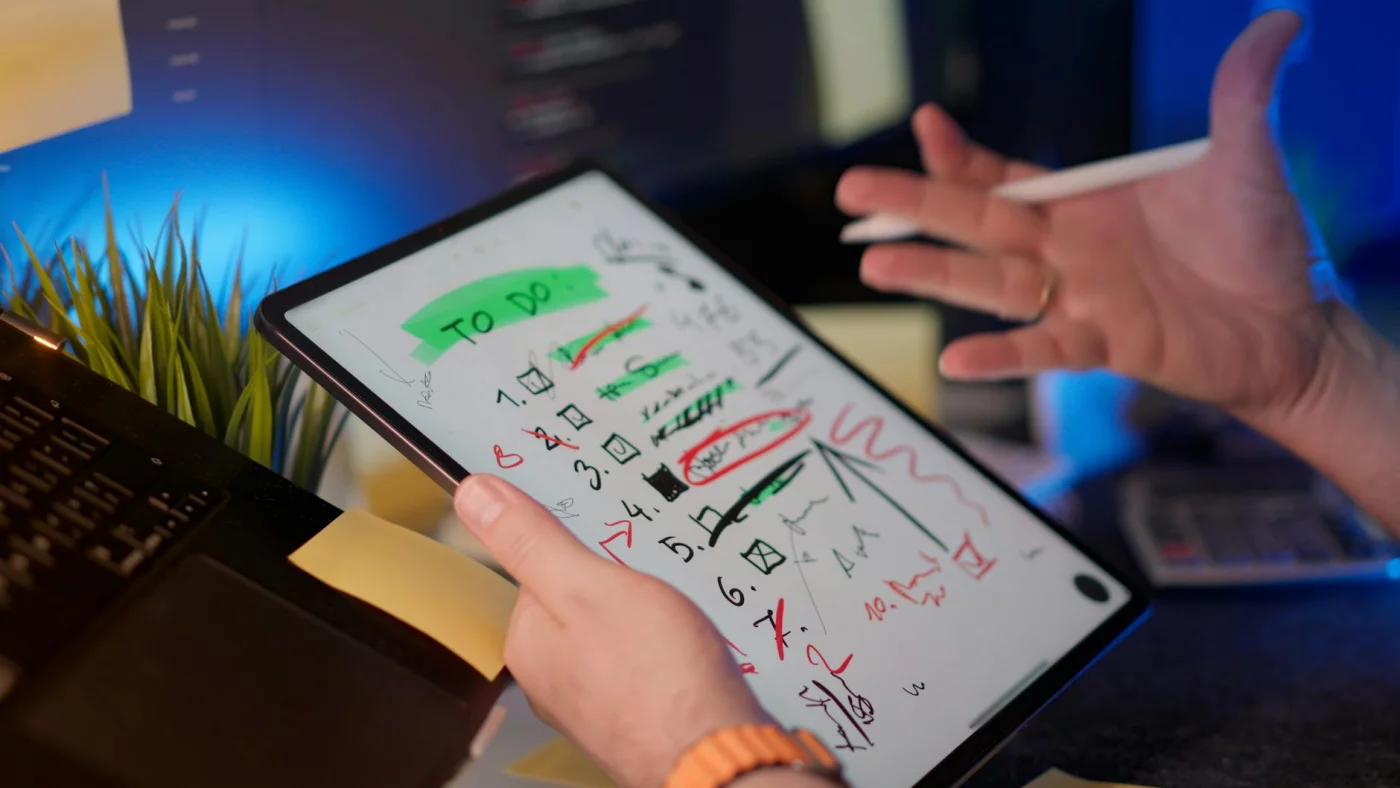
Use one simple tool to plan and log your blocks—especially if you’re doing single tasking for studying—then compare week 1 vs week 2 in a single glance; that’s exactly why I point people to Learning & Study Tools. And yes, if sleep is messy or stress is high, your results will wobble; treat those as variables, not moral failures.
Baseline metrics (before you change anything)
Before you “fix” anything, measure two normal days. This is where what is single-tasking stops being a philosophy and becomes a baseline you can beat. Keep it boring.
Track four work metrics:
- Focused minutes (time on task): minutes you were actually doing the task, not “at your desk.”
- Task switches/hour: each time you jump apps/tabs/topics for >10 seconds (Slack, email, phone, “quick check”).
- Time-to-finish one task: pick one repeatable task (write a report section, code a feature, clean an inbox batch).
- Errors/rework count (error rate): bug fixes, re-edits, “oops wrong file,” missed details that create redo.
If you’re studying, add two learning baselines. Count how many active recall questions you attempted (flashcards, practice questions, self-quizzing prompts) and your % correct. Also note how many minutes you spent re-reading or highlighting—because that time feels productive, but it often doesn’t predict recall.
Consistency beats precision. One note, one spreadsheet, or one daily log is enough—just don’t change the definitions mid-week.
Quick sidebar: research on task switching helps explain why this matters. A classic paper by Rubinstein, Meyer, and Evans in Journal of Experimental Psychology: Human Perception and Performance (2001) found measurable “switch costs” when people alternate tasks, especially when tasks are complex; you can read the abstract via PubMed.
The experiment rules (minimum viable single-tasking)
Now you run the smallest version that still counts as what is single-tasking. Two focus blocks per day. One task per block. Everything else gets pushed into windows.
- Minimum: 2 focus blocks/day, 5 days/week.
- One task per block: define the “done” line in one sentence before you start.
- Notifications off: phone in another room if possible; desktop banners off.
- Comms windows: check email/Slack in 2 scheduled windows (example: 11:30 and 16:30).
Work template: 60–90 minutes in the morning (deep work), plus 45 minutes in the afternoon (finish/ship). Study template: 2×25 minutes of active recall, then 1×45 minutes of problem sets or past-paper questions. That structure is the simplest answer I’ve found to “how to stop multitasking and focus” without needing a perfect life.
Add a failure plan. If you switch tasks, log the switch, write the trigger (“ping,” “bored,” “unclear next step”), and restart the block—no guilt spiral. Which brings us to the pattern I see most when people begin: day 1–2 feels itchy, day 3–5 switches drop because the rules become automatic, and by week 2 time estimates get less fantasy-based (you stop promising “20 minutes” for a 90-minute job).
Scorecard + reflection prompts (what to adjust in week 2)
Use a tiny scorecard. It should take 60 seconds per day, max.
- Focused minutes: ____
- Task switches: ____
- Rework/errors: ____
- Mental load (1–10): ____
Then do a 10-minute review every 3–4 days. Ask: What caused most switches—notifications, unclear next step, or emotional avoidance? Which block length produced the best time on task with the lowest error rate? And which tasks should be batched (admin) versus protected (writing, coding, studying)?
Week 2 adjustments are where the benefits of single tasking at work usually show up. Tighten the “done” definition, move your comms windows, add meeting rules (no laptop unless presenting), and shorten blocks if mental load stays high. Personally, I think this is the part most people get wrong: they keep the same schedule and just “try harder,” instead of changing the system that creates switching.
One last step: schedule a weekly checkpoint so the habit doesn’t fade; the workflow in this 30-minute weekly review is a clean way to compare week 1 vs week 2 and lock in what worked. Next, we’ll answer the common questions that pop up once you’ve actually lived with what is single-tasking for a week.
Frequently Asked Questions
What is single-tasking (monotasking) in simple terms?
What is single-tasking? It’s doing one cognitively demanding task at a time with one clear outcome, while keeping context switching close to zero. In practice, you pick a specific “done” definition, protect a focus block, and capture distractions in a quick note instead of acting on them. If you want a simple rule: if you can’t state what “done” looks like in one sentence, you’re not really single-tasking yet—what is single-tasking depends on that clarity.
Is single-tasking better than multitasking for productivity?
For most knowledge work, yes—because what feels like multitasking is usually task switching, which adds time and errors; that’s why what is single-tasking matters for real output. If you’re asking is single tasking better than multitasking, the biggest gains usually show up as fewer mistakes, less rework, and more consistent time-to-finish on important tasks. Try this: single-task one high-impact deliverable for 60 minutes, track how many times you switch apps, and compare the “clean” draft quality to your usual scattered workflow.
What is the cost of task switching in psychology?
Task switching cost psychology refers to the time and accuracy penalty you pay when shifting goals, rules, or attention between tasks—so what is single-tasking is partly a strategy to avoid paying that tax repeatedly. A classic paper often cited here is Rubinstein, Meyer, & Evans (2001), which showed measurable switch costs even when people try to move quickly between tasks; you can find it indexed on PubMed. Actionable takeaway: reduce switches by grouping similar tasks (all admin, then all writing) and by writing a one-line “next step” before you leave a task, so re-entry is faster.
What is attention residue and how long does it last?
Attention residue explained: it’s when part of your attention stays stuck on the previous task, making the next task slower and lower quality—even if you “moved on,” which is exactly what what is single-tasking aims to prevent. How long it lasts depends on task difficulty and how unfinished the prior task feels; a clean stopping point plus a quick note (“Next: outline section 2”) can shrink the residue. If you keep getting pulled back mentally, add a 60-second shutdown ritual: save, write the next action, and close the tabs.
How can I stop multitasking at work with email and Slack?
If you’re searching for how to stop multitasking and focus, start by setting response windows (2–3 times/day) and protecting focus blocks with Do Not Disturb and clear expectations—because what is single-tasking at work is mostly boundary-setting. Batch triage first, then single-task each reply to completion instead of half-writing messages across multiple threads. Quick rules that work:
- Focus block: notifications off, one deliverable, one “done” definition.
- Comms window: process inbox/Slack, then close them again.
- True urgent: agree on a single escalation channel (call or @urgent).
How can I single-task while studying without getting bored?
Single tasking for studying works best when you shorten the block (25–45 minutes) and switch the study activity, not the goal—because what is single-tasking is one objective at a time, not one method forever. For example, keep the same goal (“master these 20 terms”) but rotate: read → active recall → practice problems. Add a tiny challenge metric so you have momentum: questions answered, errors fixed, or cards recalled—and stop when you hit the finish line.
Is the Pomodoro technique single-tasking or multitasking?
Pomodoro vs time blocking comes down to what you do inside (and between) sprints, and what is single-tasking is the standard: one task, notifications off, and a defined “done.” Pomodoro is single-tasking if each 25-minute sprint is one task with a clear next action when the timer ends. It turns into multitasking when breaks are used to start new work threads (email/Slack) that create attention residue, so keep breaks “clean” (walk, water, stretch) instead.
When is multitasking actually okay vs harmful?
When is multitasking actually okay? Usually when one activity is automatic and low-stakes (walking + listening), and harmful when both require executive control (writing + messaging), which is why what is single-tasking is so valuable for deep work. If both tasks need working memory, decision-making, or error checking, you’ll pay in quality and time. And never multitask while driving or operating machinery—divided attention is a safety risk; for more on distracted driving risks, see the CDC’s distracted driving page.
Conclusion: One task. Better results.
If you take nothing else from this guide, take these four moves: (1) Plan your next 1–3 priorities before you open tabs, (2) time-box one task into a clear start/stop window, (3) protect that window by silencing notifications and parking “later” thoughts in a capture list, and (4) review the block in 60 seconds so tomorrow’s focus gets easier. That’s the practical answer to what is single-tasking in real life: choosing one outcome, one time-box, one set of inputs. And yes, it’ll feel slower at first. But the payoff comes from fewer resets, less attention residue, and cleaner handoffs between tasks.
If you’ve been stuck in the “busy but behind” loop, you’re not lazy. You’re overloaded. I’ve been there too (OK wait, let me back up: I still slip sometimes), and the fix isn’t superhuman willpower—it’s a simple system you can repeat. Try the 7–14 day experiment you just read, track a couple metrics (finish rate, deep-work minutes, error count), and let the data convince you. Once you really get what is single-tasking, you stop chasing productivity hacks and start building consistency.
Want to keep going? Browse more evidence-based strategies on FreeBrain.net, starting with Spaced Repetition for memory that actually sticks and our Active Recall guide for faster studying with fewer rereads. Pick one method, run it for a week, and combine it with your single-tasking workflow. Decide your next block now, set a timer, and start—one task at a time.