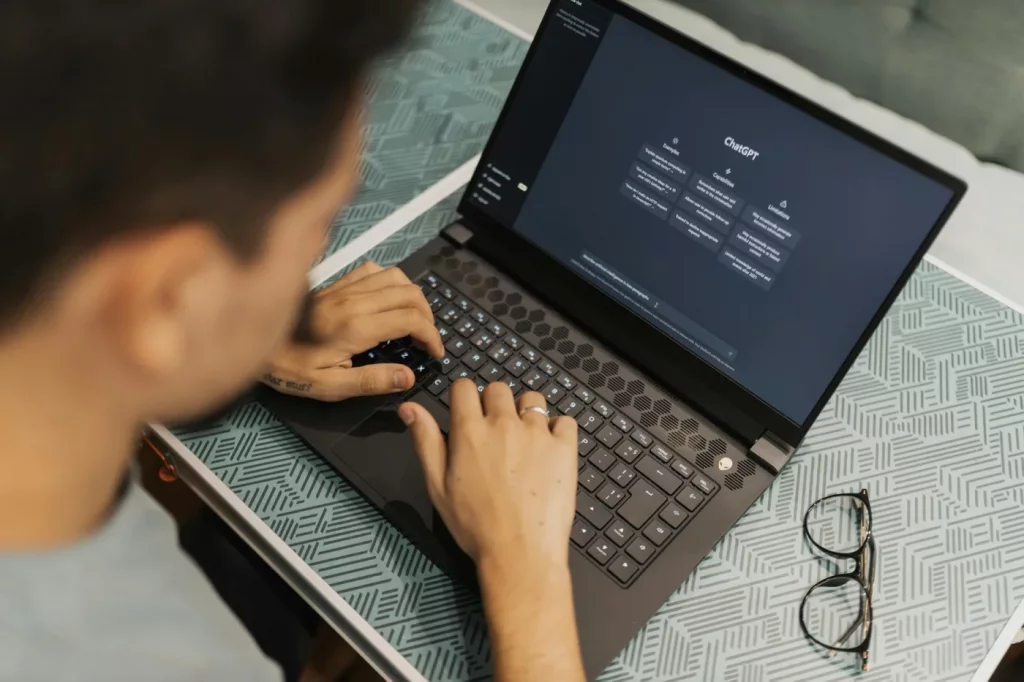
How to use AI properly for students comes down to one simple rule: use AI to support thinking, not replace it. If you’re wondering how to use AI properly for students, the best uses are planning, practice questions, feedback, and study organization—while evidence-based methods like active recall and spaced repetition still matter more than any tool.
Maybe this sounds familiar. You open ChatGPT to “study faster,” and 20 minutes later you’ve got a neat summary, zero real recall, and no idea what you actually remember. That’s the trap. Research on the testing effect in learning shows that retrieving information from memory beats passive rereading, which is exactly why how to use AI properly for students matters so much.
So here’s the deal. This article will show you how to use AI properly for students before, during, and after studying: how to turn messy notes into a clean system, when to use AI prompts, how to study with ChatGPT without getting lazy, and how to use AI for exam prep without sliding into cheating or overreliance. And yes, we’ll cover practical tools too, including ways to pair AI with best active recall apps and workflows that help you build a second brain for revision.
I’m a software engineer, not a neuroscientist—but I’ve spent years building learning tools and translating cognitive science into study systems that actually hold up in real use. Personally, I think most advice on how to use AI properly for students is either too vague or way too hyped. This guide is different: practical, ethical, and built around learning methods that still work when the AI tab is closed.
📑 Table of Contents
- How to use AI properly for students: the fast answer and core rule
- Can AI help you study smarter? What works, what hurts, and why
- 7 practical ways AI can help students study smarter without cheating
- How to study with ChatGPT step by step: before, during, and after a session
- Best AI tools for studying, real-world application, and subject-specific examples
- Risks of using AI for studying and a quick reference checklist to avoid them
- Conclusion: how to use AI properly for students in daily study life
- Frequently Asked Questions
- Conclusion
How to use AI properly for students: the fast answer and core rule
Now that the basics are clear, here’s the short version. How to use AI properly for students comes down to one idea: use AI to support retrieval practice, spaced repetition, planning, and feedback—not to do the thinking for you or produce final work you submit. For more on learning and study skills, see our learning and study skills guide.
Featured-snippet answer: can AI help you study smarter?
Yes, can AI help you study smarter? Absolutely—but only when it drives active learning. Research from the APA’s learning and memory resources, National Library of Medicine materials on durable learning, and Stanford HAI’s education guidance all point in the same direction: active recall and spaced review matter more than any single tool.
That’s why how to use AI properly for students starts with method, not software. Passive summarization feels productive, but it’s usually weaker than self-testing. Asking AI to turn your biology notes into 10 short-answer questions is far better than asking for a polished summary and stopping there.
If you want a practical setup, pair AI with systems built for retrieval, like these best active recall apps. And if your notes are scattered across tabs, docs, and screenshots, it also helps to build a second brain so AI has cleaner material to work from.
- Summarize messy notes into usable study inputs
- Generate questions for self-testing
- Make flashcards from lectures or readings
- Build a realistic revision plan
- Explain hard concepts in simpler words
- Find weak spots from your answers
- Create exam-style practice by topic
The one simple rule for proper student AI use
Here’s the rule. AI should generate practice, structure, and explanations; it should not replace your understanding, your reasoning, or your final submitted work unless your school explicitly allows it.
Personally, I think this is the part most people get wrong. How to use AI properly for students isn’t about using AI more; it’s about using it at the right moments. Responsible AI use means checking school policy, verifying facts, and treating outputs as drafts or prompts—not truth.
One more anchor point: APA resources on learning and memory are useful because they reinforce a simple truth—durable learning comes from effortful retrieval, not smooth rereading. Which brings us to the next question: can AI help you study smarter in practice, and where does it start hurting instead?
Can AI help you study smarter? What works, what hurts, and why
So here’s the deal. After the core rule, the next question is obvious: can AI actually improve learning, or does it just make studying feel easier? The short answer is yes—if you understand how to use AI properly for students, and no—if you use it to skip thinking.

Research on retrieval practice, spacing, elaboration, and feedback keeps pointing in the same direction: learning sticks when your brain has to work. AI isn’t magic. But how to use AI properly for students comes down to one thing: use it to create effort, not replace it.
When AI helps learning
AI helps most when it acts like a study assistant, not a replacement teacher. Personally, I think this is the part most people get wrong. If you ask it to turn messy material into testable prompts, practice questions, and review plans, it can save real setup time—and that matters when you’ve only got 90 minutes to study.
That’s why AI pairs well with retrieval-based systems like these best active recall apps. Instead of rereading notes, you can ask AI to compress a 12-page lecture into 8 testable claims, convert those into 20 flashcards, and then suggest reviews on days 2, 7, and 30. That workflow supports spacing and active recall vs review, which learning research repeatedly favors.
And yes, this works across subjects. In history, AI can generate “What caused…?” and “Compare X vs Y” questions. In chemistry, it can create concept checks like “Explain why equilibrium shifts left when temperature drops.” In language learning, it can build vocabulary drills with example sentences and quick translation tests.
If you’re wondering how can AI help students in their studies, here’s the practical answer: it reduces friction before the real studying starts. It can also help you build a second brain by organizing lecture notes, readings, and practice prompts into a cleaner revision workflow.
- High value: quiz generation, flashcards, error analysis, study planning
- Low value: copying essays, reading AI summaries passively, trusting unsupported facts
- Best test: if the output makes you retrieve, compare, explain, or correct, it likely helps
When AI hurts learning
But wait. AI becomes harmful fast when it gives you the feeling of understanding without the work of understanding. That’s the trap.
A student might read an AI-generated explanation of derivatives and think, “Got it.” Then they try a fresh calculus problem from memory and freeze. Why? Because recognition is not recall, and familiarity is not mastery.
This is exactly why how to use AI properly for students matters so much. If AI lets you skip retrieval, problem-solving, or explanation, it usually hurts learning. And here’s the kicker—AI hallucinations are real, so fact checking AI output is non-negotiable, especially in science, history, and essay writing.
For the learning side, a widely cited review on retrieval practice in research indexed by the National Library of Medicine explains why testing yourself strengthens long-term retention better than passive review. And for the method itself, the overview of spaced repetition is a useful starting point if you want the memory logic behind day 2, 7, and 30 reviews.
From experience: what actually seems to stick
After building FreeBrain tools and watching how learners use them, I’ve noticed a consistent pattern. Students do better when AI outputs become prompts, quizzes, flashcards, and review schedules—not polished final notes they never revisit.
Well, actually, one-off AI chats are rarely the best use. Structured review beats random asking. A student who turns one biology chapter into 15 recall questions, 10 flashcards, and a spaced review plan will usually study smarter than someone who keeps asking for “simpler summaries.”
So how to use AI properly for students isn’t about using more AI. It’s about using AI to create more retrieval, better feedback, and cleaner organization. That’s also why how to use AI properly for students should include a quick personal check: did this tool make you do more thinking, or less?
One quick note on health-related issues: AI may help organize work when you’re stressed, burned out, sleep-deprived, or struggling with attention, but it isn’t treatment. For personal medical or mental health concerns, consult a qualified healthcare or mental health professional.
Which brings us to the useful part. Now that you know how to use AI properly for students in principle, let’s get concrete with seven ways to use it without crossing into cheating or fake learning.
7 practical ways AI can help students study smarter without cheating
So here’s the deal: the best answer to how to use AI properly for students is simple. Use it to prepare, quiz, organize, and explain — not to think for you.
And yes, that difference matters. Research on retrieval practice and spaced review, including evidence summarized by a review on effective learning techniques at the National Library of Medicine, suggests students learn more when they actively pull information from memory instead of just rereading polished notes.
1-3: Summaries, practice questions, and flashcards
First, use AI to clean up messy notes. If you’re wondering how can AI help with studying, this is one of the safest uses: turning scattered lecture points into a structured outline you can actually review.
Try this prompt: “Summarize these notes into 7 key ideas. Preserve exact definitions, formulas, dates, and named processes. Mark anything uncertain with ‘check source.’” That last part is huge. You should always verify AI output against your class notes, textbook, teacher guidance, and primary sources before using it for exams or assignments.
Why it works? It reduces formatting chaos so your brain can focus on meaning. It also helps if you’re trying to build a second brain instead of letting useful material disappear across five apps and three notebooks.
Example: in biology, paste rough notes on cellular respiration and ask for a one-page summary with glycolysis, Krebs cycle, ATP totals, and “uncertain” flags. Warning: don’t let AI replace reading the original diagram labels or pathway steps.
Second, turn notes into questions. Personally, I think this is where students get the most value, because AI shifts you from passive review to active recall.
- Prompt: “Create 5 short-answer questions and 5 multiple-choice questions from these notes. Include an answer key and one sentence explaining each answer.”
- Why it works: answering from memory is stronger than rereading; pairing AI with the best active recall apps makes the loop even better.
- Example: for history, generate 5 exam-style questions on causes of World War I.
- Warning: don’t memorize flawed answer keys without checking them first.
Third, use an AI flashcard generator for students — but make it specific. Ask: “Create 10 flashcards in front-back format, each with one example and one common confusion.”
That works because flashcards support spaced repetition, especially when you review on a 2-7-30 rhythm instead of cramming. A chemistry example: “Front: What is electronegativity? Back: definition, periodic trend, example with fluorine, common confusion with electron affinity.” Warning: if the cards are too wordy, they stop being recall tools and turn into mini-notes.
4-5: Revision plans and right-level explanations
Fourth, ask AI to build a realistic revision plan. This is a practical part of how to use AI properly for students because it turns vague stress into a schedule you can follow.
Use this prompt: “I have 8 hours this week, a biology test in 6 days, and 3 weak areas: genetics, enzymes, and respiration. Build a plan with 25-minute study blocks, review sessions, and one mock quiz.” Good plans work because they reduce decision fatigue before you start.
And here’s the kicker — the schedule should match proven review timing. Ask AI to include the 2 7 30 memory rule and choose between short sprints or longer blocks based on your workload, similar to the tradeoffs in pomodoro vs time blocking. Warning: don’t accept fantasy schedules with 6 straight hours of perfect focus.
Fifth, use AI for layered explanations. Ask: “Explain photosynthesis at 3 levels: beginner, exam-ready, and teach-it-back level. End with a 2-minute self-explanation prompt.”
Why does that help? Because understanding deepens when you can restate an idea in your own words. Example: in math, AI can explain derivatives first intuitively, then with notation, then as if you’re teaching a classmate. Warning: if you only read the explanation and never solve problems, you’ll feel prepared without actually being prepared.
6-7: Weak-spot detection and exam-style practice
Sixth, feed AI your mistakes. Well, actually, feed it patterns of mistakes, not just one bad grade.
Prompt: “Here are 12 errors from my last two quizzes. Group them into concept gaps, careless errors, and timing issues. Identify my top 3 weak areas and suggest drills.” This is one of the clearest examples of how can AI help students in their studies, because it turns raw errors into targeted practice.
Example: in algebra, AI may notice that you understand solving equations but keep dropping negative signs under time pressure. Warning: AI can misclassify mistakes if your input is incomplete, so compare its diagnosis with your marked paper.
Seventh, generate mixed-topic exam sets. If you want to know how to use AI properly for students for exam prep, this is the advanced move.
- Ask for 5 exam-style questions from mixed topics, not one chapter.
- Request a marking scheme and model answers.
- Complete the set under timed conditions.
- Then ask AI to explain only the questions you missed.
Why mixed sets? Interleaving helps you choose the right method instead of assuming every problem uses the same one. Example set: 2 math questions, 2 biology data-analysis questions, and 1 essay outline for literature. Warning: never submit AI-generated answers as your own work.
That’s really the core of how to use AI properly for students: make AI generate structure, prompts, feedback, and practice — then do the thinking yourself. Next, I’ll show you exactly how to study with ChatGPT before, during, and after a session.
How to study with ChatGPT step by step: before, during, and after a session
So here’s the part most students actually need: a repeatable workflow. If you want to learn how to use AI properly for students, don’t open ChatGPT and ask for a summary right away — use it to set up retrieval, practice, and review.

How to run a 30-90 minute AI-supported study session
- Step 1: Organize the material and define the top concepts.
- Step 2: Build a timed study plan with retrieval checkpoints.
- Step 3: Take a short pre-test before you study.
- Step 4: Use AI to quiz you one question at a time.
- Step 5: Explain the idea back in plain language.
- Step 6: Turn mistakes into a spaced review plan.
Before a study session: set goals and prepare inputs
Start by pasting your syllabus, lecture notes, chapter headings, or problem set topics. Then ask AI to identify the 3-5 concepts that matter most, group related ideas, and flag anything likely to appear on a test. This is one of the clearest examples of how to use AI properly for students: AI helps you structure the material, but you still do the learning.
Try this prompt: “Here are my notes. Identify the top 5 concepts I need to master, explain why they matter, and list common confusions students have.” If your notes are messy, this is also a good moment to think about how to build a second brain so your inputs are easier to reuse later.
Next, ask for a realistic session plan. A good prompt is: “Create a 50-minute study plan with one retrieval checkpoint every 10-15 minutes. Include 5 minutes at the end for error review.” That matters because research on retrieval practice and spacing consistently shows that trying to remember beats passive rereading for long-term retention, as summarized by review research on test-enhanced learning.
And yes, timing matters. If you’re unsure whether shorter sprints or longer blocks fit the task, compare your session style with pomodoro vs time blocking and then let AI generate the schedule around that choice.
Finally, pre-test yourself before studying. Ask: “Write 5 short questions on these topics. Do not give answers yet.” Why do this first? Because it exposes what you already know, what feels familiar but weak, and where your attention should go. That’s a core part of how to use AI properly for students, and it’s much better than mistaking recognition for mastery.
During a study session: retrieve, explain, and practice
During the session, use AI to quiz you, not lecture you. Personally, I think this is the biggest shift students miss. If you want to know how to study with ChatGPT without becoming dependent on it, make it wait for your answer.
- “Ask me one question at a time and wait for my answer.”
- “Do not reveal the answer until I try.”
- “If I’m partly right, give a hint instead of the full solution.”
- “After each answer, rate it from 1-5 for accuracy and completeness.”
This works for almost any subject. In biology, ask for process questions like “Walk me through cellular respiration.” In math, ask for one problem at a time with a hint-only mode. In essay writing, ask it to challenge your thesis with counterarguments. So, can I use AI to help me study? Yes — if it’s creating effortful recall, not replacing it.
Add a self-explanation loop after every 2-3 questions. Use: “Ask me to teach this concept back in plain language as if I’m explaining it to a 14-year-old.” Research on elaboration and self-explanation suggests this improves transfer because you’re connecting ideas instead of repeating phrases. If you want extra support, pair this with tools from our guide to best active recall apps so your practice doesn’t live only inside a chat window.
After a study session: review mistakes and schedule spaced repetition
Now this is where it gets interesting. After the session, paste your wrong answers and ask: “Turn my mistakes into a weak-spot list. Group them by concept, explain the error pattern, and make a review plan for day 2, day 7, and day 30.” That’s how to use AI properly for students because the review is driven by what you missed, not by everything equally.
Then ask for flashcards only from missed concepts: “Create 10 flashcards from my errors only, with short answers and one application question each.” For recall-heavy subjects, you can even combine those cues with a memory palace for exams if you need stronger retrieval hooks.
End every session with one transfer prompt: “How would this appear in a real exam problem?” or “Give me one unfamiliar scenario where I must apply this concept.” That final step matters because memory is useful only if you can use it in a new context. And that, really, is how to use AI properly for students: plan, retrieve, explain, review, and transfer.
Next, let’s get more specific: which AI tools are actually worth using, and how do they help with math, science, essays, languages, and exam prep in the real world?
Best AI tools for studying, real-world application, and subject-specific examples
Now that you’ve seen the workflow, the next question is simpler: which tool should you use for which job? This is where how to use AI properly for students stops being abstract and starts becoming a practical system.
ChatGPT, Quizlet, and flashcard tools: what each does best
If you want the short version, here it is. ChatGPT is best for generating explanations, examples, and custom practice; Quizlet-style systems are better for repetition; your textbook or class notes are still the accuracy anchor.
That distinction matters a lot in how to use AI properly for students. A 2024 review in PubMed-indexed education research keeps landing on the same point: learning improves when students actively retrieve information, not just reread polished summaries.
- ChatGPT: best for custom explanations, question generation, mistake analysis, and turning confusion into simpler language.
- Quizlet and similar AI study tools for students: best for repeated recall, spaced review, and quick mobile sessions between classes.
- AI flashcard generator for students: useful when your notes are messy, but only if you edit the cards before studying them.
- Notes and textbooks: best when you need source accuracy, course wording, formulas, definitions, and policy-safe citations.
So, ChatGPT vs Quizlet for studying? ChatGPT wins when you need tailored help: “Explain mitosis like I’m in 10th grade,” or “Give me five calculus errors students commonly make.” Quizlet-style tools win when the goal is memory strength, because they make you retrieve the answer over and over — and that’s the part that actually sticks.
But wait. Don’t ask ChatGPT to be your final source for dates, formulas, or assigned readings. Personally, I think this is the part most people get wrong: they use the most flexible tool for the job that needs the most precision.
If you’re building a serious study stack, pair AI-generated questions with one of the best active recall apps. That combination is much closer to how to use AI properly for students than chatting with a bot for 40 minutes and calling it revision.
Real-world application: math, science, essays, and languages
The best AI tools for studying depend on the subject. Same tool, different job.
Math: ask for graduated practice, but solve first and verify after. Prompt: “Create 8 derivative problems that increase from basic power rule to chain rule exam level. Don’t show solutions until I answer.”
Science: use AI to compress dense material into testable chunks, then check the source. Prompt: “Summarize this biology chapter into hypotheses, mechanisms, key terms, and 10 likely exam questions.” If you work with papers, this guide can help you read research papers faster without replacing actual reading.
Essays: use AI for brainstorming, structure, and counterarguments. Prompt: “Give me three thesis options, two objections to each, and an outline using only these class concepts.” And yes, if your school forbids AI-written prose, follow that policy exactly.
Languages: AI is great for recall drills. Prompt: “Create a 12-item cloze test in Spanish using travel vocabulary, then give me a short dialogue where I must respond in the past tense.”
Exam prep: ask for mixed-topic questions, not just summaries. Prompt: “Based on these lecture topics, make a 25-question cumulative quiz with short answer and multiple choice, weighted toward my weak areas.” That’s a much better example of how to use AI for exam prep than asking for a neat summary you never test yourself on.
From experience: the workflow that seems to work best
After building learning tools and watching how students use them, I keep seeing the same pattern. AI helps most at the setup stage and the feedback stage. Memory gets built in the middle, when you struggle to retrieve.
The workflow that seems to work best is simple:
- Organize your notes and source material.
- Use AI to generate explanations, examples, and practice questions.
- Test yourself without looking.
- Review weak spots and regenerate targeted practice.
OK wait, let me back up. This is really the core of how to use AI properly for students: AI should reduce friction, not replace thinking. If you skip the testing part, you get the feeling of progress without much learning.
That’s also why ChatGPT vs Quizlet for studying isn’t really a rivalry. They do different things. One helps you create and clarify; the other helps you retain.
And here’s the kicker — once you understand how to use AI properly for students, the risks become easier to spot too: hallucinated facts, shallow understanding, and overreliance. Which brings us to the next section: how to use these tools without letting them quietly wreck your studying.
Risks of using AI for studying and a quick reference checklist to avoid them
AI can save time. But this is where how to use AI properly for students really matters, because the same tool that helps you practice can also feed you wrong answers, fake confidence, or a plagiarism problem.

Personally, I think this is the part most students skip. If you want how to use AI properly for students to work in real school settings, you need guardrails, not just better prompts.
Common mistakes students make with AI
The first risk bucket is simple: AI hallucinations and wrong answers. Large language models can produce polished explanations that sound textbook-clean while quietly mixing up dates, formulas, citations, or cause-and-effect. A 2023 paper in Nature and ongoing reporting from researchers at Stanford’s Human-Centered AI group both point to the same issue: fluency is not accuracy.
And here’s the kicker — students often trust the most confident answer. If AI gives you a chemistry explanation with the wrong unit conversion or invents a quote for an essay, the language may still look perfect.
The second risk is overreliance. You read an AI summary, nod along, and feel like you “get it.” But if you can’t retrieve the idea from memory, you probably haven’t learned it. That’s why AI works best when paired with retrieval practice, not passive review, and tools like best active recall apps are often more useful for retention than one more polished summary.
Then there’s the third bucket: plagiarism risks and policy violations. Copying AI text into an assignment, lab report, code submission, or discussion post can break class rules even if the wording isn’t copied from a website. So if you’re wondering how to use AI without cheating in school, the short answer is this: use it to think, test, plan, and revise — not to hide authorship.
- Copying answers directly into assignments
- Using AI summaries instead of reading required material
- Skipping self-testing and confusing familiarity with mastery
- Using AI to push through exhaustion instead of fixing sleep, breaks, and workload
That last one gets ignored. OK wait, let me back up: if you’re using AI at 2 a.m. just to keep functioning, the real problem may be fatigue, overload, or burnout. In that case, you’d get more from stepping back and learning how to recover from burnout than from forcing another AI-generated study plan.
The 5-point verification checklist
If you want a practical system for how to use AI properly for students, run every important answer through this checklist before you trust it. This is also the simplest way to handle fact checking AI during exam prep and assignments.
- Check it against your class notes or textbook. If AI conflicts with assigned material, your course source wins.
- Check it against the teacher’s rubric or assignment policy. Some classes allow brainstorming but ban AI-written text.
- Check one primary or authoritative source. For science or health topics, use textbooks, journal articles, or sites like PubMed.
- Rewrite the answer from your own understanding. If you can’t restate it simply, you don’t know it yet.
- Test yourself without looking. Close the tab and recall the idea, formula, or argument from memory.
Want signs you should stop using AI and test yourself instead? Three big ones: you keep reading without recalling, the answer looks polished but you can’t explain it, or you haven’t checked the source material. That’s the moment when how to verify AI answers when studying becomes more important than getting a faster response.
Quick Reference: ethical AI study rules
📋 Quick Reference
Use AI for planning, practice questions, feedback, error analysis, and clearer explanations. Don’t use AI as a hidden ghostwriter for essays, homework, code, or take-home assessments. Verify facts before exams and assignments, especially when the answer includes citations, numbers, formulas, or historical claims. And if you’re dealing with sleep problems, burnout, anxiety, or attention difficulties, consult a qualified professional rather than relying on AI for personal treatment advice.
So here’s the deal. How to use AI properly for students isn’t about avoiding AI; it’s about using it where it improves thinking and refusing it where it replaces thinking.
If you keep that standard, you’ll avoid most AI hallucinations, plagiarism risks, and shallow-learning traps. Which brings us to the final piece: building a daily system for how to use AI properly for students without losing memory, focus, or academic integrity.
Conclusion: how to use AI properly for students in daily study life
After the risks and checklist, the big idea is simple. The best answer to how to use AI properly for students is to use AI for practice, planning, and feedback while keeping the real thinking, recall, and writing in your hands.
That’s what actually works. Research on retrieval practice and feedback timing suggests students learn more when they generate answers themselves, then check and correct them, not when they only reread polished explanations. So if you’re still asking how to use AI properly for students, think assistant, not substitute.
- Before: ask AI to plan the session, define goals, and create questions.
- During: solve, explain, and recall from memory before looking at help.
- After: review mistakes, fix weak spots, and schedule the next spaced review.
Want a practical rule? Pick one subject today. Run one 30-minute session, generate 10 questions, review every mistake, and book the next review in your calendar. That’s how to use AI properly for students without drifting into passive studying.
Your next 30 minutes
Choose one chapter or topic. Then use clear AI prompts for studying: “Give me 5 test questions, 5 flashcards, and one weak-spot check on photosynthesis” or “Quiz me on quadratic equations, one step at a time.” Can AI help you learn better? Yes—if you finish by testing yourself without AI.
And don’t ignore your biology. Sleep, exercise, and steady review still matter if you want to improve brain memory; tools work best when your brain is supported. Personally, I think this is the part most students skip.
So, how to use AI properly for students? Use it to set up effort, not replace effort. Use it for exam prep, but make sure you still retrieve, write, and verify. Pair that approach with FreeBrain’s evidence-based study systems, and you’ll have a repeatable answer to how to use AI properly for students—which brings us to the FAQ.
Frequently Asked Questions
Can AI help you study smarter as a student?
Yes — can AI help you study smarter as a student is really a question about whether AI pushes you into active learning or passive reading. The best use of how to use AI properly for students is to turn your notes into self-test questions, flashcards, mistake reviews, and spaced study plans instead of asking for polished summaries you never actually recall. Personally, I think this is the part most people get wrong: if AI makes studying feel easier but not more effortful, it’s probably helping you read, not learn.
Can I use AI to help me study without cheating?
Usually yes, and can I use AI to help me study ethically comes down to how you use it. If you’re using AI for brainstorming, clearer explanations, practice questions, or planning your revision, that’s very different from submitting AI-written work as your own — and that’s the core of how to use AI properly for students. But wait. Always check your school or university policy first, because acceptable AI use on homework, essays, and take-home assessments can vary a lot.
How can AI help with studying for exams?
How can AI help with studying for exams? Three things matter: generating exam-style questions, spotting weak areas from your errors, and building a spaced revision schedule you can actually follow. The smartest version of how to use AI properly for students is using AI to support exam prep while you still solve problems, retrieve answers, and explain concepts yourself. And here’s the kicker — if AI does the thinking for you, your exam performance usually won’t improve much.
How do you study with ChatGPT step by step?
If you want how to study with ChatGPT step by step, keep it simple: start with a goal, do a quick pre-test from memory, ask ChatGPT to quiz you one question at a time, answer before seeing feedback, then review mistakes and schedule your next session. That’s one of the clearest examples of how to use AI properly for students because it forces retrieval instead of spoon-feeding. Quick sidebar: the key prompt is something like, “Ask me one question at a time and do not reveal the answer until I respond.”
What are the best AI prompts for studying?
The best AI prompts for studying usually ask for quizzes, flashcards, weak-spot analysis, and explanations adjusted to your current level. A good prompt for how to use AI properly for students should force retrieval and comparison, such as: “Quiz me on this topic, increase difficulty if I get two right in a row, and explain only after I answer.” Well, actually, prompts that ask for neat summaries often feel productive, but prompts that make you recall, compare, and correct are what tend to help you remember.
How do you verify AI answers when studying?
How to verify AI answers when studying is simple but non-negotiable: check the response against your notes, textbook, teacher guidance, and at least one authoritative source. For health or science topics, I’d cross-check with sources like PubMed or your course materials, because how to use AI properly for students always includes verification, not blind trust. Then rewrite the idea in your own words and test yourself without looking — if you can’t explain it, you don’t fully know it yet.
What is the best AI flashcard generator for students?
The best AI flashcard generator for students depends on what you need most: fast custom card creation or a system built for long-term spaced repetition. In practice, how to use AI properly for students often means generating draft cards with AI, then cleaning them up and reviewing them in a tool designed for repeated recall rather than one-time reading. Speaking of which — if you want a stronger workflow, pair AI-generated cards with a spaced review routine like the study methods covered on FreeBrain.
ChatGPT vs Quizlet for studying: which is better?
ChatGPT vs Quizlet for studying isn’t really an either-or question, because they help with different parts of learning. ChatGPT is better for custom explanations, prompts, and mistake analysis, while Quizlet-style tools are better for repeated review and memorization once the material is already structured — and that’s a practical example of how to use AI properly for students. So here’s the deal: use ChatGPT to create and refine understanding, then use flashcard tools to keep that knowledge alive over time.
Conclusion: Use AI as a Study Partner, Not a Substitute
If you remember just four things, make them these: start with your own thinking before you prompt, use AI to explain and quiz rather than to write your work, verify facts against your notes or class materials, and always finish by retrieving the idea from memory without help. That’s really the core of how to use AI properly for students. And here’s the kicker — the best results usually come from a simple flow: think first, ask better questions, check the answer, then test yourself.
Personally, I think this matters because studying can feel messy even when you’re trying hard. AI can make that better, but only if you stay in the driver’s seat. If you’ve been relying on it too much, that doesn’t mean you’ve failed. It just means you need a better system. Well, actually… a more honest one. When you use AI to sharpen understanding instead of skipping effort, how to use AI properly for students becomes less about rules and more about building real skill, confidence, and independence over time.
So here’s the deal: pick one class this week and try one ethical AI workflow from this guide. Then build from there. If you want more practical help, explore FreeBrain’s study resources next — especially How to Study With ChatGPT and Spaced Repetition. They’ll help you turn how to use AI properly for students into a daily habit that actually improves learning. Start small. Stay honest. Study smarter today.