If you have useful information scattered across browser tabs, class notes, meeting notes, screenshots, and saved posts, the problem is probably not that you need a bigger note app. You need a small system that turns one captured item into one future use. For example, a lecture note becomes a recall question, a project idea becomes a next action, and a saved article becomes a short summary you can find later.
This guide shows how to build a second brain without turning setup into a hobby. Start with one decision: what should your system help you produce in the next 30 days? An exam study guide, a project plan, a content outline, or a weekly review are all better targets than “store everything.” From there, you’ll set up one capture inbox, a simple organizing structure, and a weekly review loop so your notes stay searchable, usable, and connected to real work.
We’ll also compare the best tools for building a second brain — including Notion, Obsidian, OneNote, and Apple Notes — and cover realistic 2025 workflows if you want to build a second brain with AI without handing your thinking over to a chatbot. If you’re a student, you’ll also see how your notes can become exam-ready materials faster, including ways to make a smarter study guide from what you already captured.
Personally, I think this is the part most people get wrong: they overbuild. I’m a software engineer, not a neuroscientist, but after building learning tools and studying the research behind memory, attention, and knowledge management, I’ve found that how to build a second brain is less about the perfect app and more about a system you’ll actually keep using.
📑 Table of Contents
- What building a second brain means and why people use it
- How to build a second brain with a proven 7-step system
- A 30-minute beginner setup and quick reference for your second brain
- Best tools for building a second brain: Notion vs Obsidian vs OneNote vs Apple Notes
- How to build a second brain with AI, plus real-world examples that show what works
- Common mistakes, what to avoid, and whether building a second brain is worth it
- Frequently Asked Questions
- Conclusion
What building a second brain means and why people use it
Now that the basics are on the table, here’s the plain-English version. If you’re wondering how to build a second brain, start with this: a second brain is a digital system for capturing, organizing, and reusing information so you don’t rely only on working memory. For more on memory and brain health, see our memory and brain health guide.
That matters because working memory is limited, and research on cognitive load suggests that externalizing information can reduce mental friction during learning and project work. And here’s the kicker — how to build a second brain isn’t really about collecting more notes. It’s about making ideas easier to find and use later, often with retrieval habits like active recall vs passive review.
A simple definition for beginners
So what is building a second brain, really? It means creating a trusted digital memory system where useful ideas don’t disappear into tabs, screenshots, and random notebooks.
Here’s a concrete example. You save one insight from an article, connect it to a class note, and later reuse it in an essay, presentation, or meeting. That’s how to build a second brain in practice: capture, connect, reuse.
People have done versions of this for centuries through commonplace books. Well, actually, the modern twist is speed and search. Your phone, notes app, or PKM tool can now hold the raw material you’ll later turn into output, whether that means you make a smarter study guide or prepare a client brief.
Why a second brain is different from ordinary note-taking
This is the part most people get wrong. Ordinary note-taking often stops at storage, but the second brain method treats notes as fuel for action.
If your notes never come back into your workflow, they’re basically a digital attic. Evidence from the National Center for Biotechnology Information on working memory limits helps explain why offloading details can help you focus on reasoning instead of juggling everything in your head.
- Passive notes collect information.
- Usable notes support retrieval and decisions.
- A good digital memory system turns inputs into outputs.
And yes, that includes articles and papers. If you regularly read research papers faster, a second brain helps you keep only the claims, methods, and takeaways you’ll actually reuse.
Who should build one and who probably shouldn’t
How to build a second brain is most useful for people with recurring inputs and outputs: students managing lectures, knowledge workers juggling projects, creators collecting ideas, and lifelong learners reading across topics. If information hits you from five directions every day, a second brain can save time.
But wait. If you only need a simple to-do list, or your current system already works, a full second brain may be overkill. Personally, I think the best setup is the lightest one that still helps.
This article will show you how to build a second brain in about 30 minutes, compare tools, use AI carefully, and avoid the common failure mode of building a system so complex you stop using it. Which brings us to the practical part: the 7-step system.
How to build a second brain with a proven 7-step system
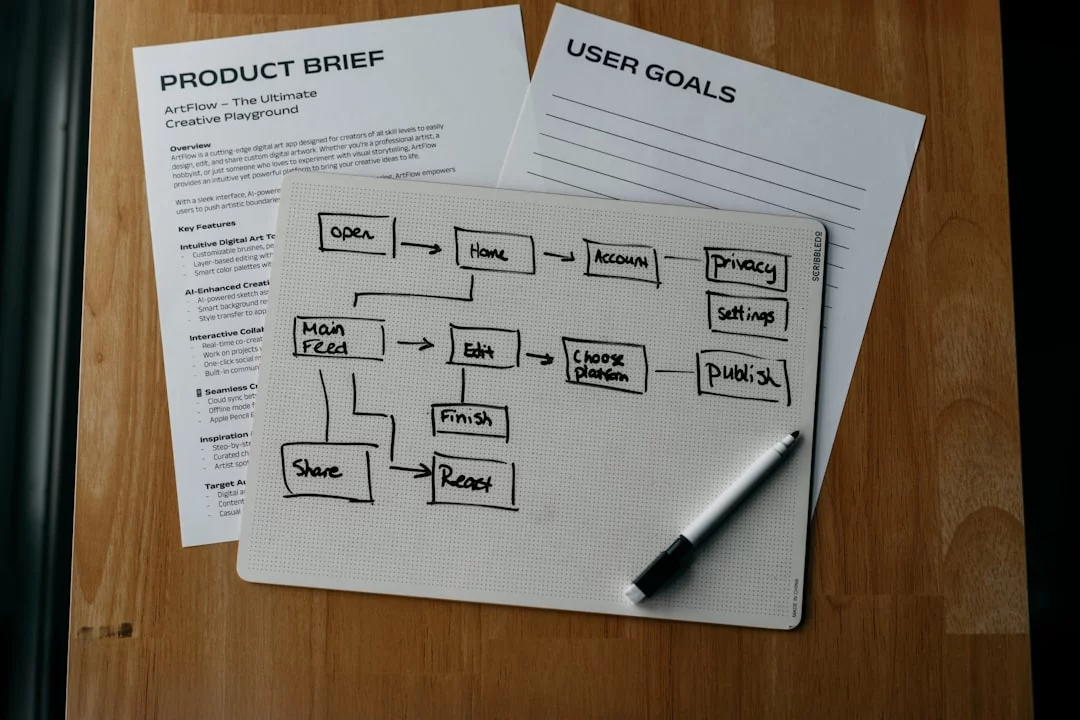
So now that you know what it means, let’s make it usable. If you’re wondering how to build a second brain without turning it into a part-time job, the answer is a simple workflow: capture, organize, distill, express, then review.
And one quick reality check. Saving notes isn’t enough. Unless you retrieve and use them, you’re just building digital storage, not a thinking system — which is why I’d pair this with active recall vs passive review from the start.
How to build a second brain step by step
Use the steps below as a working loop, not a one-time setup project. Before you create folders or templates, choose one output your second brain should help with this month. A student might choose “make an exam study guide.” A manager might choose “prepare better weekly updates.” A creator might choose “turn saved ideas into outlines.” That output keeps the system from becoming a storage closet.
- Define the output. Write one sentence: “My second brain helps me create _____.” If you cannot fill in the blank, your system will collect too much.
- Choose one capture inbox. Put all loose notes, links, screenshots, and ideas in one place first. Do not sort while capturing.
- Process the inbox on a schedule. Once or twice a week, decide whether each item should become a project note, reference note, task, review item, or archive item.
- Organize by use, not by subject. “Exam 2 review,” “client proposal,” or “newsletter ideas” is usually more useful than a broad folder called “Learning.”
- Distill each keeper note. Add a plain-language summary, one next action, or one question you could answer later.
- Link notes to output. A useful note should point somewhere: a checklist, study guide, outline, decision log, or project plan.
- Review weekly and delete freely. If a note has no clear future use after two reviews, archive it or remove it. A smaller second brain is easier to trust.
Step 1-2: Define outcomes and choose one capture inbox
The first step in how to build a second brain is deciding what it should actually help you do. Not “store knowledge.” That’s too vague. Better targets are exam prep, a content creation pipeline, client project tracking, or a research-note system tied to real deadlines.
Personally, I think this is the part most people get wrong. They pick a tool before they pick an outcome. Start with one or two measurable goals using SMART goals and OKRs, like “finish 12 biology lecture summaries before exam week” or “publish one newsletter every Friday using notes captured during the week.”
Then choose one inbox. Just one. The best capture setup is the one you’ll actually use in under 10 seconds: a phone widget, quick note shortcut, email-to-note, voice memo, or browser clipper.
One inbox beats five scattered ones every time. If you use Apple Notes, Notion, Obsidian, or Evernote, the brand matters less than friction. For ADHD or high-context-switch work, lower friction usually wins because the idea capture step has to survive real life, not ideal life.
- Students: lecture takeaways, exam questions, reading notes
- Professionals: meeting decisions, client requests, project blockers
- Creators: hooks, outlines, quotes, audience questions
Step 3-5: Organize, distill, and create retrieval cues
Next comes structure. If you want to learn how to build a second brain that stays usable, organize by current usefulness, not by perfect categories. PARA is a common method: Projects are active things with deadlines, Areas are ongoing responsibilities, Resources are reference material, and Archive is inactive stuff.
But wait. Beginners usually need fewer folders, not more. A simpler Projects/Resources/Archive setup often works better, especially in the first month.
Now distill. Progressive summarization just means reducing a note in layers. Say you save an article on attention research. First you keep the raw highlights, then bold the key lines, then write a 3-bullet summary, then add one action like “test this before Q3 planning” or “review before exam 2.” If you read lots of papers, this pairs well with read research papers faster.
Research on retrieval and memory consolidation, including material indexed by PubMed’s biomedical research database, supports a simple idea: information you revisit with cues is easier to use later. That’s why titles, tags, backlinks, and context lines matter.
Here’s a mini example. A raw note called “Article on spaced learning” becomes “Use spaced learning ideas in onboarding plan.” Then you tag it with “training,” link it to your project note, and add a line saying “pull 2 examples into next team meeting brief.” That’s a knowledge management workflow, not a junk drawer.
Step 6-7: Turn notes into output and review weekly
This is where how to build a second brain becomes practical. Every strong note should point toward an output: a study guide, newsletter draft, meeting brief, slide outline, or project checklist. If a note can’t help you think, decide, or create, ask whether it deserves to stay.
For students, one lecture note can become a question bank, then a summary sheet, then a mock test. And yes, that’s much better than rereading. If you need a concrete example, use your notes to make a smarter study guide instead of keeping them trapped in folders.
Then review weekly. Ten minutes is enough. Scan active projects, promote useful notes, and prune 5 to 10 stale notes by deleting, archiving, or merging them.
A weekly review also reduces digital hoarding, which is a real cost of any PKM system. Quick sidebar: if your system feels stressful, it’s too complex. Guidance from the American Psychological Association on stress is a good reminder that systems should reduce cognitive load, not add to it.
So, how to build a second brain well? Keep it tied to outcomes, capture fast, organize lightly, distill aggressively, and review often. In the next section, I’ll show you how to build a second brain in a beginner-friendly 30-minute setup you can copy today.
A 30-minute beginner setup and quick reference for your second brain
Now that you’ve seen the full 7-step flow, let’s make it real. If you’re wondering how to build a second brain without spending a weekend color-coding folders, start with a bare-bones setup you can finish in 30 minutes.
That matters because collecting notes isn’t enough. You also need a system that helps you retrieve and use them, which is why note storage should eventually connect to active recall vs passive review instead of becoming a digital junk drawer.
How to set up your second brain in 30 minutes
- Step 1: 5 minutes — choose one tool. Pick the app you’ll actually open daily. Notes app, Notion, Obsidian, OneNote — any of them can work for how to build a second brain if capture is fast.
- Step 2: 5 minutes — create five folders. Make Inbox, Projects, Areas, Resources, and Archive. Don’t add tags, templates, databases, or nested subfolders yet.
- Step 3: 10 minutes — add current projects. Create pages for what’s active now: “Biology midterm,” “Client redesign,” or “Job search.” If it matters this month, it gets a home.
- Step 4: 5 minutes — set one capture shortcut. Use a phone widget, share sheet, pinned note, or keyboard shortcut. Friction kills idea capture.
- Step 5: 5 minutes — write your first summary note. Take one meeting, lecture, or article and summarize it in 5-8 bullet points plus one “why this matters” line.
The minimum viable structure
Keep this intentionally boring. Really. The fastest way to fail at how to build a second brain is to create a beautiful system you don’t maintain.
Too much structure early creates maintenance debt. Every extra tag, database property, and folder rule adds tiny decisions, and research on cognitive load from the American Psychological Association’s memory overview helps explain why extra mental overhead makes systems harder to use consistently.
Your minimum viable digital note taking system needs just five buckets:
- Inbox: quick captures you haven’t processed yet. Example: “Ask professor about enzyme chart.”
- Projects: short-term outcomes with an end date. Example: “Finish statistics assignment by Friday.”
- Areas: ongoing responsibilities to maintain. Example: “Health,” “Finances,” or “Coursework.”
- Resources: reusable reference material. Example: “SQL joins cheat sheet” or “citation format examples.”
- Archive: inactive stuff you don’t need visible. Example: “Completed internship application notes.”
That’s enough for a functional knowledge base. And yes, it’s simple on purpose. Personally, I think most beginners don’t need more than this for the first month.
What to capture in week one
If you’re learning how to build a second brain for beginners, capture only things with near-term value. Not everything interesting. Just what you’re likely to reuse soon.
In week one, focus on three categories: active projects, repeated reference material, and ideas worth revisiting. That means current course notes, active work projects, recurring meeting notes, article takeaways, and rough idea fragments.
Examples help. A student might save lecture summaries and problem-solving mistakes, then later use those notes to make a smarter study guide. A knowledge worker might keep weekly meeting decisions and a reusable onboarding checklist. Someone reading papers should capture only the claim, evidence, and takeaway — our guide on how to read research papers faster follows that same logic.
What should you ignore for now? Old notebooks, random screenshots, years of bookmarks, and “maybe useful someday” articles. Well, actually, let me sharpen that: don’t import your digital past on day one. A 2021 review in the National Library of Medicine on cognitive overload and digital information demands points in the same direction — more input isn’t automatically more usable knowledge.
So here’s the deal. How to build your 2nd brain starts with selective capture, not maximal capture. If it won’t help a current project, recurring responsibility, or likely future output, leave it out.
Quick reference: the 4 rules that keep the system usable
The best answer to how to build a second brain is usually less structure, fewer rules, and more reuse. If a rule adds friction, simplify it.
Second brain quick reference: the 4 keep-it-usable rules
- One inbox: every quick capture lands in the same place first.
- One home for projects: don’t scatter active work across apps and folders.
- One weekly review: process inbox, update projects, archive finished notes.
- One summary layer: every useful note gets a short takeaway in your own words.
- One output destination: notes should feed an essay, exam prep sheet, presentation, or decision.
This is the part most people get wrong: personal knowledge management isn’t about storing more. It’s about making your notes easier to turn into action. And once this minimum setup is working, the next question is obvious — which app should hold it all?
Best tools for building a second brain: Notion vs Obsidian vs OneNote vs Apple Notes
If you finished the 30-minute setup, the next question is obvious: which app should you actually stick with? That matters, because how to build a second brain depends less on trendy features and more on whether your notes get captured, found, and reused.

And here’s the kicker — storing notes isn’t enough. If your system never feeds retrieval and output, it turns into a digital junk drawer, which is why note storage should pair with active recall vs passive review instead of replacing it.
| App | Ease of use | Offline access | Linking | Databases | Search | Mobile capture | Collaboration | Best use case |
|---|---|---|---|---|---|---|---|---|
| Notion | Medium | Limited | Good | Excellent | Good | Good | Excellent | Projects, dashboards, team knowledge |
| Obsidian | Medium | Excellent | Excellent | Basic | Very good | Good | Weak | Research, writing, linked thinking |
| OneNote | Easy | Good | Basic | Weak | Good | Very good | Good | Class notes, meetings, handwritten capture |
| Apple Notes | Very easy | Good on Apple devices | Basic | Weak | Very good | Excellent | Basic | Fast capture, reminders, low-maintenance notes |
What each app is best at
Notion is the best app to build a second brain if you think in projects, pipelines, and dashboards. If you’re wondering how to build a second brain in Notion, keep it simple: one inbox database, one projects database, and one notes database with tags for topic, source, and status.
Obsidian is better if your notes need to connect like a web instead of sit in tables. For people learning how to build a second brain around ideas, Obsidian’s markdown files, backlinks, and graph-style navigation make sense — especially if you read research papers faster and want permanent notes linked to claims, concepts, and open questions.
OneNote works well when you want notebook-style capture with minimal retraining. How to build a second brain in OneNote? Use notebooks for life areas, sections for courses or projects, and pages for lectures, meetings, or drafts. It’s messy in a good way.
Apple Notes wins on speed. Open, type, done. If you need a note taking app that disappears into the background, this is often the lowest-friction option.
How to choose based on your workflow
Choose based on output, not aesthetics. Personally, I think this is the part most people get wrong. A beautiful workspace won’t help if your real work is writing essays, shipping client projects, or turning class notes into review prompts.
- If you need databases, filtered views, and team pages, choose Notion.
- If you need local markdown, backlinks, and portability, choose Obsidian.
- If you need simple speed on Apple devices, choose Apple Notes.
- If you already live in Microsoft 365, choose OneNote.
Students often do best with Apple Notes or OneNote for capture, then convert key material into review sheets or flashcards. That’s also where your notes can become exam-ready materials when you make a smarter study guide from lecture summaries and practice questions.
Privacy matters too. Obsidian is local-first, which means your files are plain markdown on your device. Notion is cloud-first and more collaborative, but that comes with more platform dependence. OneNote and Apple Notes sit in the middle. For a broader evidence-based view on external memory systems and cognitive load, the American Psychological Association’s memory resources are a useful starting point.
Low-friction setups for ADHD and overwhelmed users
If you’re overloaded, fewer moving parts usually wins. That’s true whether you’re learning how to build a second brain for work, study, or a personal digital memory system. And no, more folders usually doesn’t fix the problem.
Try this instead:
- Use one inbox note or page for quick capture
- Pin 3-5 frequently used notes
- Rely on search before building deep folder trees
- Use one reusable template for meetings, classes, or reading notes
- Set up one-tap mobile capture for ideas on the go
Well, actually, this matters more than app choice for many people. If you’re neurodivergent, a low-maintenance system may beat a powerful one, and our guide on how to work with ADHD at work goes deeper on reducing cognitive load. These systems can reduce friction, but they aren’t treatment; for diagnosis or care, consult a qualified professional.
So what’s the short version of how to build a second brain here? Pick the tool that matches your workflow, keep the structure boring, and make retrieval easy. Next, we’ll look at how to build a second brain with AI — plus real examples of what actually works in daily life.
How to build a second brain with AI, plus real-world examples that show what works
Once you’ve picked a tool, the next question is practical: how do you actually use it day to day? If you’re learning how to build a second brain in 2025, AI can help a lot — but only if it supports thinking instead of replacing it.
That matters because saving notes isn’t the same as learning from them. Your system still needs retrieval, review, and output, which is why I’d pair note storage with methods like active recall vs passive review rather than treating AI summaries as understanding.
Best AI use cases without making your notes messy
The best way to build a second brain with ai is to use AI for compression and retrieval, not truth-making. In practice, that means asking it to summarize long notes, extract action items, draft outlines, and help you find patterns across your own material.
Personally, I think this is where most people get confused. They ask AI to “organize everything,” then dump hundreds of raw notes into a messy vault and hope structure appears by magic. It won’t.
A cleaner workflow for how to build a second brain looks like this:
- Capture source notes with links, dates, and context
- Ask AI for a short summary or key-point extraction
- Verify claims against the original source before saving
- Convert the distilled note into a task, flashcard, outline, or decision log
And yes, verification is the non-negotiable step. Large language models can hallucinate facts, flatten nuance, or invent citations, so AI note organization should always follow a verify-before-save rule. For anything high stakes — research, client work, health information, exam prep — check the original source first.
Research on generative AI in knowledge work shows a mixed picture: faster drafting, but also overreliance and lower accuracy when users don’t review outputs carefully. A useful starting point is PubMed for source verification and NIST’s AI resources for risk-aware use.
Real-world application: student, creator, and professional workflows
If you want to understand how to build a second brain with ai, examples help more than theory. So here are three realistic workflows that keep the human in charge.
Student workflow: source note: lecture transcript plus textbook highlights. Distilled note: AI turns 2,000 words into 10 core concepts, 15 possible exam questions, and a one-page study guide. Final output: active recall prompts, practice answers, and a revision sheet.
Creator workflow: source note: article highlights, podcast notes, and saved quotes. Distilled note: AI groups ideas by theme, pulls out three arguments, and drafts a content brief. Final output: newsletter outline, article skeleton, or script draft.
Professional workflow: source note: meeting notes, Slack decisions, and project docs. Distilled note: AI creates a recap draft with decisions, blockers, owners, and deadlines. Final output: next-action list, project update, and decision log.
Notice the pattern? Source note → distilled note → final output. That’s the part that makes how to build a second brain useful instead of decorative.
From experience: where systems break in real life
After building learning tools and watching how people use note systems, I’ve noticed two failure points come up again and again. First, they capture too much and trust summaries they never verify. Second, they ask AI to clean up a broken intake process instead of fixing what gets saved in the first place.
Well, actually, the deeper problem is maintenance. An organized learning system only works if you review it, prune it, and turn notes into action. No review rhythm? Your vault becomes a digital attic.
A simple rule helps:
- Save less than you think you need.
- Distill within 24-48 hours.
- Attach every important note to an output.
And here’s the kicker — a second brain reduces cognitive friction, but it doesn’t replace sleep, stress management, or memory practice. External systems help you think more clearly; they don’t remove biological limits.
So if you’re figuring out how to build a second brain, keep AI in a support role. Use it to speed up summaries, retrieval, and draft organization, then keep your own judgment at the center. Next, we need to talk about where this goes wrong, what to avoid, and whether building one is actually worth the effort.
Common mistakes, what to avoid, and whether building a second brain is worth it
Now that we’ve covered AI-assisted workflows, here’s the part most people skip: failure modes. If you’re learning how to build a second brain, avoiding the wrong setup matters almost more than picking the right app.

The biggest trap? Treating storage as progress. Saving notes can feel productive, but unless those notes help you think, decide, write, or remember, you’re just building a prettier archive. That’s why retrieval matters, not just collection, and why active recall vs passive review is such an important distinction.
The most common beginner mistakes
First mistake: capturing everything. Articles, tweets, screenshots, random quotes, half-formed ideas. And then suddenly your second brain becomes a landfill.
This is one of the real answers to what are the drawbacks of second brain systems: they can create information overload instead of reducing it. A 2023 review in Frontiers in Psychology linked digital overload with higher stress and lower task focus, especially when people faced too many inputs without clear filtering rules.
Second mistake: organizing forever. Beginners often spend hours on tags, nested folders, dashboards, icons, and color systems before they’ve used a single note in real work. Personally, I think this happens because organization gives you a quick hit of control.
But wait. Control isn’t output.
Third mistake: never expressing anything. If you’re learning how to build a second brain, your notes should regularly turn into something outside the system:
- a draft
- a study summary
- a meeting decision
- a project plan
- a solved problem
And here’s the kicker — using five apps instead of one trusted home base usually makes this worse. One app for clipping, one for tasks, one for highlights, one for journals, one for “serious notes.” That sounds flexible, but in practice it creates duplicate inboxes, lost context, and review fatigue.
Signs your system is too complex are pretty clear:
- more than 8-10 top-level folders
- multiple capture inboxes
- notes you never revisit
- weekly maintenance taking longer than 15 minutes
When to simplify or stop
So, is building a second brain worth it? Yes, if you repeatedly turn information into output — students studying from multiple sources, creators publishing regularly, researchers synthesizing papers, knowledge workers managing ongoing projects.
No, not always. If learning how to build a second brain turns into procrastination, perfectionism, or another source of stress, the system is failing its job.
Three questions help. Why build a second brain in the first place? What recurring problem does it solve? And does it save you time this week, not just in theory?
If maintenance feels like homework, cut aggressively. Reduce folders to five. Delete most tags. Keep one or two templates at most. Well, actually, many people don’t need templates at all until their workflow repeats at least weekly.
There’s also a health boundary here. Systems can lower cognitive load, but they don’t treat ADHD, anxiety, depression, or burnout. If focus issues are severe or your system is becoming another stress loop, consider practical support and, if needed, professional help. If stress and exhaustion are already high, it may help to first recover from burnout while working before adding more structure.
This matters for neurodivergent users especially. Low-friction capture, fewer decisions, and visual simplicity can help. But no note app fixes burnout biology or replaces qualified care.
Next steps: what to set up today and what to ignore for now
If you’re still figuring out how to build a second brain, keep your first version boring. Boring is good. Boring survives real life.
Do this today:
- Choose one app you’ll actually open daily.
- Create five simple folders: Inbox, Projects, Areas, Resources, Archive.
- Set one capture shortcut on your phone or laptop.
- Save one genuinely useful note.
- Schedule a 10-minute weekly review.
And ignore the shiny stuff for now. Skip advanced graph views, complex dashboards, elaborate linking systems, and importing your entire digital history from the last ten years. If you want to know how to build a second brain that lasts, start with retrieval and reuse, not decoration.
My advice? Use your system once today, review it once this week, and ignore everything that doesn’t help you think better or finish something real. That’s the practical answer to how to build a second brain without drowning in it.
Next, I’ll wrap this up with a concise FAQ and a simple final decision framework.
Weekly second brain maintenance checklist: the 15-minute reset
A second brain usually fails after setup, not during setup. The fix is a short maintenance loop that keeps your inbox from becoming another junk drawer. Set a 15-minute block once a week. If the reset regularly takes longer than that, your system is probably collecting too much or sorting too deeply.
- Empty the inbox first. For each item, choose one action: keep, convert, archive, or delete. Do not create a new folder unless at least three notes need the same home.
- Convert useful notes into something testable or usable. A lecture note can become a question in the Active Recall Builder. A concept you keep forgetting can become a review plan with the Spaced Repetition Generator.
- Attach notes to the next real output. If an item helps with an upcoming exam, move it toward a study guide using How to Make a Smarter Study Guide for an Exam. If it supports a project, add it to the project note with one sentence explaining why it matters.
- Schedule one focused use session. A second brain is only useful when you reuse it. Pick one 25- to 50-minute block with the Focus Session Planner and decide what you will produce before opening your notes.
Use this quick rule when reviewing: if a note cannot answer a question, support a decision, create a task, or improve an output, it does not need prime space in your system. Archive it if you may need it later; delete it if you kept it only because it felt interesting in the moment.
Frequently Asked Questions
What does building a second brain mean in practical terms?
In practical terms, what does building a second brain mean? It means creating a digital system to capture, organize, and reuse information instead of relying only on memory. When people ask how to build a second brain, the real goal isn’t saving more notes—it’s being able to quickly find the right idea, source, or summary when you need it for work, study, or decisions.
How do you build a second brain step by step without getting overwhelmed?
If you’re wondering how to build a second brain without turning it into a side project, start smaller than you think: one app, one inbox, one simple folder structure, and one weekly review. After that works consistently for a few weeks, add layers like note summaries, links between ideas, and project-based outputs. Personally, I think this is the part most people get wrong—they try to design the perfect system before they’ve proven they’ll actually use it.
Why build a second brain instead of just taking notes?
Why build a second brain instead of keeping regular notes? Because regular notes often become storage, while a second brain is built for retrieval and reuse. If you’re learning how to build a second brain, think beyond note-taking: the system should help you turn information into essays, project plans, presentations, meeting decisions, or study answers without starting from scratch every time.
Is building a second brain worth it for students and professionals?
Is building a second brain worth it? Usually yes—especially if you manage recurring information and need to turn it into output like reports, papers, client work, or exam prep. But wait, it’s not automatically worth it for everyone: if you prefer very simple systems or rarely revisit your notes, learning how to build a second brain may add more structure than you actually need.
What are the drawbacks of the second brain method?
What are the drawbacks of second brain systems? The biggest ones are maintenance burden, over-capturing, and using the system as a form of procrastination instead of doing real work. When you’re learning how to build a second brain, keep an eye on friction: a bad setup can make organizing feel productive while actually slowing down writing, studying, and decision-making.
How can you build a second brain with AI without making it unreliable?
How to build a second brain with ai starts with using AI for the boring parts—summarizing long notes, drafting outlines, and retrieving patterns across your own material. But here’s the kicker—you should still verify important claims, sources, and action items before saving them, especially for anything academic, professional, or health-related. If you want a good fact-checking habit while learning how to build a second brain, use trusted references like PubMed for research-backed claims and treat AI output as a draft, not a final source.
How do you build a second brain in Notion or Obsidian?
How to build a second brain in notion is usually easiest when you begin with a simple dashboard and a Projects, Resources, and Archive structure rather than a huge template. In Obsidian, start with folders plus backlinks and keep plugins to a minimum until your workflow is stable. And yes, the same rule applies no matter the app: if you’re figuring out how to build a second brain, simplicity beats customization early on; for a broader study workflow, you can also browse FreeBrain for practical learning tools and systems.
What is the best app to build a second brain if you want something simple?
The best app to build a second brain depends on how you work, but if you want something simple, Apple Notes and OneNote are often the easiest places to start. If you need databases and dashboards, choose Notion; if you want local markdown files and strong linking, choose Obsidian. So here’s the deal: when deciding how to build a second brain, pick the app you’ll actually open every day, because consistency matters more than advanced features.
Conclusion
If you remember just four things from this guide on how to build a second brain, make them these: start with one capture inbox, use a simple folder structure you’ll actually maintain, process notes into clear next actions instead of hoarding information, and review your system weekly so it stays useful. Tool choice matters less than consistency. And yes, AI can help speed up summarizing and organizing, but your second brain only works when it reflects how you think, search, and create.
Here’s the encouraging part: you do not need a perfect setup to get real value. You need a setup you’ll return to tomorrow. If your notes have been scattered across apps, tabs, and random documents, you’re not behind — you’re normal. Personally, I think this is the part most people get wrong. They try to build an impressive system instead of a usable one. But if you follow the steps in this article on how to build a second brain, even a basic 30-minute setup can reduce friction, save time, and make your ideas easier to reuse.
Want to keep going? Explore more practical systems on FreeBrain.net, including Spaced Repetition: What It Is and How to Use It and Active Recall: The Study Method That Actually Works. Both pair surprisingly well with what you’ve learned about how to build a second brain, especially if you want to turn saved notes into knowledge you can actually remember and use. Pick one app, create your inbox, block 30 minutes today, and build the system your future self will thank you for.