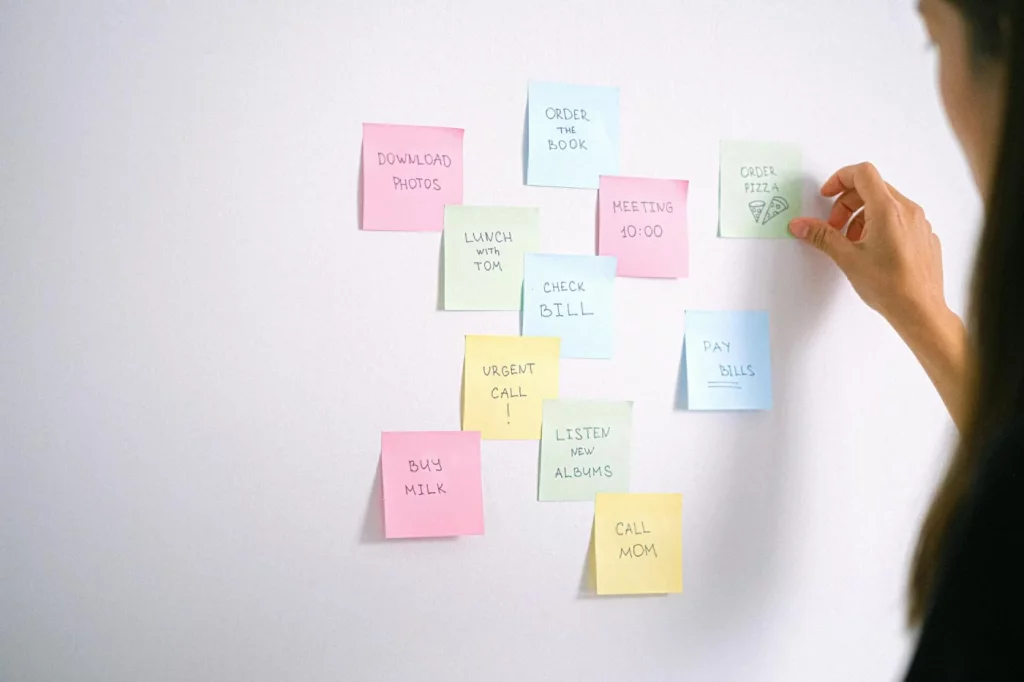
If you’re wondering how to use eisenhower matrix, the short answer is this: sort every task into one of four quadrants based on urgent vs important so you know what to do first, what to schedule, what to delegate, and what to delete. In practice, how to use eisenhower matrix comes down to making faster decisions about your to-do list instead of treating everything like a fire.
Sound familiar? You open your list, see 23 tasks, and somehow all 23 feel urgent. Research on stress from the American Psychological Association’s overview of stress helps explain why: when pressure rises, your brain gets worse at clear decision-making, so low-value tasks can feel just as loud as the ones that actually matter. And yes, that’s usually when inbox triage replaces real work.
This guide will show you how to use eisenhower matrix in a simple 5-step workflow, with an easy decision table and filled-out eisenhower matrix examples for work, school, and personal life. You’ll also see the best way to use the Eisenhower Matrix without overthinking it, plus how it connects to the 2-minute rule for procrastination, the 4 D’s, and practical setups like an eisenhower matrix template, PDF, or Excel version.
I’m a software engineer and self-taught learner who builds tools at FreeBrain and spends a probably unreasonable amount of time testing productivity systems in real workflows. So if you want how to use eisenhower matrix effectively — including what to do when everything feels urgent, or when you’re trying to focus with ADHD naturally and reduce cognitive overload — you’re in the right place.
📑 Table of Contents
What Is the Eisenhower Matrix and How Does It Work?
Now let’s make this practical. How to use Eisenhower matrix is simple: sort every task into one of four quadrants based on urgent vs important, then choose the matching action—do, schedule, delegate, or delete. For more on productivity and focus, see our productivity and focus guide.

As a software engineer building FreeBrain learning and productivity tools, I keep coming back to systems that reduce decision friction. And this one works because it turns vague overwhelm into a clear choice. If a task takes two minutes, you may clear it fast with the 2-minute rule for procrastination instead of cluttering your priority matrix.
A quick definition of the priority matrix
The Eisenhower Matrix, sometimes called a priority matrix, is a 2×2 decision-making framework. In plain English, how to use Eisenhower matrix means asking two questions for each task: “Is it urgent?” and “Is it important?”
Urgent usually means it’s due in the next 24 to 72 hours or has immediate consequences if ignored. Important means it connects to long-term goals, grades, health, relationships, or meaningful responsibilities. That’s the core of how does the Eisenhower Matrix work.
You’ll often see it linked to Dwight Eisenhower’s idea that what is urgent is not always what is important. Fair point. But wait—this isn’t a perfect law of productivity. It’s a useful filter, and in the next section I’ll show exactly how to use Eisenhower matrix step by step for work, school, and life.
Urgent vs important in one sentence
Urgent is time-sensitive; important is consequence-sensitive. That sounds obvious, yet stress makes people label everything “ASAP,” especially when notifications, other people’s requests, and perfectionism pile up.
This is the part most people get wrong. They confuse noise with priority, then overfill Quadrant 1 and wonder why they’re always reacting. If that sounds familiar, it can help to stop perfectionism procrastination before you classify tasks.
Research from the American Psychological Association on stress and guidance from the CDC on coping with stress both point to the same issue: under stress, your brain shifts toward threat detection, so everything can feel urgent. Which brings us to the real prize—Quadrant 2, the important-not-urgent zone where planning, studying, exercise, and relationship maintenance usually live.
If you deal with persistent attention problems, anxiety, or executive function struggles, treat this as educational, not medical advice, and consult a qualified clinician. And yes, readers trying to focus with ADHD naturally often need extra structure, shorter planning windows, and fewer categories.
Quick Reference: the four quadrants at a glance
📋 Quick Reference
| Quadrant | Meaning | Action | Example |
|---|---|---|---|
| Q1 | Urgent + important | Do first | Submit report due today |
| Q2 | Important, not urgent | Schedule | Plan exam revision |
| Q3 | Urgent, not important | Delegate | Reply to low-value pings |
| Q4 | Not urgent, not important | Delete | Doomscrolling |
- Quadrant 1 tasks: deadlines, crises, last-minute fixes.
- Quadrant 2 tasks: preparation, deep work, revision, health habits.
- Quadrant 3 tasks: interruptions, shallow requests, other people’s urgency.
- Quadrant 4 tasks: low-value distractions.
So if you’re wondering how to use Eisenhower matrix, start by classifying, not by doing. Next, I’ll walk you through how to use Eisenhower matrix in five clear steps so you can build your own priority matrix without overthinking it.
How to Use Eisenhower Matrix in 5 Steps
Now that you know the four quadrants, here’s how to use Eisenhower Matrix in real life. The fastest way to learn this prioritization method is to turn it into a simple weekly workflow, not a one-time sorting exercise.

How to use Eisenhower Matrix step by step
- Step 1: Dump every open task into one list.
- Step 2: Label each task for urgency and importance.
- Step 3: Put each item into the right quadrant.
- Step 4: Convert each quadrant into calendar actions.
- Step 5: Review daily and refresh weekly.
Step 1: List every open task
Start with a full brain dump. Pull tasks from your email, notes app, calendar, paper notebook, and to-do list. For most people, that’s 15 to 40 open items.
And be ruthless with tiny tasks. If something takes under 2 minutes, do it now when possible instead of cluttering the matrix; that’s where the 2-minute rule for procrastination helps.
Vague items break the system. Don’t write “biology project” or “client work.” Rewrite each one as a visible next action that could take roughly 15 minutes to 2 hours, like “outline lab report intro” or “draft proposal opening paragraph.”
Want better daily planning? Split projects before you prioritize them. That’s the part most people skip.
Step 2-3: Label urgency and importance, then place each task in a quadrant
This is how to use Eisenhower Matrix effectively without overthinking it: ask two yes/no questions. First, “Is there a real deadline within 48 hours?” Second, “Does this meaningfully affect my goals, grades, income, health, or commitments?”
- Quadrant 1: Urgent and important. Example: “send proposal due at 4 PM.”
- Quadrant 2: Important, not urgent. Example: “study chapter 5 before Friday.”
- Quadrant 3: Urgent, not important. Example: “reply-all thread that someone else can answer.”
- Quadrant 4: Neither urgent nor important. Example: “reorganize desktop icons.”
Urgent requests from other people often belong in Quadrant 3, not Quadrant 1. If the task matters more to someone else than to your core priorities, it may need delegation, delay, or a boundary; this is exactly why it helps to set boundaries at work.
But wait. Why do people mislabel everything as urgent? Stress and cognitive overload narrow attention, and evidence on executive function from the NCBI overview of executive functioning helps explain why pressured brains default to short-term demands. If you keep inflating urgency, you may also need to stop perfectionism procrastination.
Step 4-5: Turn the matrix into calendar actions and review it
Sorting isn’t enough. If you really want to know how to use the Eisenhower Matrix to prioritize tasks, translate each quadrant into a concrete output.
- Q1: Give it a start time today.
- Q2: Schedule a 25-, 45-, or 90-minute block this week.
- Q3: Assign an owner and deadline.
- Q4: Delete it or park it in a someday list.
Here’s a realistic example. A student might put “finish problem set due tonight” in Q1, “read chapter and make notes before Friday” in Q2, “club group chat messages” in Q3, and “tweak folder colors” in Q4. A freelancer might schedule proposal writing today, block portfolio updates on Thursday, delegate invoice follow-up, and delete low-value admin busywork.
Many people fail because they sort tasks once and never update the matrix. Do a 5-minute reset at the end of each day and a 15- to 20-minute weekly planning review. Research from the American Psychological Association on stress is a useful reminder that overload changes judgment, so short reviews help you catch drift early.
If you want a faster setup, grab our downloadable Eisenhower matrix template in printable, PDF, and spreadsheet form. And once you’ve learned how to use Eisenhower Matrix consistently, the next challenge is harder: deciding what actually counts as urgent versus important.
How to Decide Urgent vs Important: Examples, Mistakes, and What to Avoid
Now that you’ve seen the 5-step process, the hard part is judgment. Most people struggle with how to use eisenhower matrix not because the boxes are confusing, but because stress makes everything feel urgent.

So here’s the deal: if you want to learn how to use eisenhower matrix well, you need better classification rules. And yes, a few common mistakes can wreck the whole system fast.
Fast classification checklist for urgent vs important
Use yes/no prompts instead of overthinking. That’s the simplest way to decide urgent vs important tasks when your brain is already overloaded.
Urgent means time-sensitive. Important means meaningful, high-impact, or connected to your long-term goals. A task can be both, one, or neither.
| Question | If Yes | Likely Quadrant |
|---|---|---|
| Is the deadline soon? | It’s urgent | Q1 or Q3 |
| Will delay cause a real consequence? | It may be important | Q1 or Q2 |
| Does it have long-term payoff? | It’s important | Q2 |
| Can someone else do it? | Delegate it | Q3 |
| Can it be dropped with little cost? | Remove it | Q4 |
Quick example: “submit tax form today” is urgent and important. “Plan next month’s study schedule” is important but not urgent. “Reply to a low-value CC email” is often urgent not important. “Scroll productivity videos” is usually not urgent not important.
If tiny tasks keep clogging your board, clear them before they expand. The 2-minute rule for procrastination works well here because it prevents trivial tasks from stealing space meant for real task prioritization.
Common mislabels that break the matrix
This is the part most people get wrong. They confuse discomfort, visibility, or someone else’s panic with importance.
- Too many tasks in Quadrant 1: usually a sign of weak planning, not a truly urgent life.
- Vague project labels: “Work on project” is impossible to sort; “draft client outline” is sortable.
- No delegation owner: if nobody owns the handoff, it isn’t delegated.
- No calendar time for Quadrant 2: important work disappears unless scheduled.
- Keeping easy low-value tasks: they feel productive, but they crowd out meaningful work.
But wait. Planning is not procrastination when it protects Quadrant 2. Personally, I think many people overfill Quadrant 1 because they haven’t learned to stop perfectionism procrastination and make smaller, clearer next actions.
And here’s the kicker — the matrix becomes less useful when it turns into a guilt board. If anxiety, overwhelm, or executive function struggles are persistent, get support from a qualified professional. Research from the NIMH, MedlinePlus, and the APA suggests attention problems and anxiety can affect planning, focus management, and decision-making framework use.
From Experience: what actually makes the matrix stick
After testing productivity systems in real tool-building and writing workflows, the biggest win wasn’t perfect sorting. It was reducing the number of active decisions at once.
Well, actually, that’s the practical answer to how to use eisenhower matrix effectively. Keep only current tasks visible, review at the same time each day, and use the matrix as a filter rather than a giant archive.
Try this simple example:
- List 12 tasks.
- Cut 3 that have little cost if dropped.
- Delegate 2 with a named owner.
- Schedule 2 important but not urgent blocks.
- Do 1 urgent and important task first.
That’s often the best way to use the eisenhower matrix. And if you’re learning how to use eisenhower matrix under pressure, remember: fewer choices means less cognitive overload and better follow-through.
Next, I’ll show you practical Eisenhower Matrix examples, templates, Excel options, and the simplest setup to keep using after the first week.
Eisenhower Matrix Examples, Templates, Excel Options, and the Bottom Line
Now that you know how to judge urgent vs important, the next step is applying that decision fast. This is where most people finally see how to use Eisenhower Matrix in real life instead of keeping it as a nice idea.
Real-World Application: filled-out examples for work, school, and life
The easiest way to learn how to use Eisenhower Matrix is to fill one out with real tasks, not vague categories. And yes, the best versions are usually boringly practical.
- Quadrant 1: Do now — client fix due today, submit lab report tonight, pay bill due today
- Quadrant 2: Schedule — plan next week’s presentation, review lecture notes for Friday exam, book dentist appointment
- Quadrant 3: Delegate — status update someone else can send, class group chat pings, nonessential sales calls
- Quadrant 4: Delete — unnecessary dashboard color tweaks, random YouTube rabbit holes, endless app cleanup
That’s a full set of eisenhower matrix examples for work and school, plus personal life, in 12 tasks. Notice the pattern? Q1 protects deadlines, Q2 builds progress, Q3 catches noisy requests, and Q4 removes friction.
For an eisenhower matrix for students, the key move is turning goals into calendar blocks. “Review lecture notes” becomes “Thursday 4:00–4:45 PM, chapter 5 recall practice,” and if you need help staying on track, this guide on focus with ADHD naturally is useful for reducing task-switching friction.
Quick sidebar: if you have ADHD traits or just a crowded brain, fewer visible tasks usually works better. Three tasks per quadrant is often enough. Personally, I think people overload the board because they’re trying to feel organized, not actually get organized.
Templates, PDF, app, and how to create an Eisenhower Matrix in Excel
You don’t need fancy software. But the right format changes whether you’ll actually keep using it.
An eisenhower matrix template on paper is fastest for weekly planning. An eisenhower matrix pdf works well if you want something printable and reusable. An eisenhower matrix app helps when tasks change all day, especially for managers or freelancers handling incoming requests.
Want to know how to create an Eisenhower Matrix in Excel? Keep it simple: make a 2×2 grid, color Q1 red, Q2 blue, Q3 yellow, and Q4 gray, then add columns for task, due date, owner, and next action. If you’re asking how to make an Eisenhower Matrix in Excel for daily use, filters are the secret — sort by owner, due date, or quadrant so the sheet stays usable.
- List every open task in one column.
- Score each task for urgency and importance.
- Place it in one of the four quadrants.
- Schedule Q2, delegate Q3, and delete Q4.
Quick Reference: Eisenhower Matrix vs the 1-3-5 rule and the 4 D’s
These methods don’t compete. They stack.
If you’re learning how to use Eisenhower Matrix, use it to sort tasks first. Then use the 1-3-5 rule to cap your day: 1 big task, 3 medium tasks, 5 small tasks. That answers the common question, what is the eisenhower matrix 1 3 5 rule? It’s really a pairing, not a single framework.
And what are the 4 d’s of prioritization? Usually: Do, Decide, Delegate, and Delete. Which brings us to the practical mapping:
- Q1 = Do
- Q2 = Decide when
- Q3 = Delegate
- Q4 = Delete
So here’s the bottom line on how to use Eisenhower Matrix: use the matrix weekly to sort, use 1-3-5 daily to limit workload, and use the 4 D’s as action language. The biggest win usually comes from protecting Quadrant 2, because that’s where studying, planning, relationship maintenance, and preventive work live. Miss Q2 for long enough, and Q1 explodes.
Best next step? Build one version today — paper, PDF, app, or spreadsheet — and review it at the same time each week. If you want more help after you learn how to use Eisenhower Matrix, FreeBrain’s guides on procrastination, focus, and stress reduction can help you keep the system running. And next, I’ll answer the most common questions and wrap this up clearly.
Frequently Asked Questions
How do you use the Eisenhower Matrix to prioritize tasks?
If you’re wondering how do you use the eisenhower matrix, start by writing down every open task in one place. Then label each task by two filters: urgent and important, and place it into one of the four boxes. The practical answer to how to use eisenhower matrix is simple: Quadrant 1 = do now, Quadrant 2 = schedule, Quadrant 3 = delegate, and Quadrant 4 = delete. That turns a messy task list into clear next actions instead of vague stress.
What is the difference between urgent and important?
What is the difference between urgent and important? Urgent tasks need attention soon because there’s a deadline, a consequence, or someone waiting on you. Important tasks matter because they support your long-term goals, grades, work quality, health, or responsibilities, even if they aren’t due today. When learning how to use eisenhower matrix, this distinction is the whole point: urgency tells you what feels loud, while importance tells you what actually moves your life forward.
How do students use the Eisenhower Matrix for studying?
How to use eisenhower matrix for studying starts with sorting your academic work into categories like assignments, revision sessions, readings, admin tasks, and distractions. A student using how to use eisenhower matrix well will put overdue homework and tomorrow’s quiz prep in Quadrant 1, while planned revision, concept review, and spaced practice go in Quadrant 2. And here’s the kicker — the biggest benefit is protecting important but not urgent study blocks before they turn into late-night panic sessions. If you want a practical companion to that system, FreeBrain’s study planning tools can help you turn Quadrant 2 work into scheduled sessions you actually follow.
What are the 4 D’s of prioritization?
What are the 4 d’s of prioritization? They are do, delay or schedule, delegate, and delete. Those four actions map directly to the four quadrants, which is why how to use eisenhower matrix feels so practical: every task gets both a category and a decision. Instead of just labeling tasks, you immediately know whether to act, plan, hand off, or remove them.
What is the Eisenhower Matrix 1-3-5 rule?
What is the eisenhower matrix 1 3 5 rule really asking? It’s about combining two different systems: the Eisenhower Matrix helps you sort tasks by urgency and importance, while the 1-3-5 rule helps you plan a realistic day with 1 big task, 3 medium tasks, and 5 small tasks. A smart way to apply how to use eisenhower matrix is to identify your true priorities first, then choose your daily 1-3-5 from the tasks that actually belong on your list. For a broader explanation of the matrix itself, the Eisenhower Method overview is a useful reference.
How do you create an Eisenhower Matrix in Excel?
If you want to know how to create an eisenhower matrix in excel, make a simple 2×2 grid using urgent and important as your two axes, then add columns for task name, due date, owner, and next action. To make how to use eisenhower matrix easier in real life, use color coding for each quadrant and add filters so you can review Quadrant 1 every day and Quadrant 2 every week. But wait — don’t overbuild it. A clean spreadsheet you review consistently beats a fancy one you ignore, and if you want a digital planning workflow beyond Excel, you can also pair it with FreeBrain’s productivity tools or read guidance from the urgent-important principle explanation for examples.
Conclusion
If you want the short version of how to use eisenhower matrix, here it is: capture every task in one place, sort each item by urgent vs. important, do Quadrant 1 first, schedule Quadrant 2 before it turns into a fire, delegate Quadrant 3 when you can, and cut Quadrant 4 more aggressively than feels comfortable. That’s the real system. And yes, the small details matter — especially using clear criteria for urgency, reviewing your matrix daily, and moving tasks out of your head so you’re not prioritizing based on stress alone.
Personally, I think this is why the method works so well. It’s simple enough to use when you’re overwhelmed, but structured enough to stop busywork from stealing your best hours. If you’ve struggled with endless to-do lists, you’re not doing anything wrong. Most people were never taught how to use eisenhower matrix in a practical way, with real examples and tradeoffs. Start small. Sort 10 tasks today, not 50. Then adjust as you go.
And if you want to keep improving your decision-making system, explore more guides on FreeBrain.net. You might like how to prioritize tasks effectively for a deeper prioritization framework, or the time blocking method to turn your important tasks into protected calendar time. Once you understand how to use eisenhower matrix and pair it with a solid planning routine, you’ll stop reacting to everything and start making steady progress on what actually matters. Open your list, sort your next 10 tasks, and make your priorities visible.