
If you’re comparing second brain apps reddit threads and getting ten different answers, here’s the short version: Obsidian is usually the best pick for long-term personal knowledge management and offline control, Notion is best for structured collaboration and databases, Apple Notes is best for fast capture on Apple devices, and Joplin or Logseq are strong free, privacy-first options. This guide cuts through the usual second brain apps reddit noise so you can choose a note taking app that actually fits your workflow, not someone else’s.
And yeah, the confusion is real. One person swears by bidirectional linking and markdown notes, another says building a second brain in Notion changed their life, and a third is warning you about sync limits, mobile friction, or export lock-in. If you’ve ever spent more time comparing apps than building your actual system, you’re not alone — and that’s exactly why so many people keep searching second brain apps reddit instead of committing.
So here’s the deal. I’ll compare the top second brain app options side by side on the stuff that matters in real life: offline notes, backlinks, AI note taking, privacy, exportability, pricing, cross platform sync, and setup friction. You’ll also get a fast 15-minute starter workflow, a clear feature matrix, and specific recommendations for students, researchers, Android users, Apple users, and anyone trying to build a practical second brain system without turning note organization into a hobby.
One more thing: good notes aren’t just about storage. Research on the spacing effect in learning helps explain why your PKM system should make ideas easier to revisit and use, not just collect. That’s also why I’ll point out which apps work best when paired with retrieval-based study methods like these best active recall apps, because the best answer to second brain apps reddit isn’t just “which app is best?” — it’s “which app helps you think better six months from now?”
📑 Table of Contents
- Quick answer: the best second brain apps Reddit users mention most
- What a second brain app should do and how we ranked these tools
- Second brain apps compared at a glance: 7 ranked picks with real-world tradeoffs
- Obsidian vs Notion for second brain apps Reddit users debate most
- How to build a second brain in 15 minutes with a simple notes app setup
- Common second brain app mistakes to avoid and the best final recommendation
- Frequently Asked Questions
- Conclusion
Quick answer: the best second brain apps Reddit users mention most
So here’s the fast answer from repeated hands-on testing and reading through second brain apps reddit threads. Obsidian is the best overall for long-term personal knowledge management and offline control, Notion works best for structured collaboration, Apple Notes wins for frictionless Apple capture, and Joplin or Logseq are strongest if you care most about privacy or a solid free setup. For more on memory and brain health, see our memory and brain health guide.
That’s usually what people want from second brain apps reddit searches anyway: a quick pick first, then the proof, tradeoffs, and setup friction. If you want the bigger system behind the tool, start with a practical second brain system; the rest of this guide will give you ranked reviews, a feature matrix, user-type recommendations, and a simple 15-minute starter workflow.
📋 Quick Reference
Best overall: Obsidian
Best free: Logseq or Joplin
Best Android: OneNote or Obsidian
Best privacy-first: Joplin
Best for students: Obsidian or RemNote
Best for researchers: Obsidian or Logseq
And yes, the friction points matter more than feature lists. In second brain apps reddit discussions, the same complaints keep showing up: sync reliability, plugin overload, weak mobile capture, export lock-in, and steep learning curves. Personally, I think those issues matter more than flashy AI summaries, especially because durable note systems should support retrieval, not just storage, which is why I often point readers to best active recall apps and our breakdown of active recall vs review.
Best overall, free, Android, and privacy-first picks
Best overall? Obsidian. It uses Markdown files, supports bidirectional links, works well as an offline second brain notes app, and gives you strong exportability if you ever leave.
- Best free: Logseq if you want linked notes and outlines; Joplin if you want simpler notebooks.
- Best Android: OneNote for speed and easy capture, or Obsidian for deeper PKM.
- Best privacy-first: Joplin for local-first control and straightforward encryption options.
My second brain apps reddit recommendations are opinionated, but they’re test-based. I compare setup time, backlink quality, mobile capture speed, export options, and offline behavior — and yes, that sounds nerdy.
Who this guide is for
If you’re a student, you need a best second brain app for students that helps you resurface ideas and turn notes into prompts, not just pile up folders. If you’re a researcher, you need source links, literature notes, and idea connections that hold up over months; methods from PubMed Central’s research archive make one thing obvious: searchable, linked records matter.
Knowledge workers need something else again: cross-platform sync, daily notes, and a durable personal knowledge management setup. And if you’re wondering what is the best app for second brain use long term, that depends on whether you value speed, structure, or ownership — which brings us to how we ranked these tools, with criteria informed by how personal knowledge management systems actually work in practice.
What a second brain app should do and how we ranked these tools
Now that we’ve covered the quick picks, here’s the more useful question: what should a second brain app actually help you do every day? That matters more than hype, and it’s why so many second brain apps reddit threads end up arguing about workflow instead of features.
Personally, I think most second brain apps reddit debates get one thing right: a good tool should reduce friction, not add another hobby to maintain. If you want the bigger system behind the software, start with this practical second brain system so the app serves your thinking rather than the other way around.
What a second brain app actually does
A second brain app is a note taking app for personal knowledge management. Its job is simple on paper: help you capture, organize, retrieve, and connect ideas over time.
But wait. That’s very different from a basic notes app that mostly stores throwaway information. A grocery list, a Wi-Fi password, or a one-off meeting note is storage. Linked research notes, project dashboards, reading highlights turned into reusable idea notes, and a searchable knowledge base? That’s a real PKM system.
Three things matter most: linked notes, daily notes, and strong search. Endless folders feel tidy at first, but they often hide information you’ll never see again. Linked notes and bidirectional references make ideas easier to revisit when you’re writing, studying, or planning.
And here’s the kicker — a second brain isn’t just about saving information. It should help you remember and reuse it. Research on retrieval practice summarized in active recall vs review shows that trying to recall information strengthens learning more than passive rereading, and evidence discussed by the American Psychological Association on how memory works points in the same direction.
So when I read second brain apps reddit recommendations, I’m not asking, “Can this app look beautiful?” I’m asking:
- Can you capture ideas fast enough to trust it?
- Can you find notes again in under 30 seconds?
- Can you connect one note to another without friction?
- Can your note organization support learning instead of just archiving?
This is the part most people get wrong. A polished interface won’t save a weak knowledge management habit. If your notes never become prompts, summaries, or questions, you’ve built storage, not thinking support. That’s also why note systems pair well with tools like the best active recall apps if your goal is recall, not just collection.
Our ranking criteria: what matters in real use
We ranked these tools decision-first. Not by who has the loudest fan base, but by what breaks or helps in daily use across students, researchers, creators, and mobile-first users.
Our core scoring uses a 10-point scale in four high-friction areas: offline reliability, backlink quality, mobile capture speed, and lock-in risk. Then we layer in pricing, privacy, AI features, and setup difficulty.
- Offline reliability: Can you read and edit offline notes without weird conflicts when sync returns?
- Backlink quality: Is bidirectional linking native and smooth, or clunky enough that you stop using it?
- Mobile capture speed: How many taps does it take to save a note, photo, voice memo, or web clip on Android and iPhone?
- Lock-in risk: Can you export markdown notes, HTML, or PDF, or are you trapped in a proprietary format?
Quick sidebar: privacy matters more than many rankings admit. We look at local-first storage, whether encryption exists, and whether cross platform sync is optional or forced through a vendor cloud. For privacy focused notes, that difference is huge.
We also compare free tier limits, paid sync costs, AI add-ons, and hidden pricing creep. Some tools look cheap until you need web clipping, larger uploads, or team features. Others are easier to set up in 15 minutes, which honestly matters more for beginners than endless customization.
Why Reddit helps, but isn’t enough
I read second brain apps reddit threads because they surface real friction fast. You’ll see honest complaints about Notion’s offline weakness, Obsidian’s plugin overload, and Evernote’s pricing frustration in a way polished review pages often avoid.
That said, second brain apps reddit discussions overrepresent power users and edge cases. The loudest voices often care about plugin chains, custom CSS, or obscure workflows that don’t matter if you’re just trying to build a stable study workflow.
Well, actually, the bigger blind spot is recall. Many build a second brain notes app reddit threads focus on storage and customization, but ignore whether the system helps you think better six weeks later. Research on retrieval and spacing, including the classic testing-effect literature archived by the National Library of Medicine, suggests that getting information back out matters more than decorating the vault.
So we use Reddit as one input, not the final answer. In the next section, I’ll compare the seven ranked picks side by side so you can see the real-world tradeoffs at a glance.
Second brain apps compared at a glance: 7 ranked picks with real-world tradeoffs
Now that we’ve defined the scoring criteria, here’s the practical part: which tools actually hold up. If you’ve been reading second brain apps reddit threads for hours, this section should save you some time.
I’m ranking these by long-term usefulness, not hype. And yes, second brain apps reddit discussions are helpful, but they often miss setup friction, export pain, and what happens after your vault hits 500 notes.
📋 Quick Reference
Top picks by overall fit: Obsidian for flexible personal knowledge management, Notion for teams and databases, OneNote for fast class capture, Apple Notes for low-friction Apple users, Logseq for linked thinking, Joplin for privacy-first readers, and Evernote for clipping-heavy workflows.
Fastest setup: Apple Notes. Best offline behavior: Obsidian, Logseq, Joplin. Best collaboration: Notion. Best handwriting support: OneNote. Most debated in second brain apps reddit posts: Obsidian vs Notion.
Feature matrix to include
If you’re comparing tools seriously, your table should include offline mode, backlinks, AI note taking, exportability, mobile quality, privacy, pricing, setup time, sync friction, and best use case. That sounds obvious. But most “best app” lists skip the stuff that becomes painful six months later.
My short version: Obsidian ranks first, Notion second, OneNote third, Apple Notes fourth, Logseq fifth, Joplin sixth, Evernote seventh. If you want the system side, pair your app choice with a practical second brain system so notes support thinking instead of becoming a digital junk drawer.
- Obsidian: Best for researchers and serious learners. Native backlinks, strong offline use, markdown export, optional paid sync. Limitation: plugin rabbit hole. Pricing: free personal use, paid sync/publish. Offline: yes.
- Notion: Best for teams and project dashboards. Strong databases and collaboration, decent AI features, export available though structure can get messy. Limitation: weaker offline reliability. Pricing: free tier plus paid plans. Offline: partial.
- OneNote: Best for students who capture lots of lecture material. Fast input, handwriting support, broad device support. Limitation: weaker PKM-style linking and messy exportability. Pricing: free with Microsoft account. Offline: yes, mostly.
- Apple Notes: Best for Apple-only users. Frictionless capture, excellent mobile note taking, simple tagging system. Limitation: platform lock-in and limited flexibility. Pricing: free. Offline: yes.
- Logseq: Best for linked daily notes and research workflows. Local-first design, strong backlinks, block references. Limitation: sync complexity and steeper learning curve. Pricing: free core. Offline: yes.
- Joplin: Best for privacy focused notes. Local control, markdown, encryption options. Limitation: plainer UX and less polished mobile feel. Pricing: free, optional cloud plans. Offline: yes.
- Evernote: Best for web clipping and search-heavy users. Strong capture and OCR. Limitation: pricing and lock-in concerns. Pricing: limited free tier, paid plans feel expensive for many users. Offline: limited by plan/device.
For learning, storage alone isn’t enough. Research on retrieval practice summarized by the American Psychological Association on learning and memory lines up with what we see in our own tools: notes work better when they feed questions, prompts, and review. That’s why I’d also look at FreeBrain’s best active recall apps before committing to any second brain app.
From experience: where each app feels great or frustrating
Here’s the part most second brain apps reddit lists blur over: setup speed. Apple Notes takes under 5 minutes. Notion usually takes 10 to 15 minutes before it feels usable. Obsidian takes about 10 minutes for a clean basic vault — or three distracting hours if you start chasing plugins.
And mobile quality? Very uneven. Apple Notes and OneNote are great for capture, while Obsidian and Logseq are better for deeper review on desktop. Notion’s mobile app is fine for checking things, but weaker when you’re offline or trying to do fast restructuring.
After 500+ notes, the winners are usually the apps with low sync friction and clean retrieval paths. Obsidian still feels fast. Apple Notes still feels easy. Notion can feel amazing for structured dashboards, then oddly heavy for simple note retrieval.
Personally, I think the best second brain app is the one you’ll still trust when the novelty wears off. Which brings us to recall: if your notes never turn into prompts, summaries, or spaced review, you’re collecting information, not learning it. That’s the same issue I unpack in active recall vs review.
Speaking of long-term use, exportability matters more than people think. Markdown-based tools age well because your notes stay portable, and that fits broader ideas around plain text and durable knowledge systems described in Wikipedia’s overview of personal knowledge management. Boring? Maybe. Useful later? Absolutely.
Best app by use case
If you just want a fast answer from the chaos of second brain apps reddit recommendations, here it is.
- Students: Obsidian or OneNote
- Researchers: Obsidian or Logseq
- Teams: Notion
- Android users: OneNote or Joplin
- Apple users: Apple Notes
- Privacy-first readers: Joplin
- Beginners who hate setup: Apple Notes or OneNote
For students, OneNote wins on speed and handwriting, while Obsidian wins on concept links and long-term note reuse. For researchers, Logseq and Obsidian both support literature notes well, though Obsidian is usually easier to keep stable. For teams, Notion is still the clearest winner.
Next, we need to zoom in on the comparison second brain apps reddit users argue about most: Obsidian vs Notion.
Obsidian vs Notion for second brain apps Reddit users debate most
After comparing the broader field, this is the matchup people keep coming back to. In threads about second brain apps reddit, the real question usually isn’t which app has more features — it’s which one stays useful after six months.
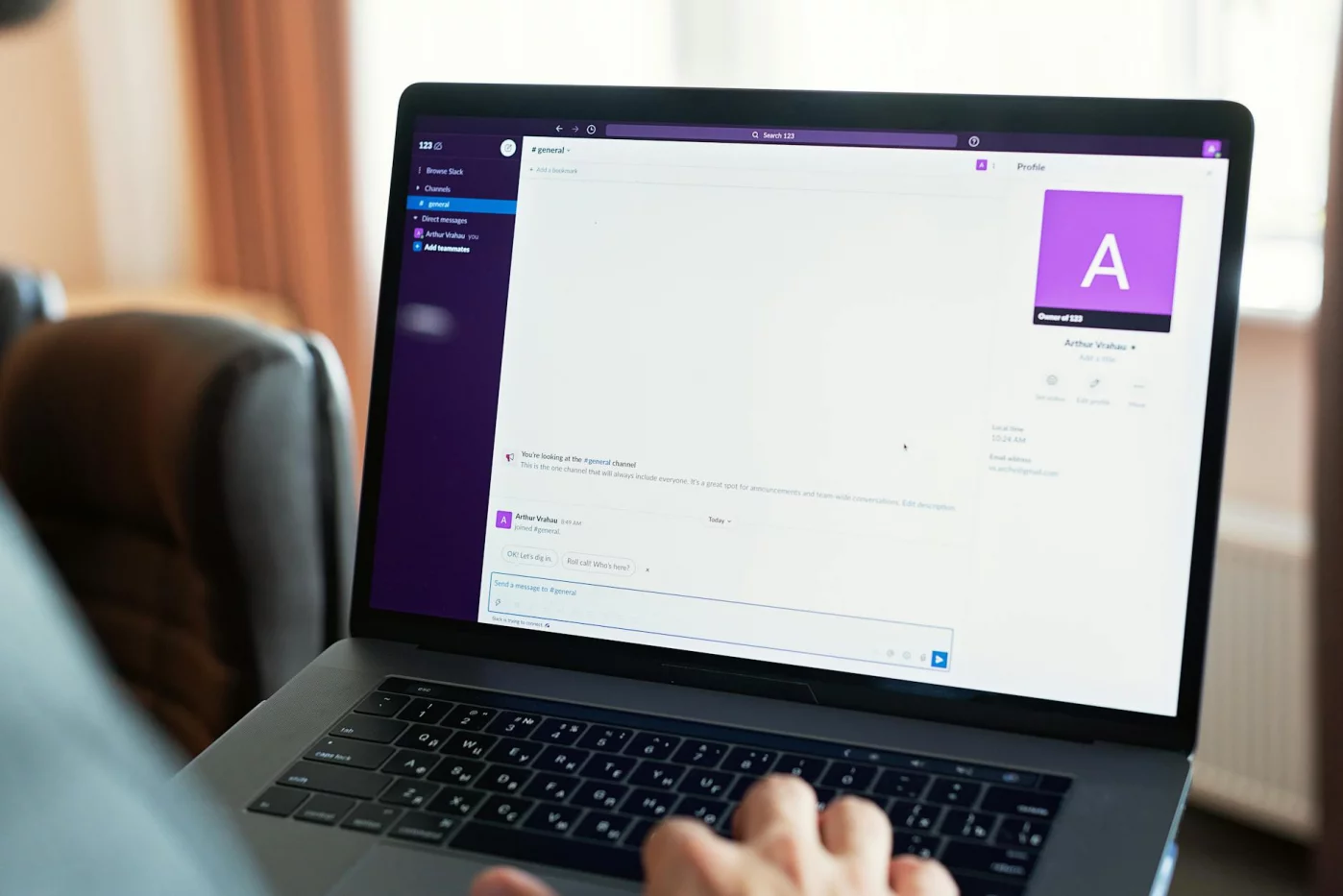
Here’s the short version: Obsidian is usually better for personal knowledge management, offline work, and linked thinking. Notion is usually better for collaborative workflows, structured databases, and polished dashboards inside a practical second brain system.
Which is better for beginners
For most beginners, Notion feels easier on day one. It looks familiar if you’ve used Google Docs, Airtable, or spreadsheets, and building a second brain in notion can feel intuitive because pages, tables, and templates are all visible right away.
But wait. That same visual flexibility can turn into clutter fast. In a lot of second brain apps reddit discussions, users say they spent hours copying creator dashboards, then ended up with a system too heavy to maintain.
Obsidian is less guided, but it can actually feel simpler if you ignore the plugin rabbit hole. Start with three things only: folders, tags, and links. That’s enough for note organization, and honestly, it’s enough for most people.
A good second brain shouldn’t just store notes; it should make recall easier later. That’s why I usually tell readers to pair their note system with retrieval habits like the ones in best active recall apps, instead of obsessing over dashboards.
- Choose Notion if you want visual structure, templates, and database views.
- Choose Obsidian if you want a lighter writing flow with less interface overhead.
- Avoid copying complex YouTube setups on day one, no matter which app you pick.
And yes, this is the part most people get wrong. They think the best setup is the most advanced one. It isn’t. The best setup is the one you’ll still use when you’re tired, busy, and behind.
Which is better for research and long-term PKM
If your focus is research notes, zettelkasten notes, or long-term knowledge management, Obsidian has the edge. Its markdown notes live as local files, backlinks are fast, and your archive stays readable even if you stop using the app.
That matters more than it sounds. In many second brain apps reddit debates, lock-in risk is a deciding factor for researchers, writers, and privacy-first users who don’t want years of thinking trapped inside one company’s workspace.
Notion is still strong for project databases, reading trackers, and collaborative research pipelines. But as a durable markdown-first archive, it’s weaker. Export works, sure, though the result often needs cleanup if your workflow depends heavily on databases and nested content.
For serious literature capture, I’d rather use Obsidian for permanent notes and then review sources with a workflow like read research papers faster. Research on memory consolidation, including work summarized by the NCBI overview of memory consolidation, supports the broader idea that organizing and revisiting information matters more than passively collecting it.
Offline use is another clear separator. Obsidian works well offline on desktop and mobile because your files are local by default. Notion has improved, but offline behavior can still feel inconsistent if your workflow depends on synced databases or mobile access in low-connectivity situations.
Mobile UX? Mixed. Notion is prettier for dashboards. Obsidian is faster for capture and linking once your vault is simple. And AI features? Notion currently offers a more integrated AI layer, while Obsidian stays more modular and user-controlled.
If your goal is learning, not just storage, your notes should feed review. That’s where methods like active recall vs review matter more than whether your sidebar looks nice.
Snippet-ready verdict box
If you’re asking, “is obsidian better than notion for second brain,” the honest answer is: for long-term personal knowledge management, yes, usually. For collaboration, databases, and structured workflows, Notion usually wins.
So what is the best app for second brain use? Neither is universally better. In second brain apps reddit threads, the best choice depends on whether you value durable linked notes or collaborative structure more.
Which brings us to the practical part: if you had to set up a usable system today, what would the simplest version look like? That’s exactly what the next section covers.
How to build a second brain in 15 minutes with a simple notes app setup
After the Obsidian vs Notion debate, here’s the practical answer: your setup matters less than your friction. Most people searching second brain apps reddit threads don’t need a complex dashboard. They need a notes app they’ll actually open tomorrow.
So here’s the deal. If you want a simple, durable system, start with PARA and keep it ugly at first. If you want the bigger picture behind this approach, my practical second brain system breaks down the logic in more detail.
Step-by-step starter setup
How to start a second brain in 15 minutes
- Step 1: Create five top-level folders or tags: Inbox, Projects, Areas, Resources, Archive. That’s your whole structure. Inbox is for raw capture, Projects are short-term outcomes, Areas are ongoing responsibilities, Resources hold useful reference material, and Archive stores inactive notes.
- Step 2: Turn on quick capture on mobile. Use a widget, shortcut, or pinned note so you can save ideas in under 10 seconds. If capture takes 30 seconds, you’ll stop doing it.
- Step 3: Make one note template for lecture, meeting, or reading notes. Keep it simple: source, key ideas, questions, next actions. Well, actually… that’s enough for 90% of people.
- Step 4: Add one tag only if needed, such as #question or #review. A tiny tagging system beats a 40-tag mess. This is the part most people get wrong.
- Step 5: Link related notes instead of building deep folder trees. Linked notes make ideas easier to reuse across projects, which is why second brain apps reddit users keep circling back to apps with fast linking and low-friction search.
That’s it. Not 12 databases. Not color-coded productivity cosplay.
If you’re on Android, pick any app with fast widgets, offline access, and reliable search. If you’re testing build a second brain notes app free options, prioritize speed, exportability, and mobile capture before fancy views.
The first 5 notes to create
Next, create five notes so the system is usable immediately. Not later. Right now.
- Capture Inbox: your default dump note for ideas, quotes, tasks, and questions.
- Current Projects: one note listing active projects with the next physical action for each.
- Learning Notes: concept notes for reusable ideas from classes, books, or tutorials.
- Reference Notes: stable information like formulas, checklists, links, or definitions.
- Weekly Review: a short review note with prompts: keep, connect, delete.
Want to know how do you build a second brain in a notes app without drowning in maintenance? Use CODE: capture, organize, distill, express. Capture a lecture point in your daily notes, organize it lightly into Projects or Resources, distill it into three bullet ideas, then express it in an essay, flashcard, report, or presentation.
And yes, expression is the point. A note that never changes your work or study workflow is just digital hoarding. Research on retrieval practice, including findings summarized by Roediger and Butler, suggests that recalling and using information improves long-term retention more than passive review alone.
A good weekly routine looks like this:
- Empty the Inbox into Projects, Areas, or Resources.
- Highlight one key idea in each important note.
- Add one link between related notes.
- Choose one note to turn into output this week.
Real-World Application: student, researcher, and creator examples
For students, a lecture note might live in Projects during exam season. You capture class points, add two active recall questions, and link them to exam prompts. Speaking of which — pairing review with the 2 7 30 memory rule helps those notes come back before you forget them.
For researchers, a paper summary should include the question, method, findings, limits, and future questions. Then link that note to a concept note like “working memory” or “sleep and consolidation.” That’s how second brain apps reddit discussions become useful in real work instead of staying theoretical.
For creators or knowledge workers, capture an article idea in Inbox, move it to Projects, link source notes, and distill the angle into a rough outline. One note becomes one draft. Which brings us to the real test: can your system help you publish, present, decide, or study faster?
Personally, I think the best second brain app for students, the best second brain app for researchers, and the best setup for creators all share the same trait: low friction. Different apps, same principle. And before I give the final recommendation, we need to cover the mistakes that quietly break most second brain apps reddit-inspired setups.
Common second brain app mistakes to avoid and the best final recommendation
You can build a usable system fast. Now the bigger risk is choosing badly after reading too many second brain apps reddit threads and mistaking opinions for fit.

Personally, I think most second brain apps reddit debates start in the wrong place. People argue about folders vs tags, but retrieval speed, search, and weekly review habits matter more than perfect note organization.
Mistakes that waste time
The first mistake is plugin overload. I’ve seen people spend hours customizing dashboards, themes, and AI note taking workflows before they’ve saved 20 useful notes.
That’s backwards. A 2021 review in NPJ Science of Learning reinforced a simple point: learning improves more from retrieval practice than from passive storage, which is why your notes should support recall, not replace it. If that’s your weak spot, read our guide on active recall vs review before switching tools again.
- Don’t obsess over folders vs tags too early.
- Don’t ignore exportability, plain text support, or easy backups.
- Don’t build a beautiful system you never review.
- Don’t use AI note taking summaries as a substitute for thinking.
And here’s the kicker — lock-in hurts later, not now. If an app makes it hard to export your notes to Markdown, HTML, or plain text, you’re renting your brain, not owning it.
Quick sidebar: if you’re dealing with ADHD, stress, burnout, or serious focus problems, note systems can reduce friction, but they aren’t treatment. For clinical concerns, consult a qualified professional, and for practical habit support you can start with these work with ADHD strategies.
Final recommendation by scenario
So which app wins? Well, actually… there isn’t one winner, and second brain apps reddit gets this part half right.
Obsidian is the best overall for long-term PKM and linked notes. Notion is best for teams. Apple Notes is best for Apple simplicity. Joplin is the best privacy-first second brain app. OneNote is strong for broad device use and low-friction beginners. Logseq fits linked-thought enthusiasts. Evernote only makes sense if web clipping and search are your top priorities.
Which second brain app is best for android? For most people, OneNote first. Want deeper PKM and local files? Obsidian is the better long-term bet. And if you’re asking what is the best free second brain app, Joplin and Obsidian are usually the strongest answers depending on your privacy and linking needs.
That’s the practical answer second brain apps reddit often misses: pick the simplest tool that matches your workflow, then stick with it. Next, let’s wrap this up with the key FAQs and final next steps, including where to explore FreeBrain study systems for focus, recall, and research workflows.
Frequently Asked Questions
What is the best app for a second brain?
If you’re asking what is the best app for second brain use, my pick is Obsidian for most people. It gives you offline notes, backlinks, and export-friendly markdown files, which is why it comes up so often in second brain apps reddit discussions about long-term personal knowledge management. That said, Notion is better if you need collaboration and database-style organization, Apple Notes is better if you want simple capture inside the Apple ecosystem, and Joplin is better for privacy-first users who care about local control.
How do you build a second brain in a notes app?
If you’re wondering how do you build a second brain in a notes app, start boring and simple: Inbox, Projects, Areas, Resources, Archive. Then create three habits that make the system actually work: a daily note for capture, a project note for active work, and a weekly review so useful notes don’t disappear into a pile. That’s the part many second brain apps reddit threads miss — the app matters less than whether your notes stay retrievable and connected over time.
Which second brain app is best for Android?
For readers asking which second brain app is best for android, OneNote is often the easiest choice because it’s fast to capture in, works across devices, and feels familiar right away. But wait — if you care more about linked notes, markdown, and long-term PKM than convenience on day one, Obsidian is usually the stronger Android pick and gets recommended often in second brain apps reddit comparisons. A practical rule: choose OneNote for frictionless capture, choose Obsidian for deeper thinking and better note relationships.
Is Obsidian better than Notion for a second brain?
Is obsidian better than notion for second brain workflows? Usually yes, if your priority is offline use, linked notes, and keeping your files in export-friendly markdown that you can move later. Notion is better when your system depends on databases, collaboration, and structured dashboards, which is why second brain apps reddit debates often split along that exact line: thinking tool vs workspace tool. If you want a deeper look at evidence-based note systems, you can also read FreeBrain for practical study and knowledge-management strategies.
What is the best free second brain app?
If you’re searching for what is the best free second brain app, the strongest free options are usually Joplin and Logseq. Joplin is simpler and more privacy-friendly, while Logseq is better if you want linked thinking and an outliner-style workflow; Obsidian is also excellent for free local use, though paid sync may matter if you want a smoother multi-device setup. That’s why second brain apps reddit recommendations often come down to one question: do you want simplicity, stronger links, or easier syncing?
Which second brain app works offline?
If you need to know which second brain app works offline, good options include Obsidian, Joplin, Logseq, Apple Notes, and OneNote. But here’s the kicker — offline editing and reliable later sync are not always the same thing, so you should check how each app handles conflicts, mobile caching, and delayed uploads before trusting it with important notes. For a broader look at note-taking and digital organization, the NCBI archive is useful for reading research on memory, retrieval, and learning habits that often come up in second brain apps reddit conversations.
Can you build a second brain in Apple Notes?
Yes — can you build a second brain in apple notes is an easy one to answer: you absolutely can, especially if you already live inside the Apple ecosystem and want frictionless capture on iPhone, iPad, and Mac. Personally, I think Apple Notes works best when your goal is quick retrieval, simple folders, and low setup overhead, which is why it gets steady praise in second brain apps reddit threads. The tradeoff is flexibility: it’s weaker for advanced PKM, cross-platform access, and deep linked-note workflows than tools like Obsidian or Logseq.
What features should a second brain app have?
If you’re asking what features should a second brain app have, focus on the essentials first:
Fast capture, strong search, reliable retrieval, exportability, and low-friction mobile use. After that, backlinks, tags, offline mode, and privacy controls matter too — but only if they support your real workflow instead of adding busywork. That’s where a lot of second brain apps reddit advice gets messy: the best feature set isn’t the longest checklist, it’s the one you’ll still use six months from now.
Conclusion
If you want the shortest path forward, here it is. Pick one tool based on your real use case, not endless feature comparisons: Obsidian if you want local files and flexible linking, Notion if you want clean databases and collaboration, and Apple Notes or Google Keep if you need something friction-free today. Then build a tiny setup first — inbox, projects, references, and archive — and test it for 7 days before changing anything. That’s the pattern behind most useful second brain apps reddit discussions: simple capture, fast retrieval, and a system you’ll actually keep using.
And honestly, you don’t need the perfect app to build a useful second brain. You need a setup that feels easy enough to trust on busy days. If you’ve bounced between tools before, you’re not failing — you’re just seeing the same problem many people run into when comparing second brain apps reddit threads for hours instead of building a small working system. Start messy. Refine later. Personally, I think consistency beats cleverness every time.
Want help turning this into a study-ready workflow? Read How to Study Smarter, Not Harder for practical learning strategies, and check out Spaced Repetition if you want your notes to become something you actually remember. If you’re still comparing second brain apps reddit recommendations, stop at one decision, make your folders today, and capture your next useful idea before you forget it.